Accelerator 26.3.3 release notes
Initiatives released
Journey draft branches
Live journeys can now evolve as quickly as your programs do. With draft branches, journey builders create an editable copy of a live journey, refine it at their own pace, and promote it to replace the live version, all while the journey keeps running and users already in progress continue on their way.
Use case
- Update a live journey's logic, targeting, or content without pausing it or interrupting the users moving through it.
Goals
- Let journey builders branch, edit, and promote changes on their own schedule.
- Keep the live journey experience steady for in-progress users until a draft is promoted.
Capabilities
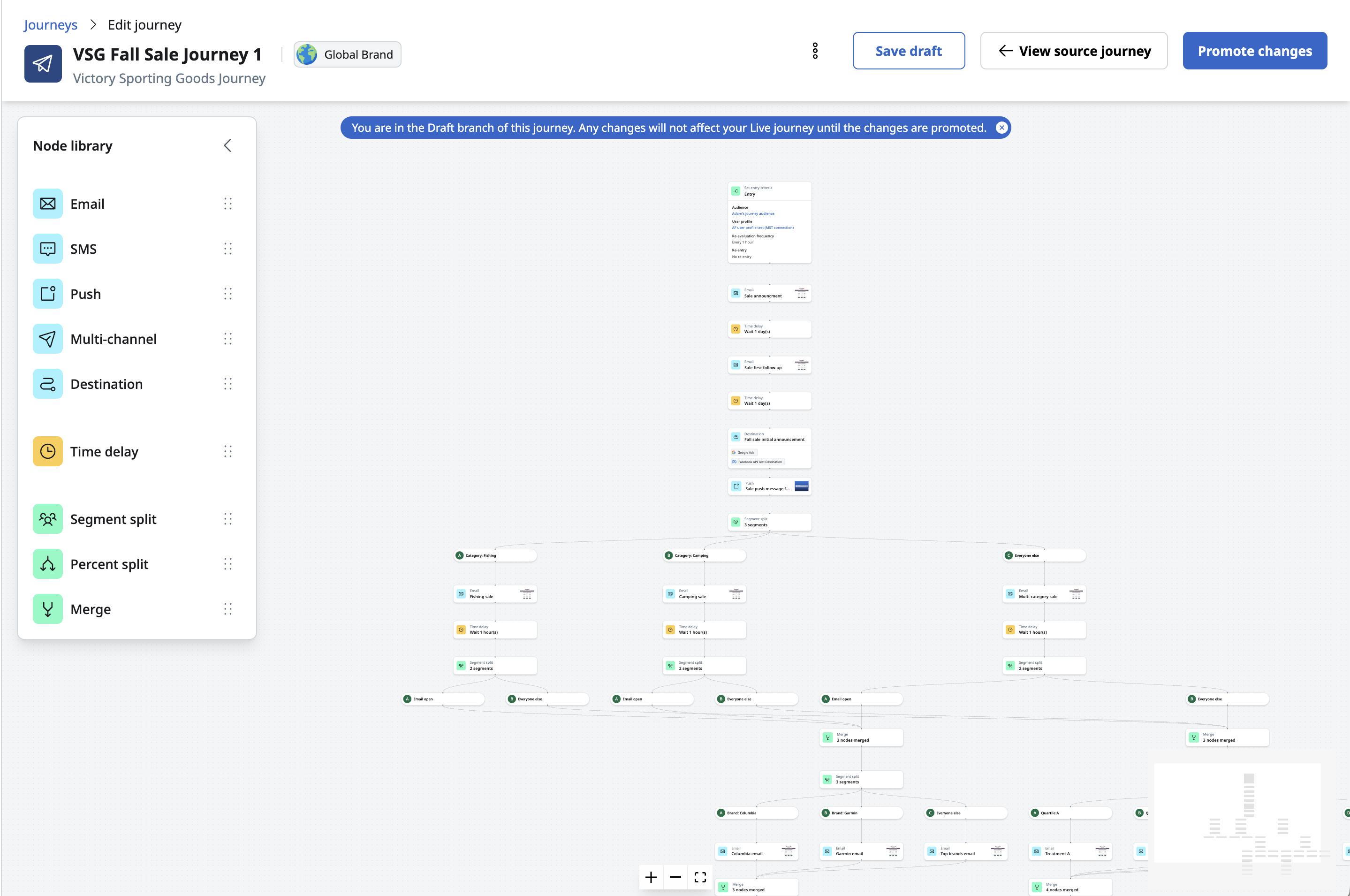
- Create draft branch on any live journey copies its canvas and settings into a working draft, which opens in place.
- A banner on the canvas clearly marks the draft, so it's always easy to tell which version you're working in.
- Edit and save changes in the draft, then move between the draft and the live journey with View draft branch and View source journey.
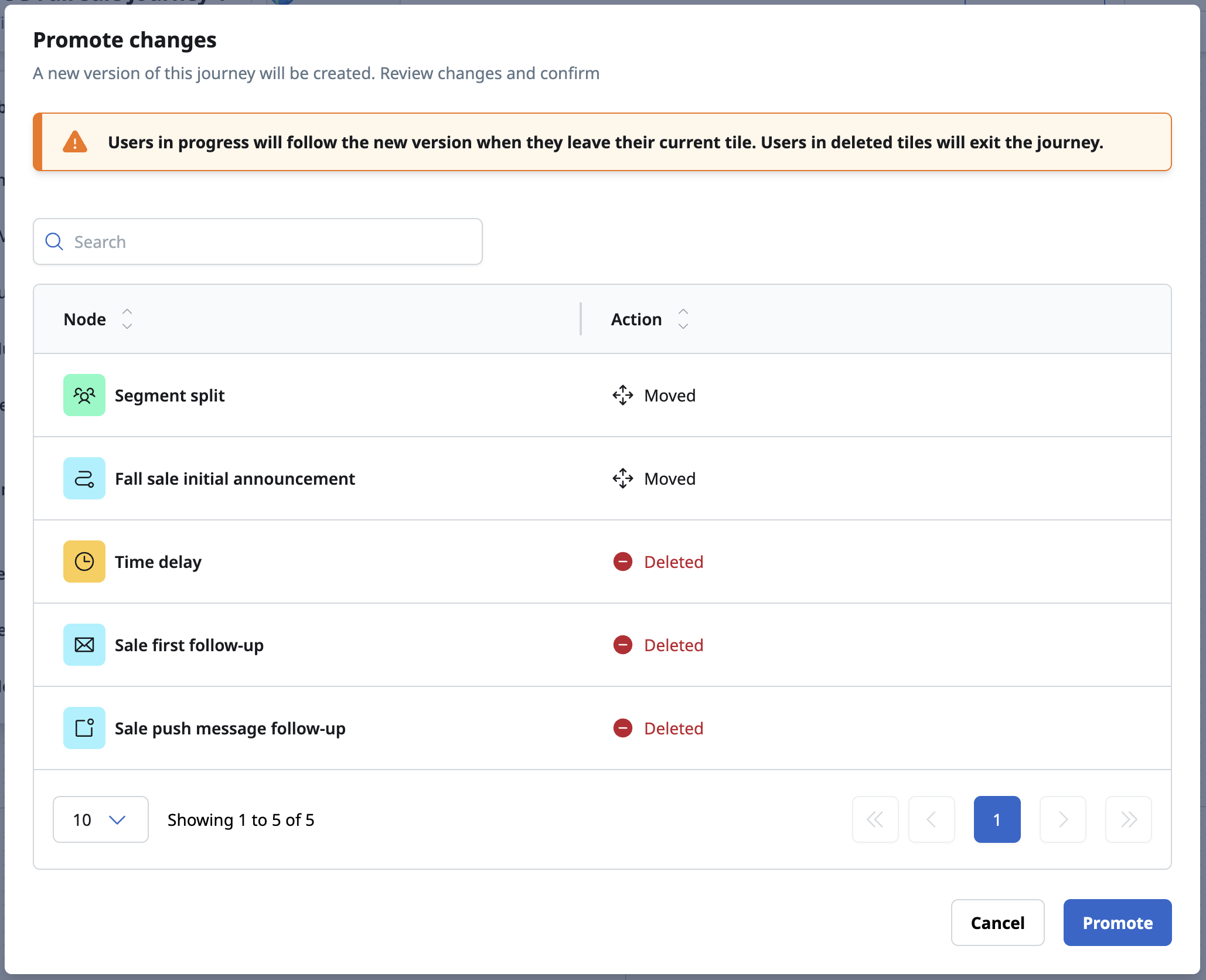
- Review a summary of every added, deleted, moved, and updated tile before you promote.
- Promote changes to replace the live version. The journey keeps its schedule, and your changes take effect at the next evaluation cycle.
- Users already in the journey continue from their current tile and follow the updated journey as they progress.
- Discard a draft at any time with Delete draft branch, leaving the live journey as it is.
See Edit a live journey with a draft branch for more details.
Journey Destination tile
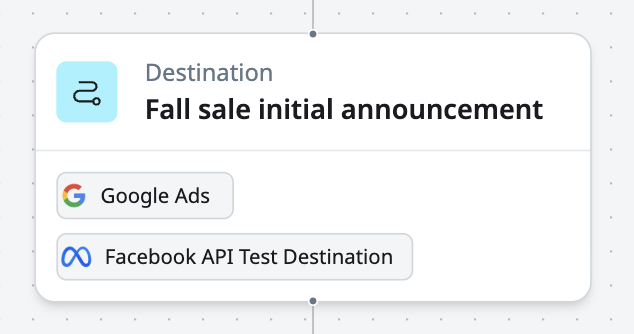
Journeys now reach beyond messaging. The new Destination tile brings External Campaign-style exports directly onto the journey canvas, so the users who reach a tile flow automatically into your ad audiences, mobile lists, and cloud storage files on every evaluation cycle.
Use case
- Keep paid media platforms, mobile lists, and file storage destinations in step with a journey by exporting the users who reach a point in it.
Goals
- Bring destination exports into the journey canvas as a native tile type.
- Give journey builders the same field mapping and validation controls available elsewhere in Accelerator.
Capabilities
- New Destination tile in the tile library, with a searchable destination selector grouped by vendor. Each tile can export to up to 10 API destinations.
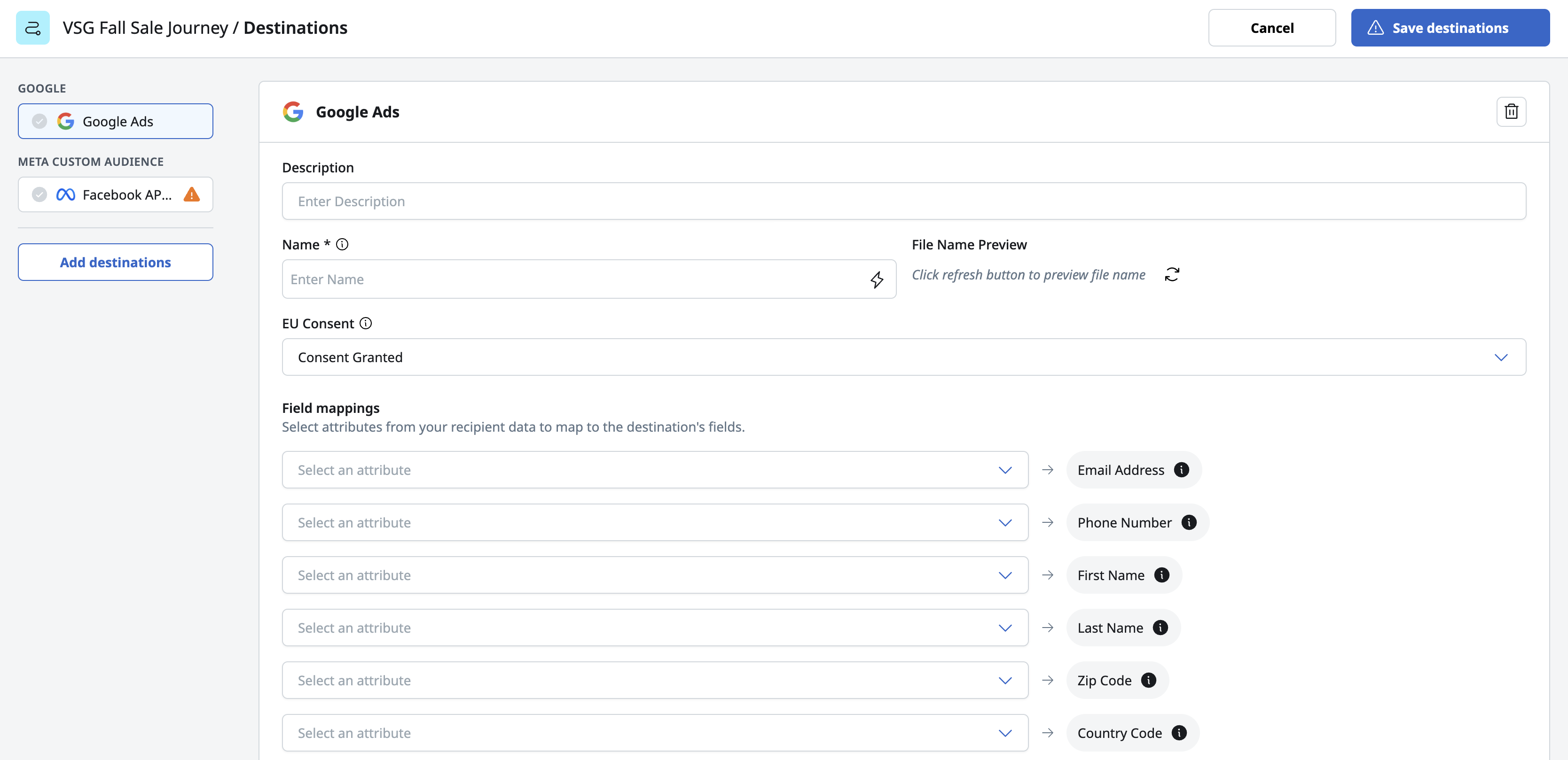
- A side-by-side destination panel for configuring each destination's settings, field mappings, and file naming, with a validation indicator for each destination.
- Default field mappings fill in automatically from the journey's user profile, and Do not share settings are applied to every export.
- Column customization for file-based destinations, such as Amazon S3 and Google Cloud Storage, to select, reorder, and rename the exported columns.
- Journeys can be activated with Destination tiles alone, and validation confirms every Destination tile is complete before a journey goes live.
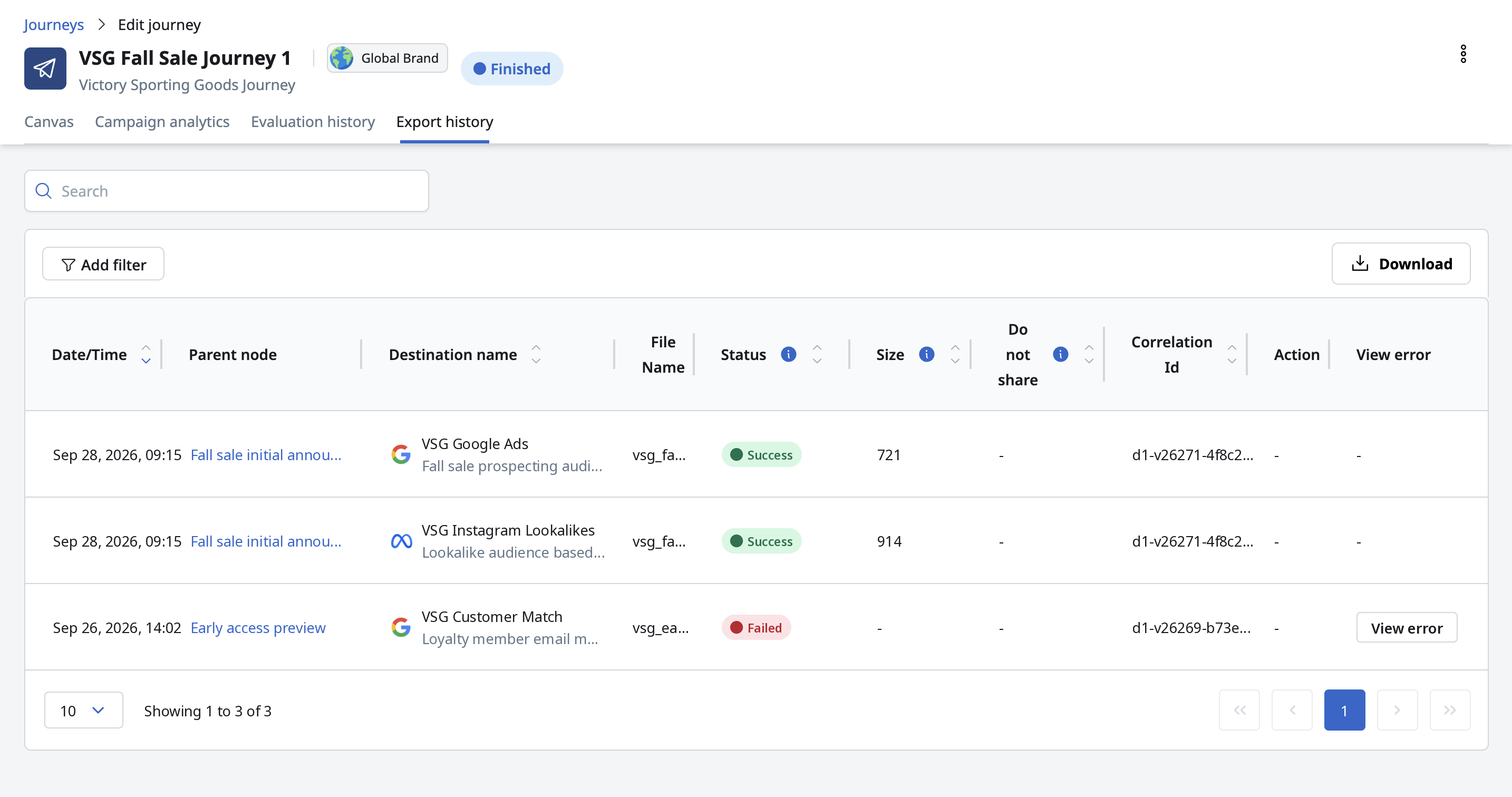
- An Entrants count on each Destination tile, plus a new Export history tab in journey analytics that lists every export with its status, size, and details for any export that needs attention.
See Journey tiles and Journey analytics for more details.
Push to Inbox analytics and dashboards
Push to Inbox, introduced in 26.3.1, now has full reporting to match. Inbox performance appears alongside Email, SMS, and Push across the dashboards and analytics screens you already use, so you can measure how recipients read, click, and engage with your inbox messages.
Use case
- See Inbox channel performance and job-level detail alongside your other channels, in the same dashboards and analytics screens.
Goals
- Bring Inbox reporting to the Performance dashboard, the Operational dashboard, and campaign and job analytics.
Capabilities
- Inbox channel filter on the Performance dashboard, with Recipients, Delivery rate, Suppressed rate, Bounce rate, Click rate, Unique clicks, Content error rate, Read rate, and Delete rate.
- Inbox in the Operational dashboard's Recent jobs and Scheduled jobs filters.
- Inbox analytics on the Job list and Job analytics pages, with dedicated Deliverability and Engagement views and a preview of the Inbox message.
- Inbox in Marketing campaign analytics, including the Performance over time chart and the jobs table.
- Inbox reported as its own channel, so Push & Inbox campaigns show results for each channel side by side.
- The Recently viewed table on the Performance dashboard now shows Inbox for marketing and transactional campaigns.
See Push to Inbox content for more details.
Blueprint and snapshot support for external campaign APIs
The external campaign API introduced in 26.3.2 now works with Blueprints. MCP, scripts, pipelines, and AI agents can build and launch external campaigns against a Blueprint-defined audience and choose exactly which nodes to include.
Use case
- Build and launch an external campaign against a Blueprint-defined audience through the API, alongside SQL-defined audiences.
Goals
- Use Blueprints as an audience source in the external campaign API.
- Let a launched campaign use a Blueprint snapshot for fast, consistent audience delivery.
Capabilities
- Read a Blueprint's structure through the API, including its available fields, launch variables, and nodes.
- Attach a Blueprint to an external campaign, select the nodes to include, and set its launch variable values.
- Create, update, and delete Advanced Blueprints directly through the API.
- View a Blueprint snapshot's status, settings, and the campaigns that use it, and start a refresh.
- Choose, for each campaign, whether it uses a Blueprint's snapshot or its live query.
- List all Global Data Variables in your account.
See Automation overview for more details, and Stoplight for the full endpoint reference.
General changes
List of defects remediated or small enhancements included in this release:
Enhancements
- Journey audiences, user profiles, and MDS can now each use their own Snowflake data connection, when the connections share the same account.
- Numbers on the journey canvas now display with thousands separators, so large counts are easier to read at a glance.
- Channel reach (All channels, Recipient preference, or Optimal channel) now appears in the Recently viewed table on the Performance dashboard and in the journey Campaign analytics table, as well as on the Marketing campaigns list page.
- The Marketing campaigns list page's options menu includes View Analytics, which opens a campaign's analytics in one step.
- Content Author Admins can now unlock templates, Campaign Author Admins can unlock marketing campaigns, and Global Content Author Admins can unlock global snippets, so teams can keep work moving without waiting on a System Admin. Each role's description now lists its Unlock permission.
- The Accelerator API now includes analytics for marketing campaigns and their jobs, with engagement metrics and rates, results over time, and email breakdowns by recipient domain, device type, and email client.
Fixes
- Resolved an issue where selecting the Application Ids field on an external campaign doubled the entered value count.