Accelerator 26.2.1 release notes
Initiatives released
AI Asset Summaries
Use Case
AI Asset Summaries transforms the MessageGears platform into an intuitive, self-documenting workspace. By leveraging AI to automatically generate concise, meaningful descriptions, this feature empowers teams to make faster decisions, collaborate more effectively, and build with confidence. AI Asset Summaries provides instant clarity on what each asset does, why it exists, and how it delivers value. This capability reduces the load on technical and non-technical team members alike, accelerates onboarding, minimizes duplicate asset creation, and establishes the foundation for advanced capabilities like semantic search.
With this feature, concise, plain-language summaries are generated for assets so your team can understand what the asset does at a glance, without touching a line of code.
Common scenarios where this feature adds value include:
- Accelerated decision-making — Quickly determine whether to reuse, modify, or build a new asset without having to click into every detail.
- Returning to unfamiliar assets — When a user hasn't interacted with an asset in weeks or months, the summary brings them back up to speed instantly, even if the asset has changed.
- Cross-team collaboration — Marketing, operations, and technical teams can all share a clear understanding of what each asset does, reducing handoff time.
- Faster onboarding — New team members can understand existing assets with the click of a button.
Learn more at About AI asset summaries.
Goals
- Enable users to understand what an asset does without opening it.
- Make technical assets accessible to non-technical team members.
- Reduce time spent on asset discovery and review.
- Lay the foundation for future AI-powered capabilities like semantic search.
Generating a summary
Asset summaries are generated in two ways:
1. Automatic Summary Generation
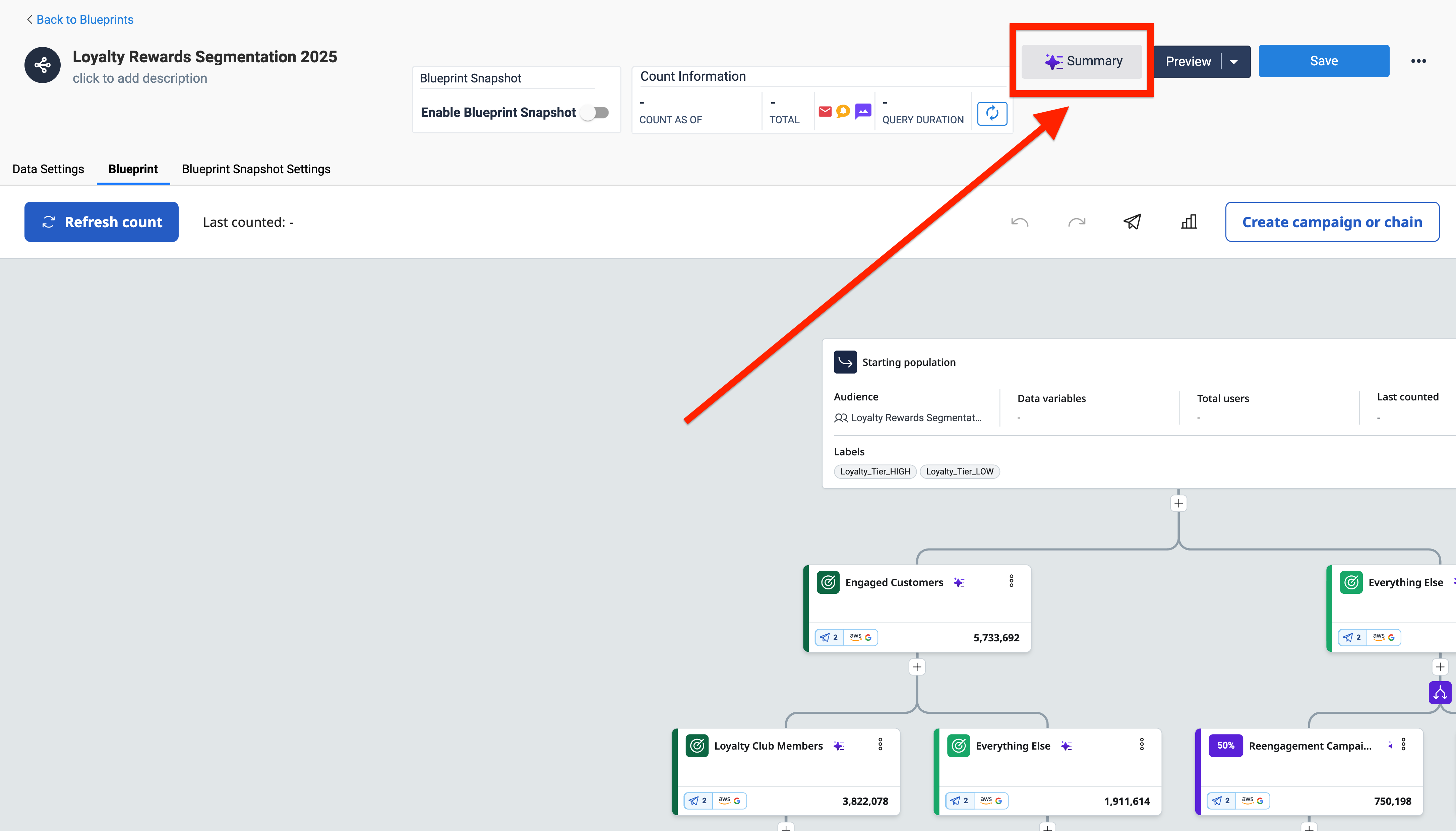
When an eligible asset without a summary is opened, a summary will generate in the background automatically. This approach keeps the experience fast and unobtrusive. You know the summary is generated when the AI “icon” in the Summary button in the top right of the asset view page has been colored in.
Summary has been generated when icon is filled in
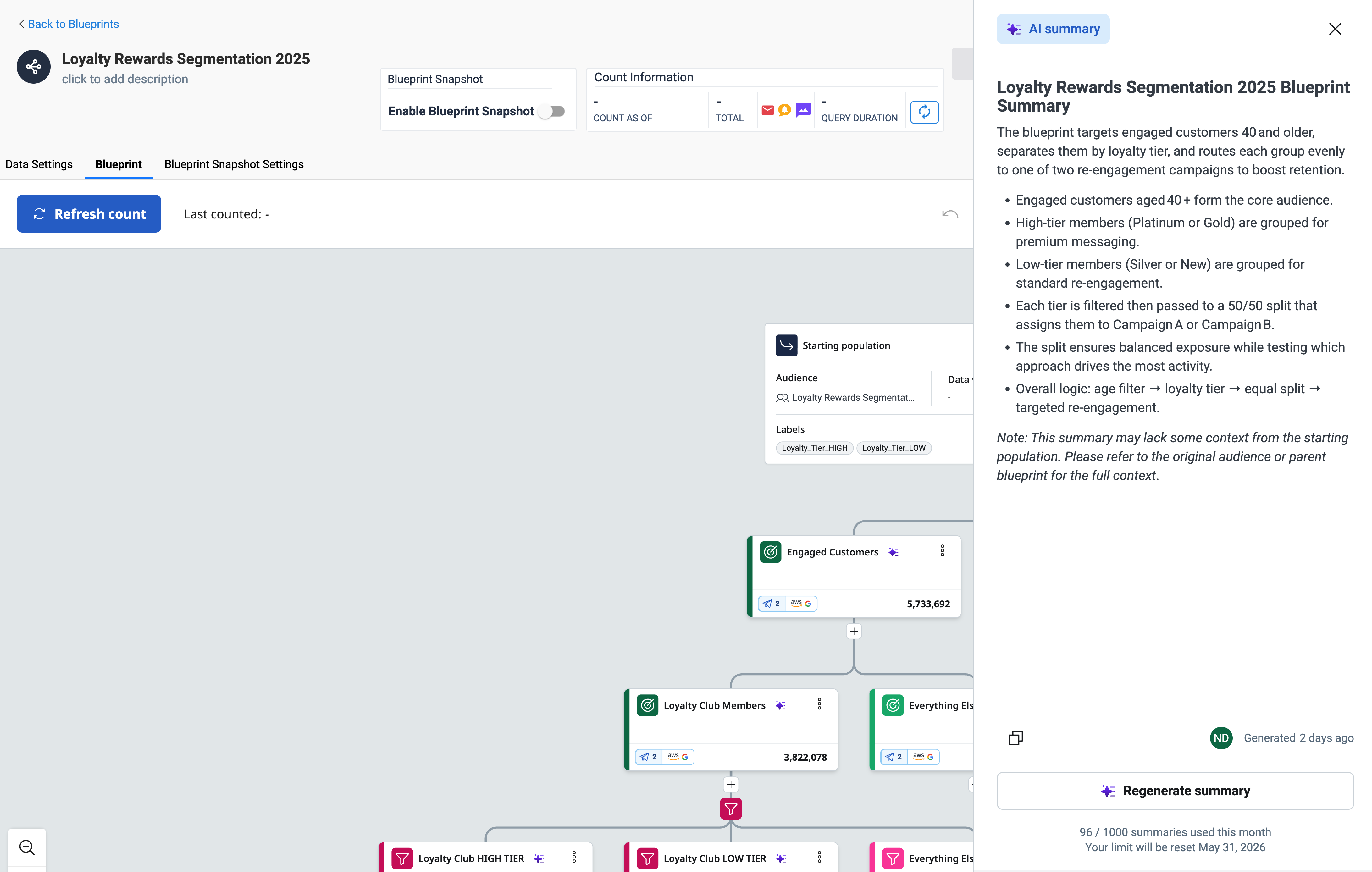
Clicking the summary button opens the AI summary
2. Manual Summary Generation
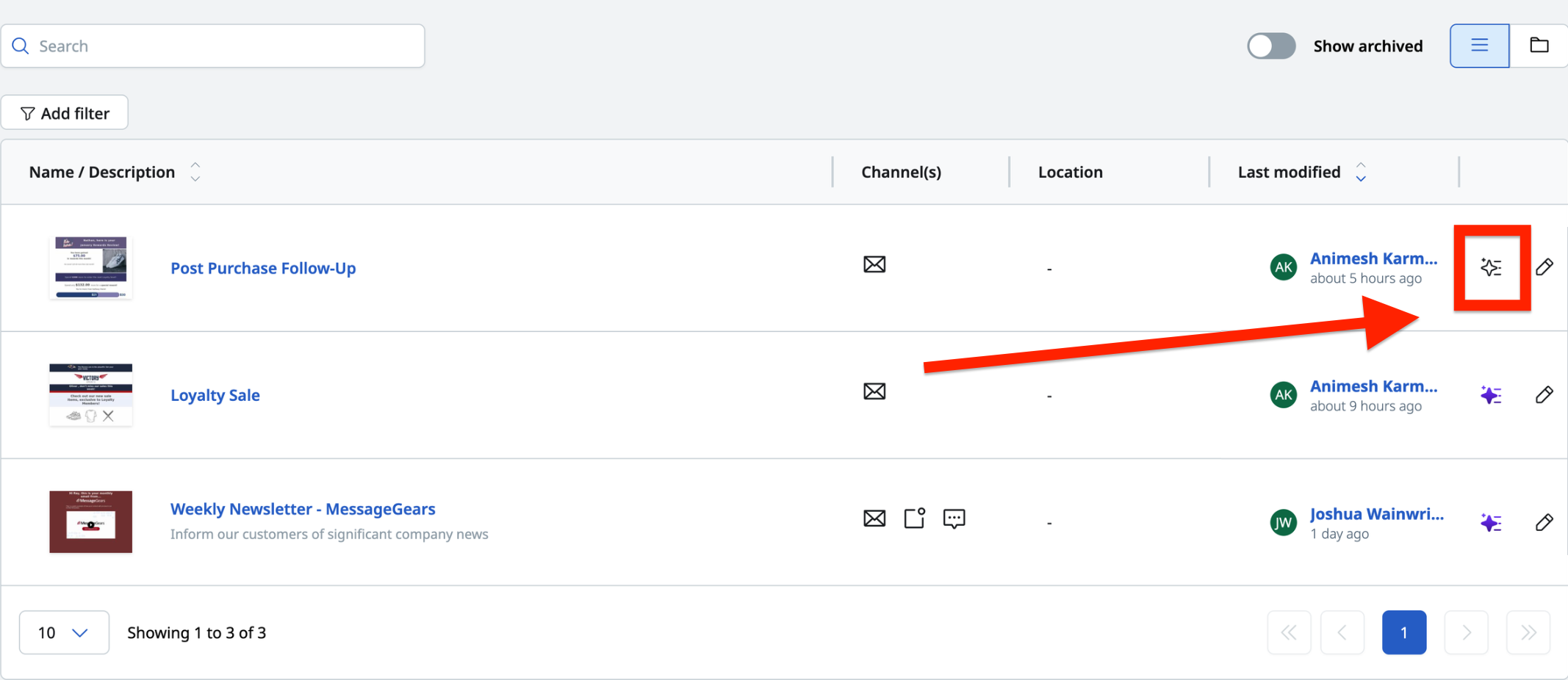
For assets in the list view, summaries can be requested manually without opening the asset. Users will see a Summarize button in the asset drawer on the list view page. Clicking it triggers summary generation on demand. An AI icon that's colored indicates that an AI summary has already been generated for that asset.
Summary icon on asset list page
External Campaign Job Status API
Use case
External Campaigns now expose a public Job Status API, giving customers programmatic visibility into the lifecycle of every launched campaign job while maintaining campaign status visibility through the UI.
With this release, customers can query a single REST endpoint to retrieve a structured, end-to-end view of a job's progress — including per-destination details, error context, and clearly defined terminal states. The new status model replaces the legacy values with a deterministic set of states that make polling, alerting, and automation reliable to build against.
See the new Get External Job Status API for technical details.
Common scenarios where this feature adds value include:
- Programmatic status visibility for launched campaigns — External systems and dashboards can reflect the execution state of a launched campaign job (completed, failed, or in-flight states like initializing_data, processing, collecting) without manual checks in the UI.
- Polling and automation until terminal completion — Automations can poll the endpoint until the job reaches a terminal state (completed, failed, partial_failure, stopped), then branch into the right downstream workflow: proceed for completed, alert/remediate for failed, or selectively retry for partial_failure and stopped. The explicit status model makes polling logic deterministic.
- Debugging and selective relaunch on partial failures — When some destinations succeed and others fail, the per-destination view (status, recordsExported, errorCode, errorMessage) lets customers see exactly which endpoints failed and why, enabling root-cause analysis and selective retries instead of full relaunches.
- End-to-end lifecycle transparency through granular statuses — A richer set of job-level statuses gives customers clear insight into each phase of execution: differentiating startup/data issues from execution or callback issues, surfacing stuck jobs (e.g., stuck in collecting), and enabling more nuanced automation than a "running vs. done" binary.
Endpoint
GET /messagegears-api/v1/external/job/{jobId}
Authentication, authorization scopes, and rate limits are consistent with existing external REST API standards.
| Status | Scenario |
|---|---|
| 200 OK | Successfully retrieved job information. |
| 401 Unauthorized | API Key is missing or invalid. |
| 404 Not Found | The {jobId} does not exist. |
| 500 Internal Error | Unexpected server-side failure. |
Goals
- Enable customers to programmatically check job status and act on outcomes, including partial failures.
- Provide a consistent, self-explanatory response structure with per-destination details.
- Replace ambiguous statuses with a deterministic, well-defined status model.
- Make polling and automation logic repeatable and easy to integrate with.
New job-level statuses
- initializing_data — job created and preparing data (extraction, validation, staging).
- processing — core execution (sending messages / exporting to destinations).
- collecting — awaiting/aggregating results, metrics, or destination callbacks (N/A for External Campaign).
- completed — all destinations succeeded.
- failed — unrecoverable error; no usable outcome or all destinations failed.
- partial_failure — at least one destination failed and at least one succeeded. (for multi-destination campaigns only)
- stopped — user/system stopped before full completion.
Per-destination statuses
- pending — destination not started.
- processing — in progress.
- succeeded — completed successfully.
- failed — completed with an error.
Mapping from legacy statuses
| New status | Legacy status mapping |
|---|---|
| initializing_data | INITIALIZING |
| processing | SENDING_RECIPIENTS, SUBMITTING, PROCESSING |
| collecting | COLLECTING DATA |
| completed | COMPLETED |
| failed | FAILED |
| partial_failure | (no direct legacy equivalent — new state to surface mixed outcomes) |
| stopped | HALTED |
{
  "jobId": 123,
  "campaignId": 456,
  "status": "PARTIAL_FAILURE",
  "startedAt": "2026-03-18T10:00:00Z",
  "completedAt": "2026-03-18T10:05:00Z",
  "completedDestinations": 2,
  "failedDestinations": 1,
  "totalDestinations": 3,
  "errorCode": "PARTIAL_FAILURE",
  "errorMessage": "Partial failure: one or more destinations failed. Check destinations[] for details.",
  "destinations": [
    {
      "id": 28293,
      "name": "meta_ads",
      "status": "SUCCEEDED",
      "errorMessage": null
    },
    {
      "id": 28292,
      "name": "google_ads",
      "status": "FAILED",
      "errorMessage": "Invalid OAuth token"
    },
    {
      "id": 28291,
      "name": "whatsapp",
      "status": "SUCCEEDED",
      "errorMessage": null
    }
  ]
}
General changes
Enhancements
- Added audit logging and key management to External Campaign Launch via API
- Added filters to the Transactional Campaign List page
- Enabled the UI to be deployed independently from the backend, allowing faster updates and reduced deployment risk
- Added the ability to remove individual content channels from a multi-channel Templates
- Campaign error emails now include the campaign name or a link to a campaign in addition to the request id
Fixes
- Fixed an issue where the “Use blueprint snapshot extraction” option not enabled by default
- Fixed an issue where the UI was unable to check out a connection to the Snowflake instance
- Fixed an issue where campaign preview fails when channels are Email and SMS but recipient data only has Email or SMS for recipients
- Fixed an issue where an error message wasn’t being displayed on the preview screen when either the Email or SMS address is missing
- Fixed an issue where SysAdmin couldn’t select 'Edit Template' or 'Quick Launch' from previews
- Fixed an issue where the template sample recipient is making multiple calls to GET audience
- Fixed an issue of page unresponsiveness when building drag-and-drop templates while having dynamic styling enabled