Accelerator 26.4.1 release notes
Initiatives released
MMS messaging
Reach customers with picture messages as well as text. MMS (Multimedia Messaging Service) adds an image to the same SMS template content you already author, sent from the same short codes you already use for SMS.
Use case
- Send image-based text messages to customers from existing short codes, without configuring a separate channel.
Goals
- Let MMS-capable short codes send an image alongside SMS text.
- Keep MMS authoring, sending, and reporting inside the same screens already used for SMS.
Capabilities
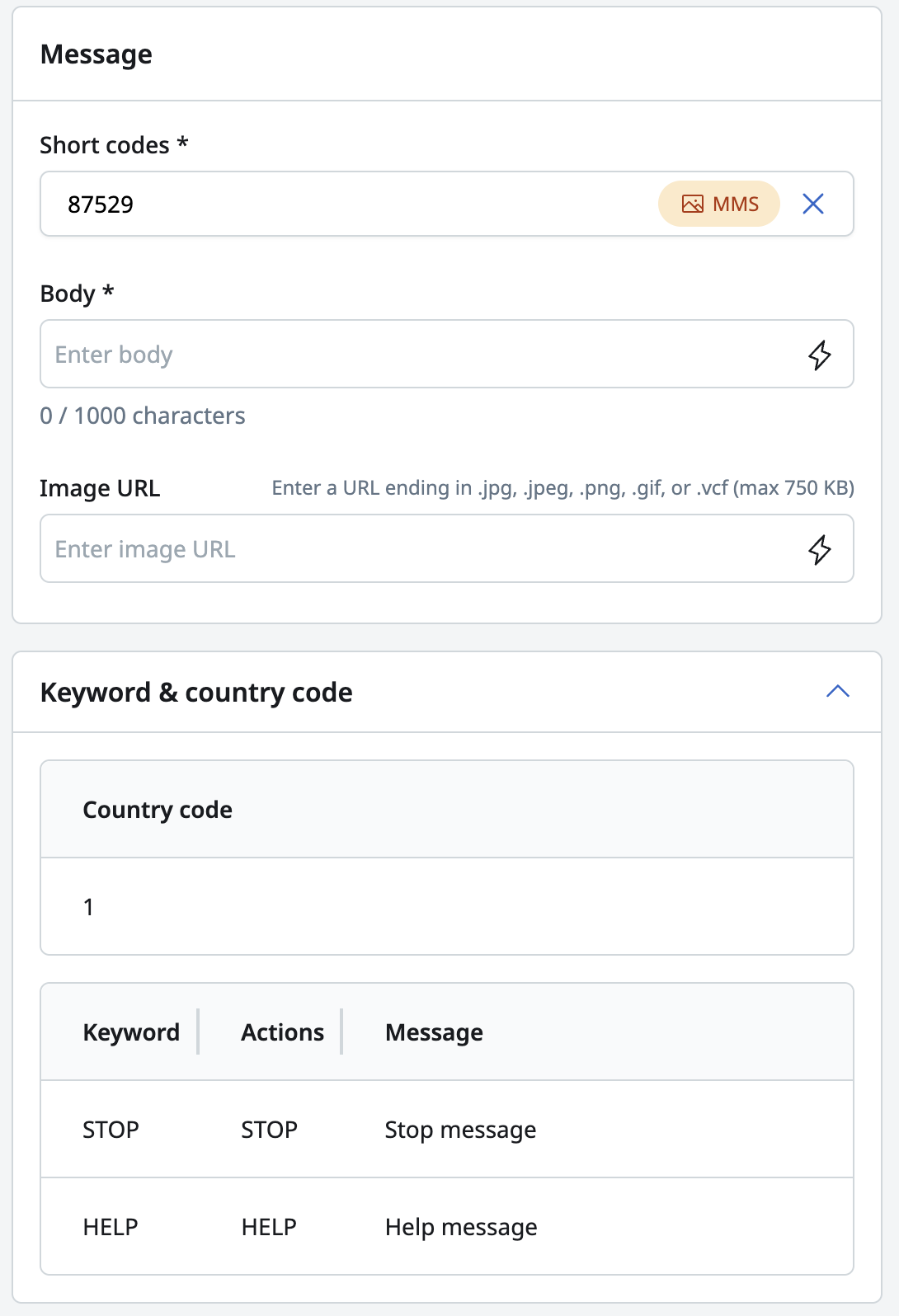
- Author SMS and MMS content on the same SMS/MMS content page of a template. The short code you select decides whether the template sends SMS or MMS.
- A single Short codes dropdown lists every short code, SMS and MMS, with its capability shown inline.
- Add an Image URL to a template that uses an MMS-capable short code, with FreeMarker personalization supported in the URL.
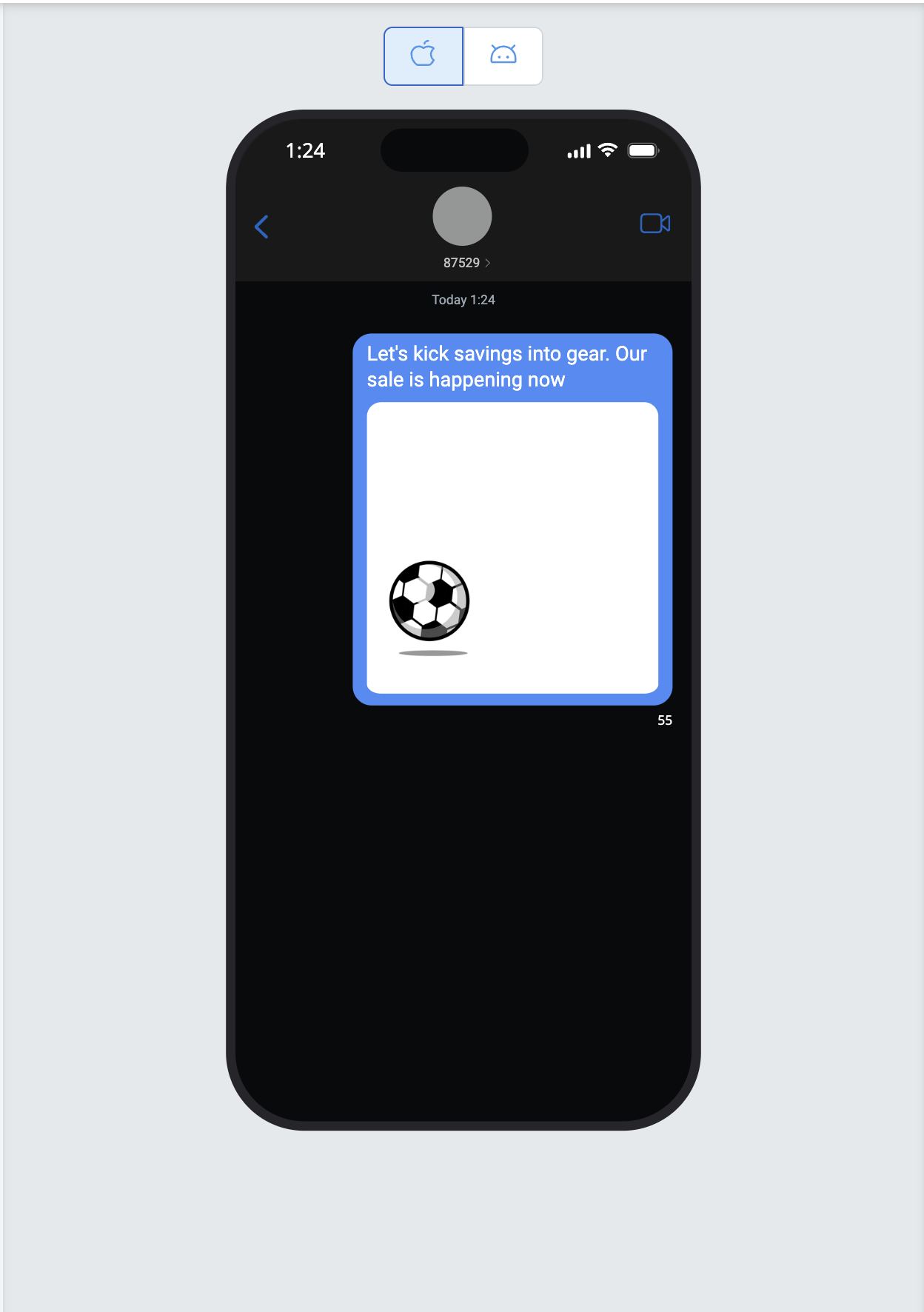
- Preview a message in an iOS or Android device frame, including the image, and send a real test message to a mobile number.
- Templates saved with an MMS-capable short code show an MMS badge in the template list, a template's details panel, and Recently viewed.
- Filter the Templates list by MMS or SMS.
- Send MMS from marketing campaigns, transactional campaigns, and journeys using the same SMS/MMS channel and tile already used for SMS.
See Creating SMS and MMS templates for more details.
Schema selection for Managed Data Schema
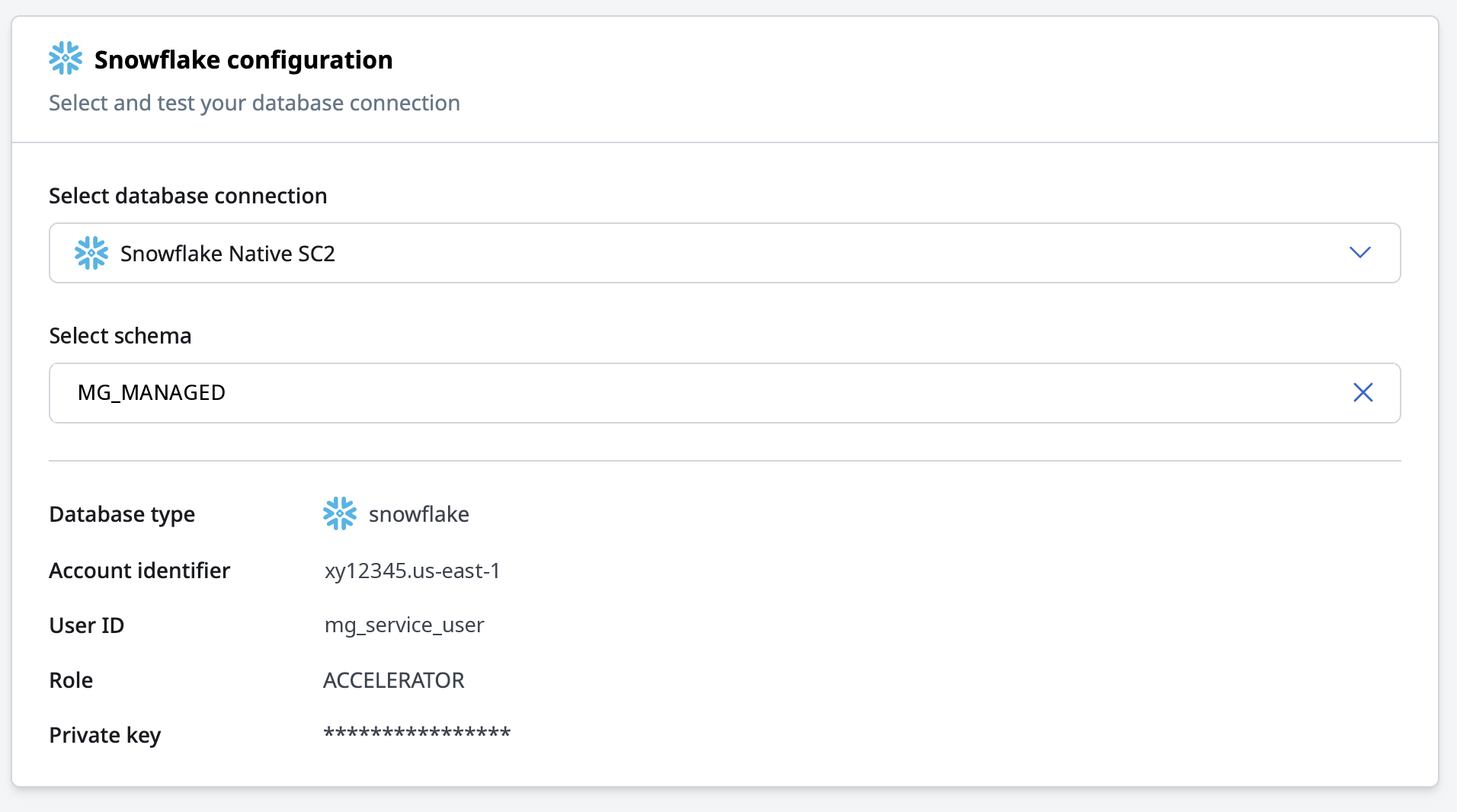
Managed Data Schema no longer limits you to a schema named MG_MANAGED. Choose the schema your DBA creates, in your own naming convention, and Accelerator confirms access with a faster, more direct connection test.
Use case
- Use your organization's own schema naming convention for Managed Data Schema, instead of creating a schema named
MG_MANAGED.
Goals
- Remove the fixed
MG_MANAGEDschema name. - Replace role-and-grant inspection with a direct create/drop test, so permission problems surface clearly.
Capabilities
- Select your schema from a dropdown of the schemas available on the connection's database, project, or catalog.
- Edit an existing Managed Data Schema configuration to point at a different schema.
- Snowflake, Redshift, and Databricks connections confirm access by creating and dropping a test table, and for Snowflake also a test view, instead of inspecting roles. Permissions inherited through another role now pass the test.
- New failure messages name the missing create or drop access and any leftover test object.
See Managed data schema for more details.
Journey audience recording
Journeys can now write their own step-by-step history to your data warehouse. Turn on audience recording for a journey, and Accelerator records every tile a user reaches, the branch they take, and when they leave.
Use case
- Analyze how users move through a journey — which tiles they reach, which branches they take, and when they exit — in your own data warehouse.
Goals
- Extend audience recording, already available for campaigns, to journeys.
- Record a transition log, not a single snapshot, since a journey runs over many evaluation cycles.
Capabilities
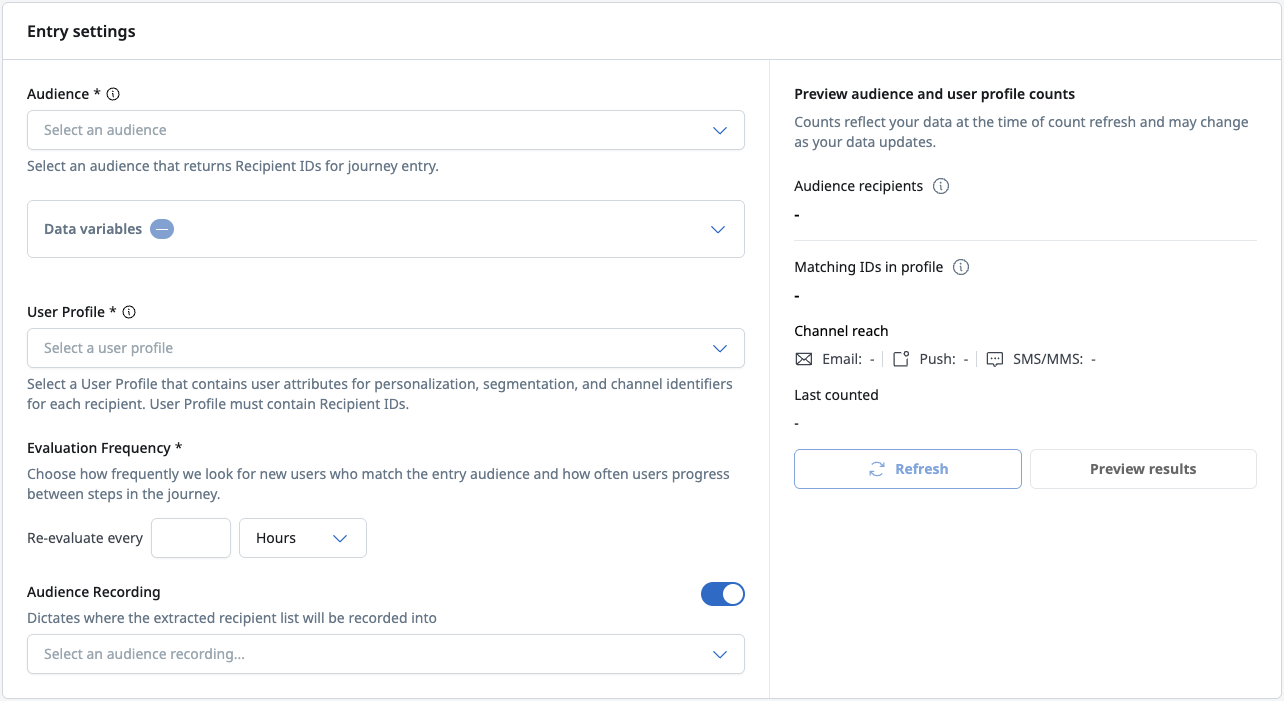
- Turn on Audience recording in a journey's Entry settings and select the audience recording to write to.
- Accelerator writes a row each time it evaluates a user at a tile: entry, message tiles, time delay tiles, segment splits, percent splits, and exits.
- Map journey evaluation macros — journey ID and name, node ID and name, and correlation ID — to columns in Recipient attributes.
- Recipient attributes reflect the journey's user profile at the time of each evaluation, not at entry.
- Set an audience recording as the Journeys default, so new journeys preselect it.
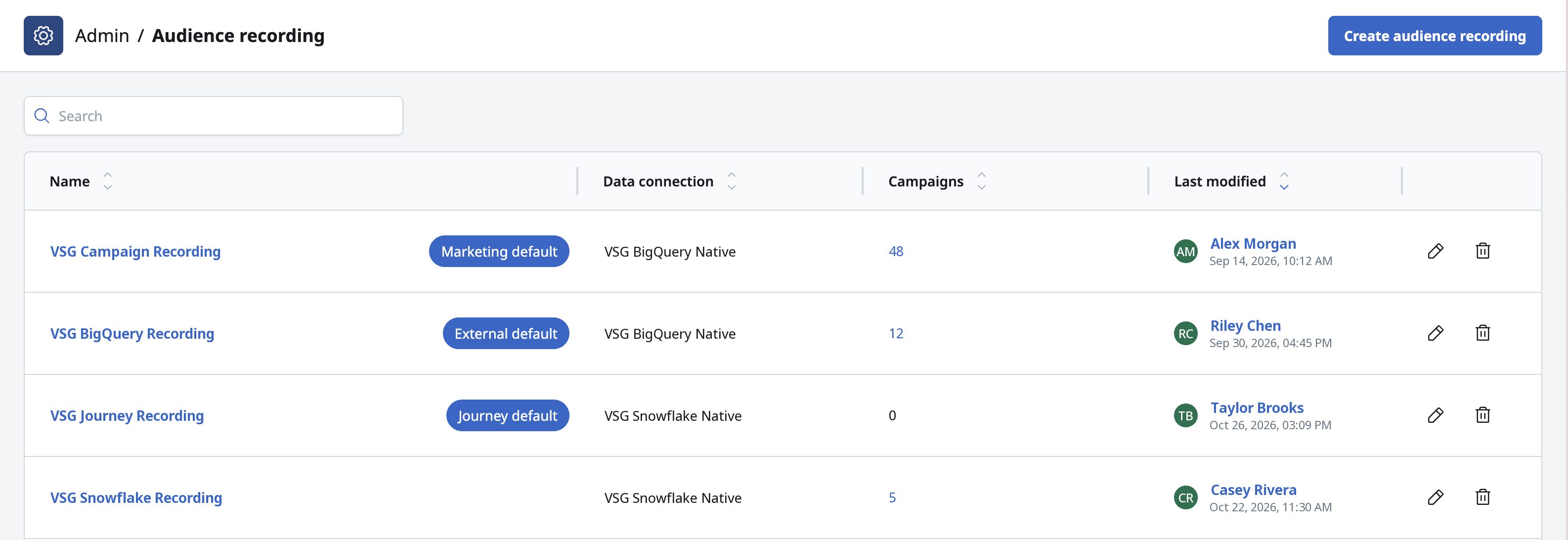
See Journey audience recording overview for more details.
Agent API enhancements
The Agent API family introduced in 26.3.2 and expanded in 26.3.3 now covers transactional campaign analytics, send lookups, and Blueprint snapshot control.
Use case
- Read transactional campaign performance, list the sends behind a marketing campaign, and manage Blueprint snapshot settings, all through the API.
Goals
- Round out campaign analytics to cover transactional campaigns.
- Give API callers the same snapshot controls already available in the UI.
Capabilities
- Read transactional campaign analytics: totals, rates, and results over time.
- List the sends behind a marketing campaign, with each send's job ID, send time, and channel, then read that send's analytics.
- Turn a Blueprint's snapshot on or off, set its retention and refresh schedule, and start a refresh on demand. Turning a snapshot off asks you to confirm the change, since it clears the stored snapshot.
- Scope external campaign audience recording to selected Blueprint nodes, and clear a recording's configuration.
- Read and refresh a Blueprint's columns.
See Automation overview for more details, and Stoplight for the full endpoint reference.
General changes
List of defects remediated or small enhancements included in this release:
Enhancements
- A new Events API endpoint lets external systems send events directly to MessageGears Cloud over REST, to trigger and control journey entry, exit, and progression, without SDK instrumentation.
Fixes
- Promoting a journey draft branch now correctly updates the source journey's Last modified date and user.
- User API Keys created by a Single Sign-On or Cloud user now authenticate correctly.
- The Clear Cache API now refetches assets successfully after clearing the cache.
- A new Customize option on the Marketing campaigns list page lets you add the Template column back to the list.