Accelerator 26.1.3 release notes
Initiatives released
Advanced filters
Use case
With the introduction of advanced Filters, you can apply multiple filtering conditions at once to quickly narrow down results and find what you need. When you are managing multiple assets across several pages like Audiences, Campaigns, and Templates, you will often need to quickly find items based on who created them, or when they were last modified.
Advanced filters have been added to:
Audience (Created By, Last Modified by, Date Created, Date Last Modified)
Blueprints (Created By, Last Modified by, Date Created, Date Last Modified)
Marketing Campaigns (Created By, Last Modified by, Date Created, Date Last Modified, Schedule, Channel)
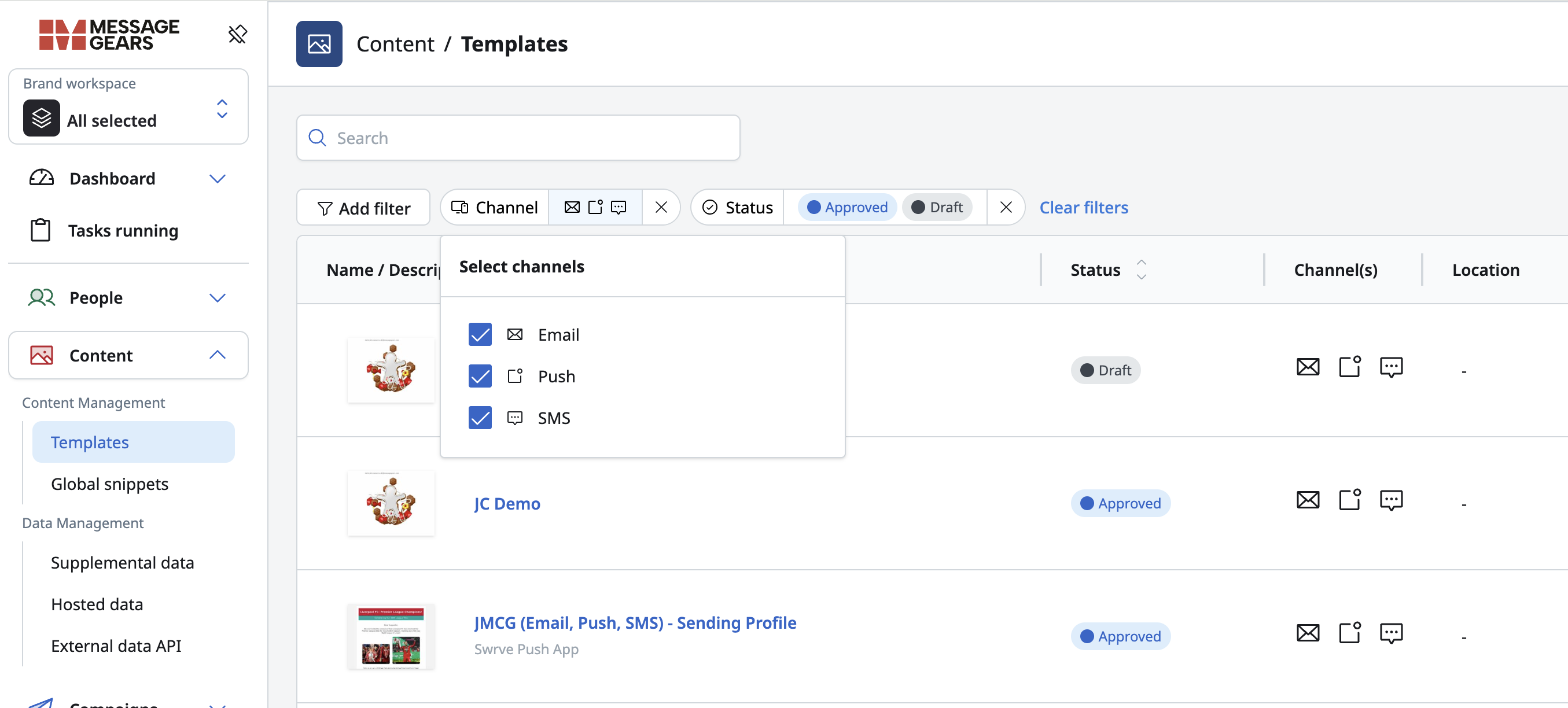
External Campaigns (Created By, Last Modified by, Schedule)
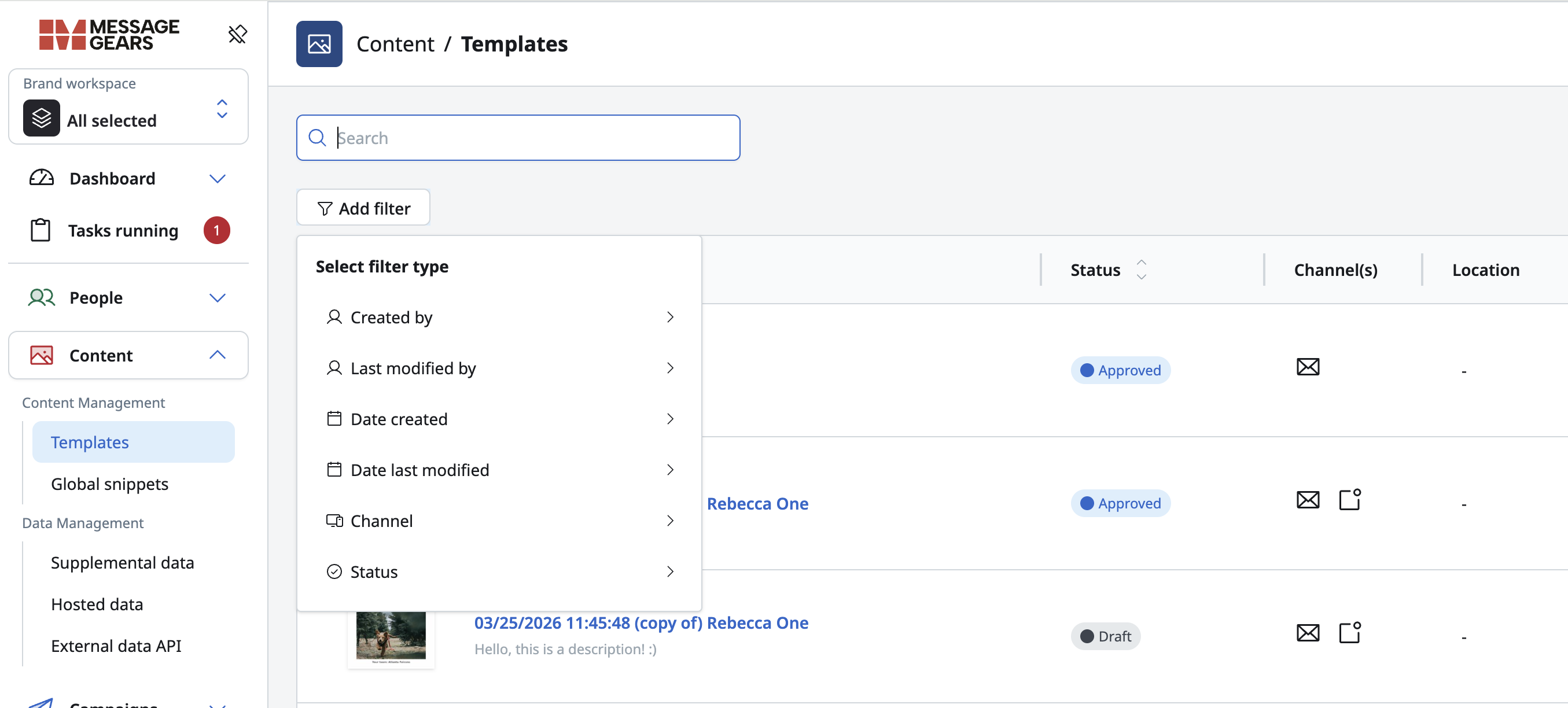
Templates (Created By, Last Modified by, Date Created, Date Last Modified, Status, Channel)
Experiment Campaigns (Created By, Last Modified by, Date Created, Date Last Modified)
Goals
- Enable users to quickly find relevant assets by applying multiple filter conditions.
- Provide flexible filtering based on ownership, date attributes and campaign schedule or status.
- Support more precise and targeted asset discovery in various list pages.
- Ensure a consistent filtering experience across all supported modules.
Audience list page with advanced filtering dropdown
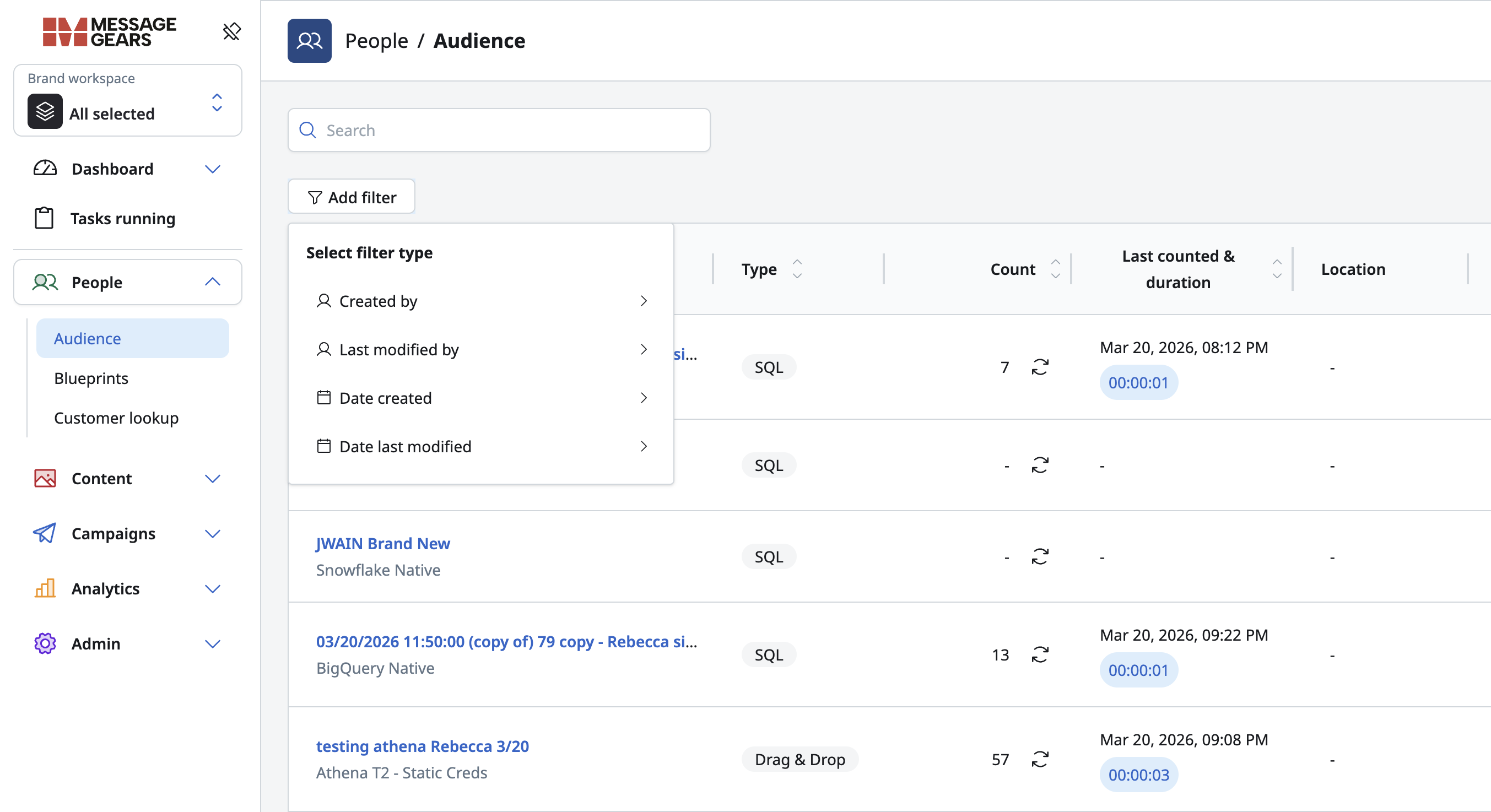
Audience list page with multiple filters applied like - Created by, Last modified by, Date created

Templates list page with Advanced Filtering dropdown
Templates page with multiple filters applied like - Channel (Email, SMS and Push), Status (Approved and Draft)
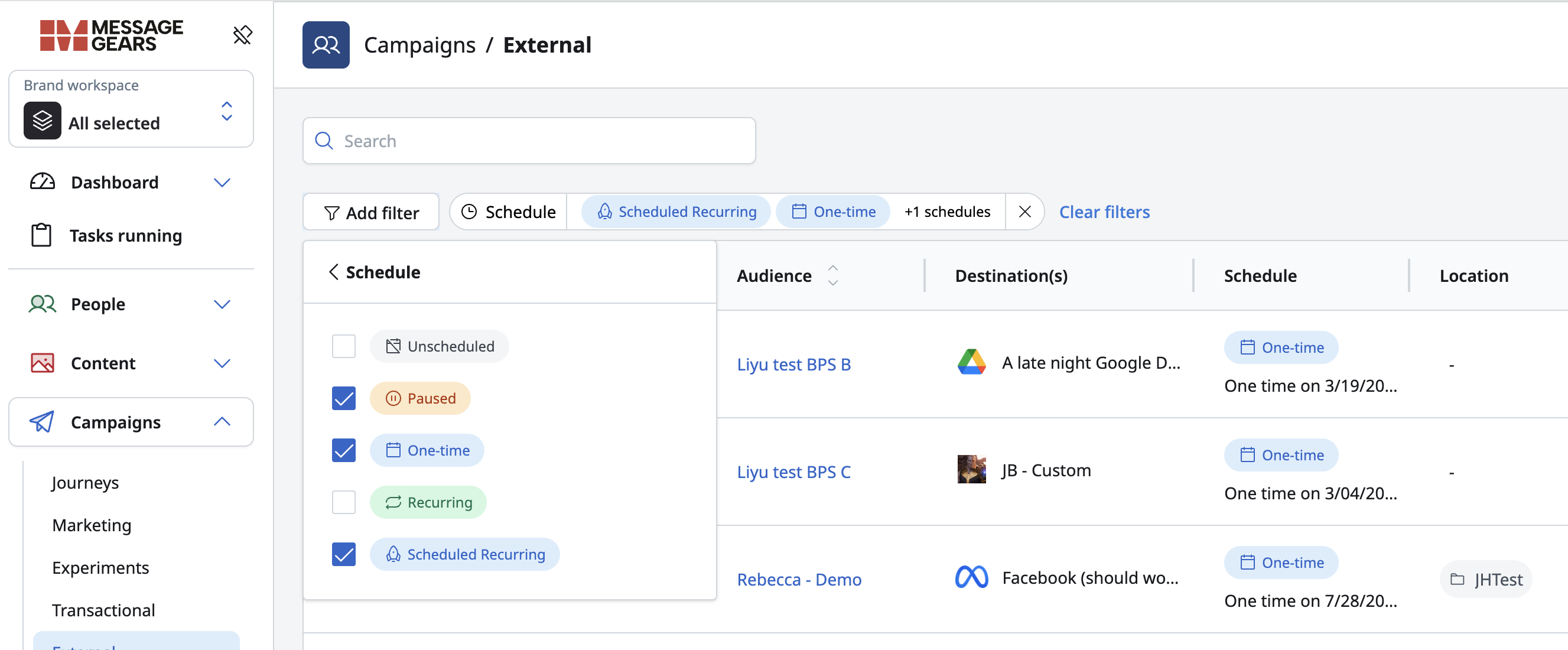
Multiple filters applied in External Campaign page on Schedule (Schedule Recurring, One time and Paused)
External campaign launch via API
Use case
Modern marketers increasingly need the flexibility to launch campaigns programmatically — whether that’s coordinating with third-party tools, syncing with external data readiness processes, or automating last-mile campaign activation through their internal systems.
The External Campaign Launch via API empowers customers to trigger campaign execution directly through an authenticated API endpoint. Once an API key is created and linked to their account, customers can securely use this key to launch any external campaign simply by hitting the endpoint with the campaign ID.
This enhancement eliminates reliance on manual or scheduled campaign launches and enables seamless integration into existing data workflows. It’s especially valuable for teams that depend on dynamic data readiness (e.g., waiting for warehouse data to refresh) or want to orchestrate multi-channel activities from within their own tools.
Goals
- Admins can create an API key with defined brand access and permissions.
- This key provides secure, controlled access to campaign launch functionality.
- Using the API key, customers can trigger a campaign launch by simply calling the endpoint with the campaign ID.
- Enables flexible, programmatic campaign activation without manual steps.
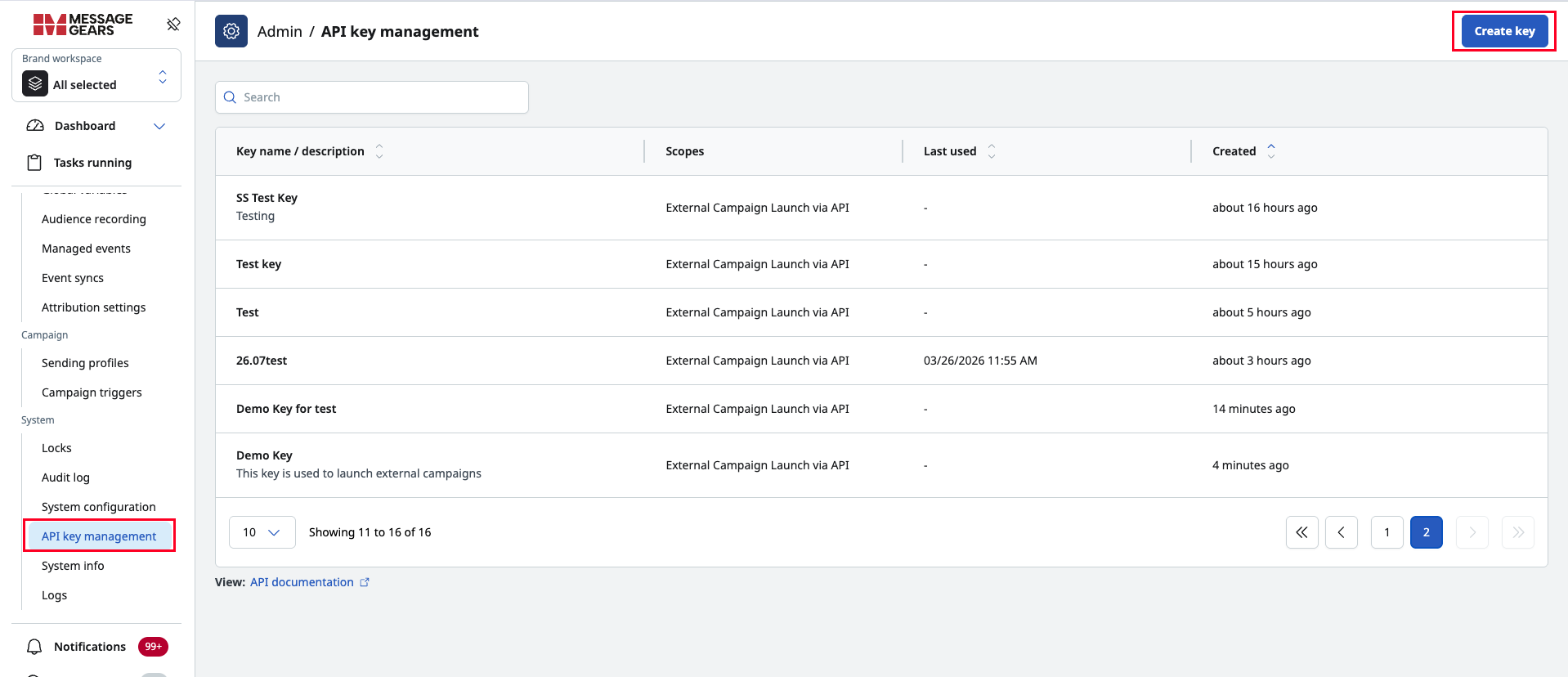
API key management page (Admin)
Admins can create and manage API keys from a dedicated API key management page. On this page, they can view each key along with:
- Name / Description
- Scope
- Last used date
- Created date
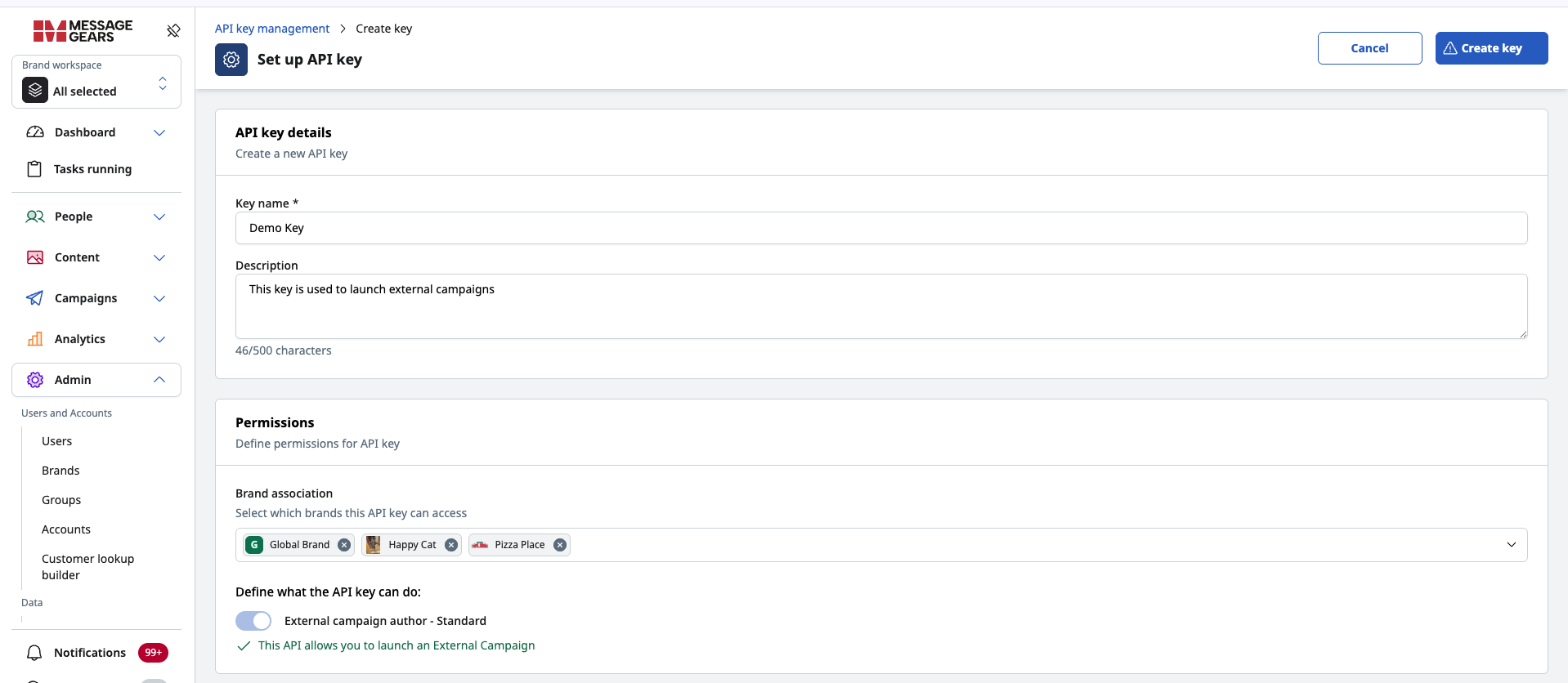
Key creation page
From the Key Creation page, admins can create new keys by:
- Entering the key name and description
- Assigning brand permissions
- Selecting scopes
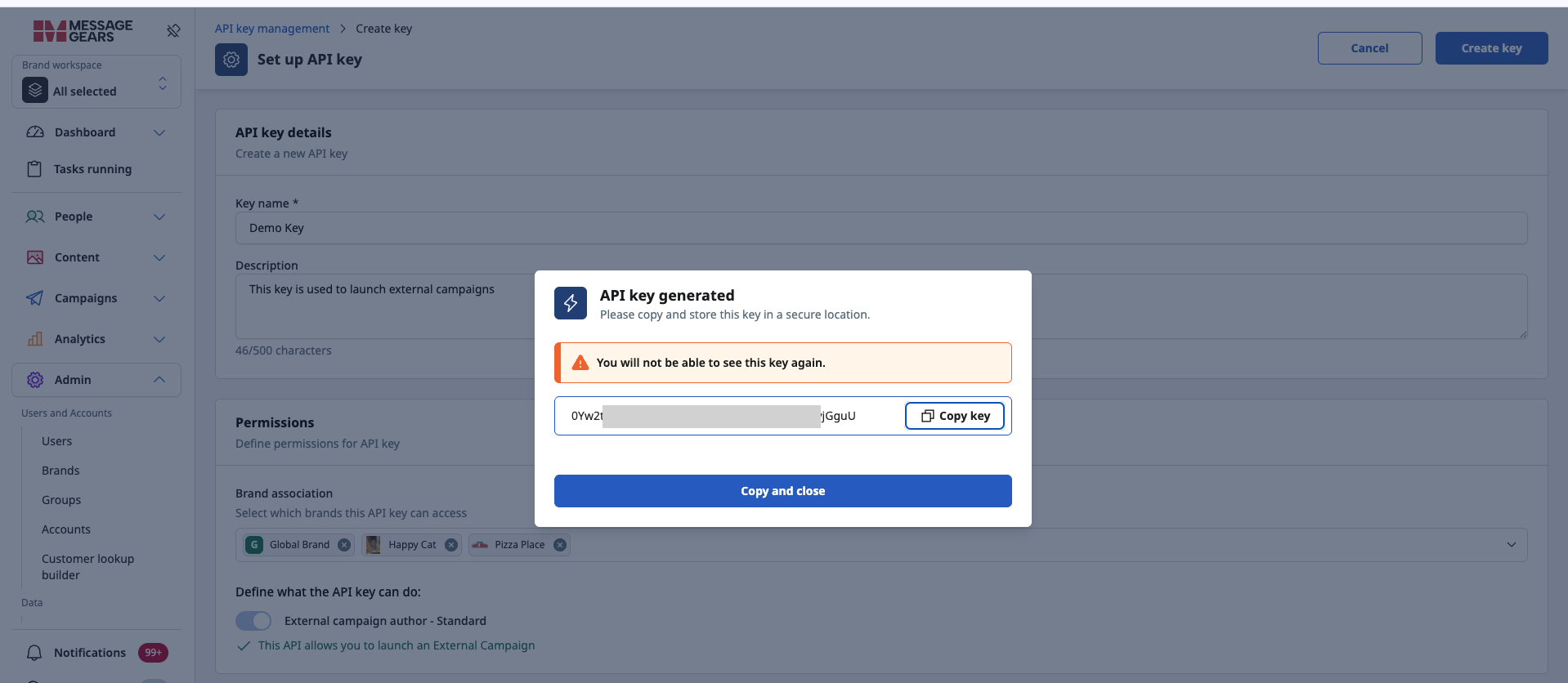
After filling in the details and selecting the appropriate permissions and scopes, clicking Create Key generates a new API key:
Capabilities
Launch external campaigns via API — customers can initiate campaign execution programmatically using their systems or tools of choice.
Leverage secure API access — campaign actions are protected through brand‑level permissions tied to each API key.
Enable flexible timing and control — customers can decide when and how to launch campaigns based on their unique business logic.
General changes
Enhancements
- Added stoplight documentation for the new External campaign launch API
- Added
Schedulefilter column to marketing campaign list pages - Alphabetized list of available database connections when creating a new connection
- Accelerator application upgraded to support MySql 8.4
- Added indexing to
sample_recipienttable queries - Clarified error messaging for Blueprint snapshots when the child Blueprint is the issue source
- Updated boolean field options to only true/false/null in Blueprint target node
Fixes
- Fixed an issue where the Drag & Drop editor preview was not always reflecting the changes made in the editor
- Fixed an issue with the Accelerator application running out of memory
- Fixed an issue where new threads couldn’t be created for Accelerator
- Fixed an issue where the Accelerator Job Progress notification wasn’t using the cloud’s time
- Fixed an issue for UI casing defects
- Fixed an issue where Global variables could have an empty option in list values