Accelerator 26.3.2 release notes
Initiatives released
External campaign APIs for automation
This release delivers new External Campaign API designed for programmatically creating and launching External Campaigns, syncing an audience to destinations like Meta Ads, Google Ads, SFTP, or Amazon S3 without needing to configure through the platform UI. It's a compact, machine-ready REST API built to be called both by AI agents acting on your behalf and by conventional integrations like internal tools and scripts. Rather than one large request, a campaign is composed in layers: create a draft, then attach each remaining piece independently and in any order.
Use case
- Automated campaign pipelines — Compose and launch external campaigns directly from an AI agent, LLM-driven workflow, or automated pipeline, without using the UI.
- Orchestrated sends — Trigger scheduled or event-driven campaign sends from an orchestration layer, using the same underlying operations available in the UI.
Goals
- Give scripts, pipelines, and AI agents a documented REST surface to compose and launch external campaigns end to end.
- Let API consumers create and manage their own credentials without System Admin involvement.
- Maintain UI resiliency when viewing a campaign that the API has only partially built.
Capabilities
- New external campaign API endpoints, authenticated with an API key in the
apiKeyheader. - Six endpoint groups covering the full campaign lifecycle: asset ID discovery, campaign core, attach and configure, verify configuration, launch and monitor, and detach and delete.
- A compositional model — a campaign draft plus its components. Most components can be attached, changed, or removed independently at any time before launch.
- Guarded commit points — deleting a campaign, arming a schedule, and launching each require explicit confirmation, so consequential actions require verified intent.
- Multiple schedule types and a launch endpoint that returns a poll-able job for monitoring send status.
- Self-service API key creation — a user with the External campaign author role creates their own key from Your Name > Profile > My account > API key, no System Admin required. The key inherits the creating user's roles and Brand access; keys can no longer be created from Admin > API Key management.
See External campaign automation overview for more details.
Push to Inbox enhancements
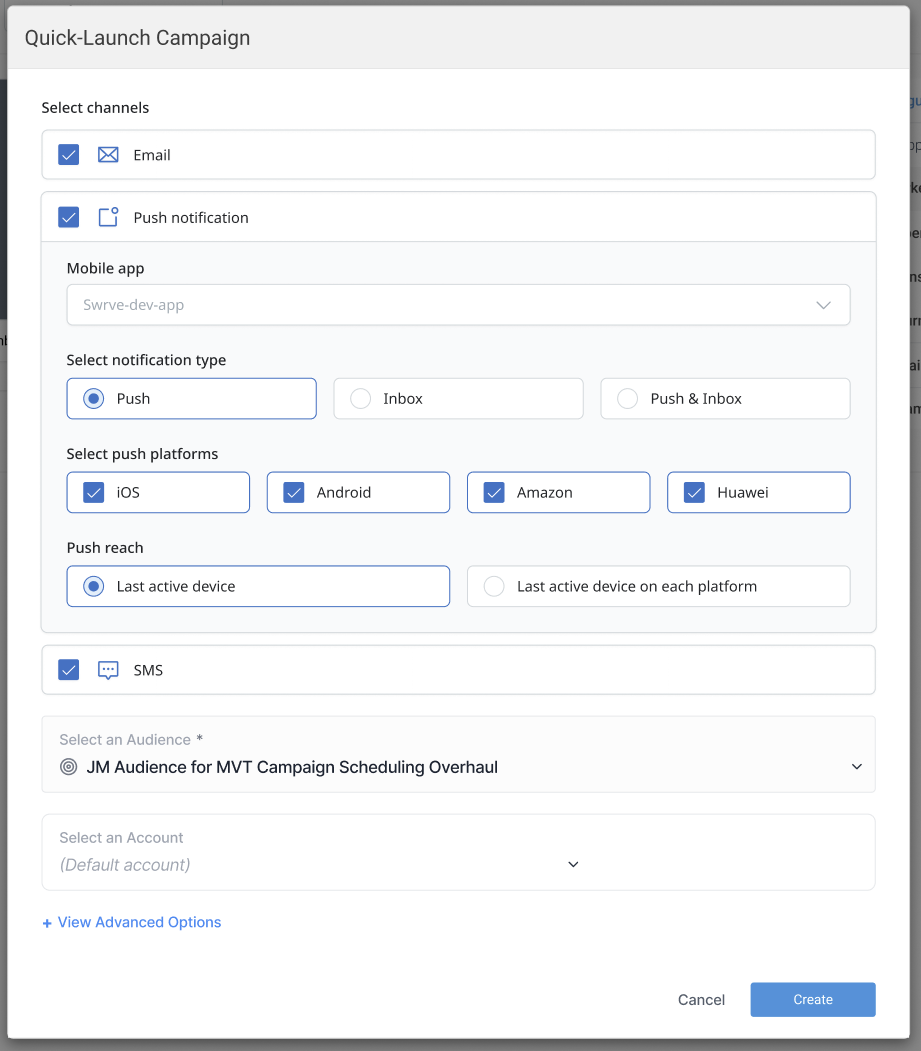
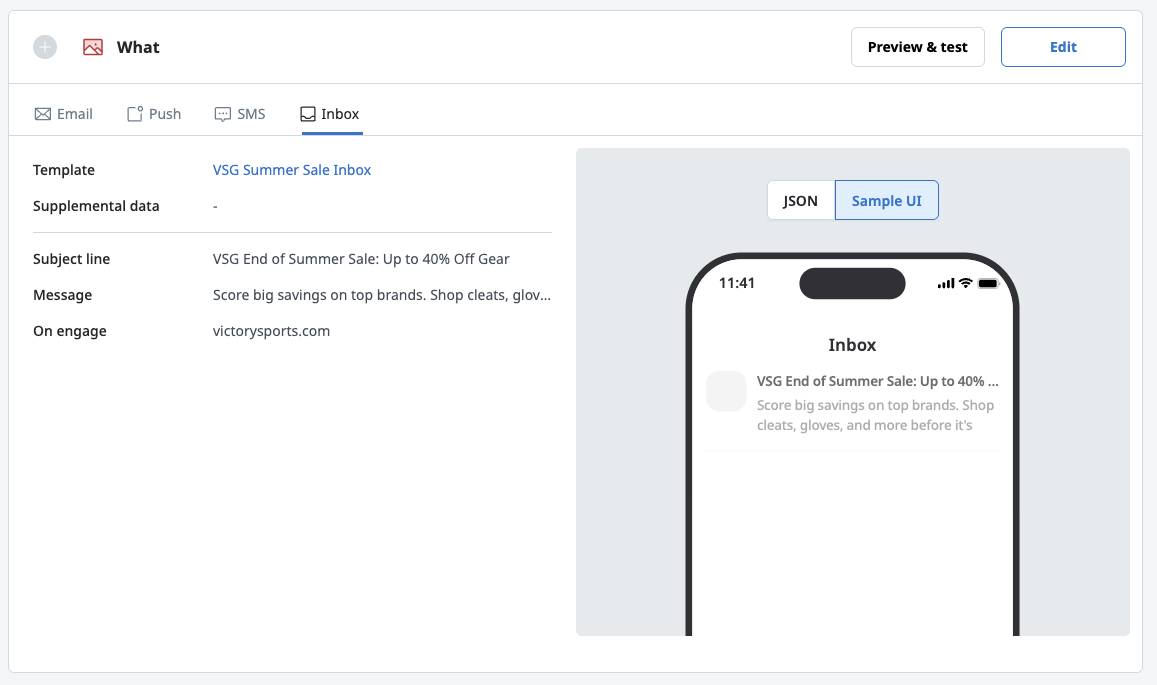
Push to Inbox launched in release 26.3.1 as a companion channel to push, delivering notifications to a persistent inbox or message center within your app instead of the device lock screen. This release brings additional preview and launch features to Inbox messaging: JSON and Sample UI preview now appears directly in Marketing and Transactional campaign template previews, and a new Quick Launch option sends an existing template as a one-off without building a new campaign around it.
Use case
- Preview either the raw JSON or Sample app UI from within Marketing and Transactional campaigns.
- Launch an existing template as a one-off send without building a new campaign from scratch.
Goals
- Expand preview capabilities into campaign setup.
- Shorten the path from a finished template to a live send.
Capabilities
- JSON / Sample UI preview toggle for the Inbox channel in Transactional campaigns and Marketing campaigns.
- Inbox support in Quick Launch — Inbox templates can now be launched directly from the Templates page, where previously Inbox was excluded from Quick Launch campaigns.
- Quick Launch adds Push reach configuration — last used device, last used device per platform (iOS, Android, Web), and All devices.
See Push to Inbox content for more details.
Predictive model and channel reach enhancements
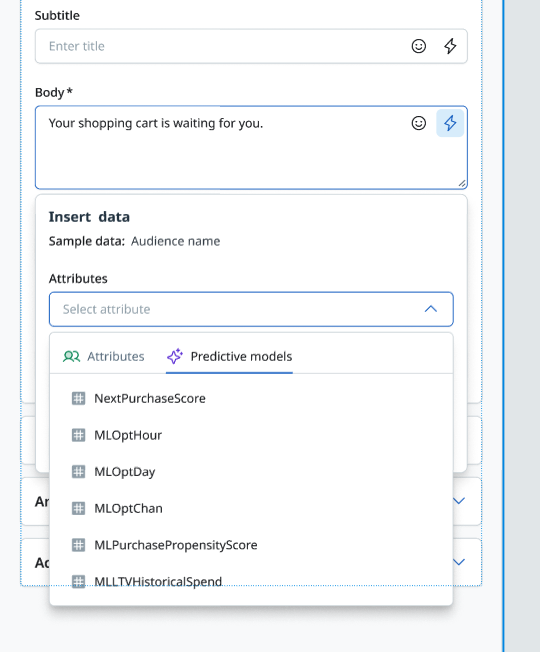
26.3.1 surfaced predictive model scores in Blueprint, campaign, and journey segmentation, along with automatic channel routing through Optimal Channel. This release extends that same predictive model access into template personalization, so push templates can reference a recipient's model scores directly, and surfaces channel reach (how many contacts on each channel a campaign actually reaches) across the Marketing and Transactional list pages and analytics views, without opening each campaign individually.
Use case
- Personalize push template content directly on a recipient's predictive model scores.
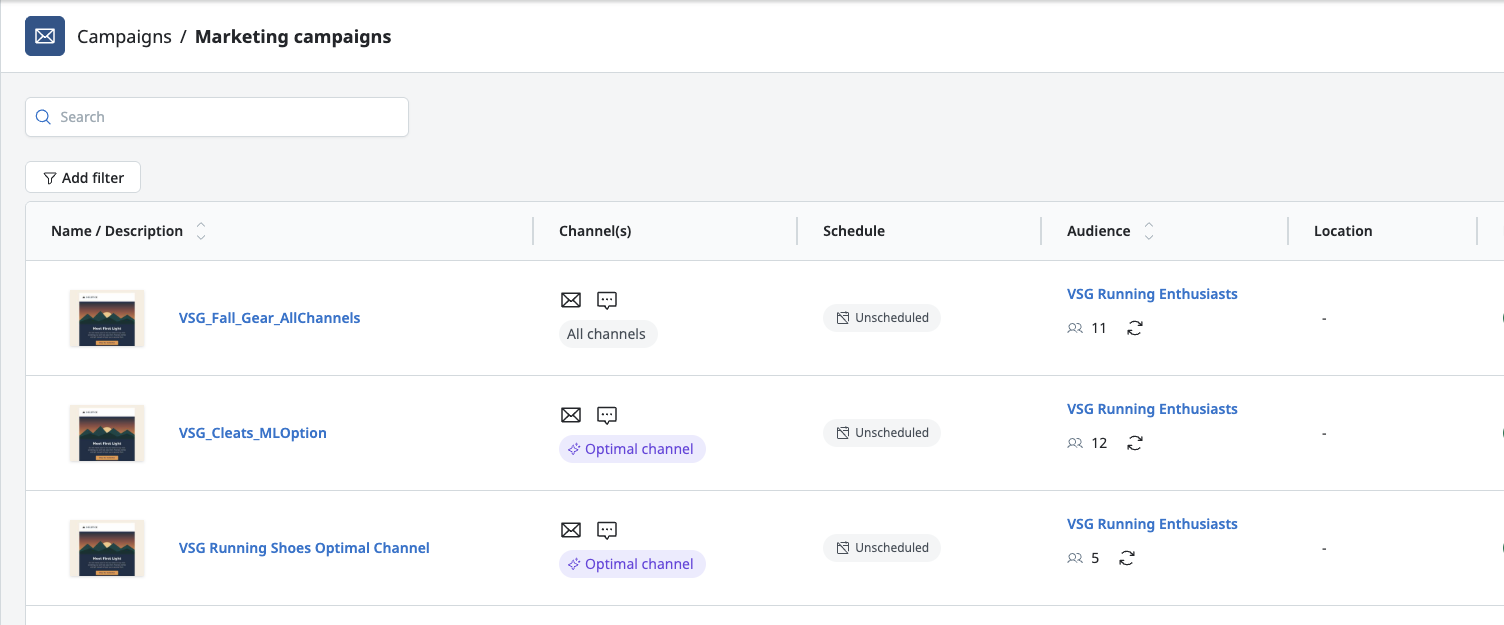
- See a campaign's channel reach at a glance across list and analytics pages, without opening each campaign individually.
Goals
- Extend predictive model access from segmentation and channel selection into template personalization.
- Surface channel reach everywhere campaigns are listed or analyzed.
Capabilities
- New Predictive models tab in the template personalization dropdown on the Push template edit page.
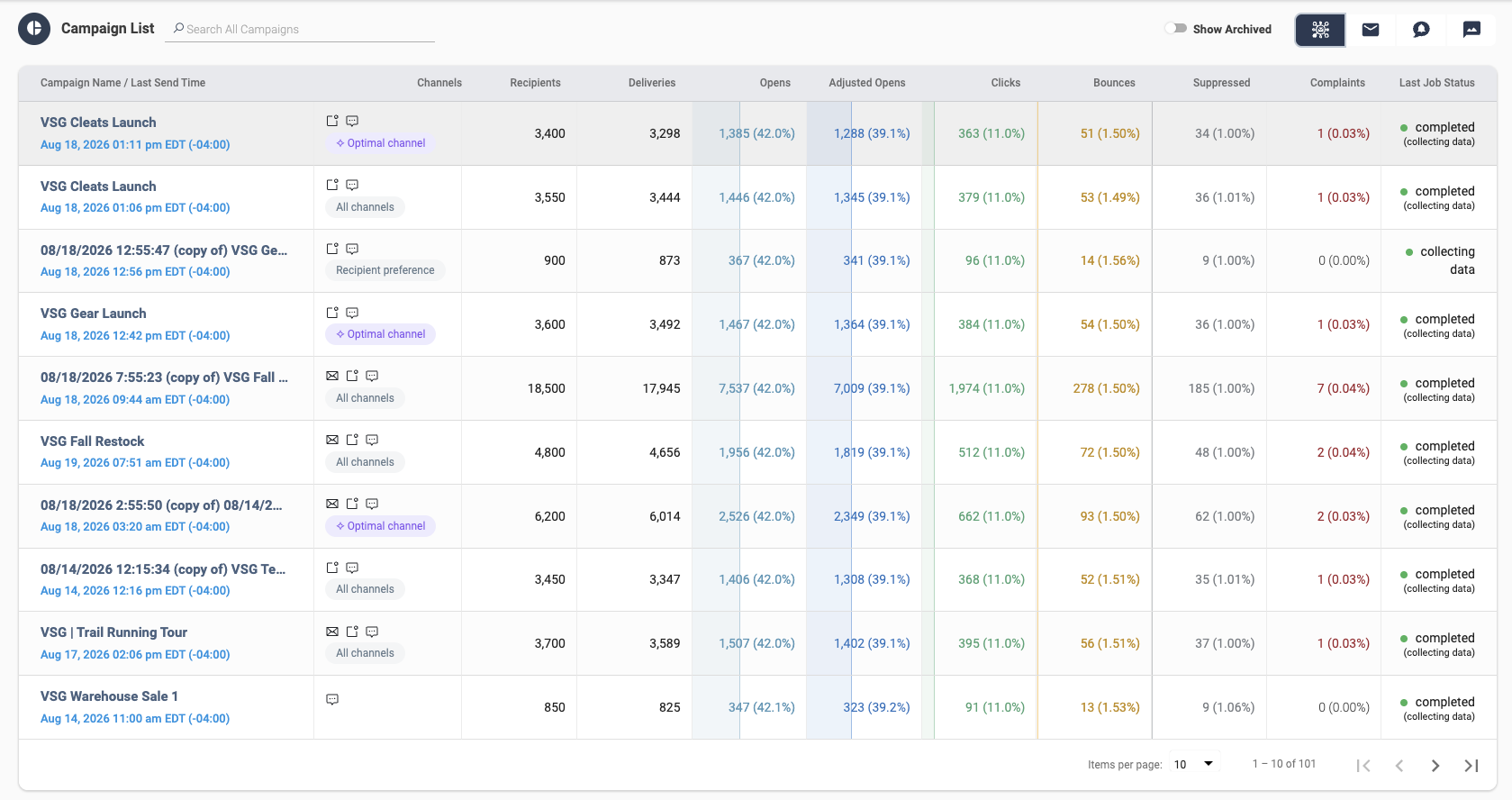
- Channel reach on the Marketing campaigns list page, alongside a new View analytics option in the row's context menu.
- Channel reach under the campaign name on the Job Analytics page.
- New Channel column on the Marketing campaign analytics cross-channel table, showing campaign channels with channel reach beneath.
- Template thumbnail in the Name column on the Transactional campaigns list page, replacing the separate Template name column.
Predictive models must be enabled in Admin > System Config > System Defaults, and model score columns must be surfaced in the audience query or Journey User Profile under their reserved column names.

See Using predictive models in campaigns and journeys for more details.
General changes
List of defects remediated or small enhancements included in this release:
Enhancements
- Mapped mobile user IDs in the journey entry node preview now display as one column per app, titled with the app name, instead of a single JSON object map.
Fixes
- Resolved an issue where the push application or notification type could be changed on a template already assigned to a campaign, bypassing dependency validation.