Blueprint snapshots
Overview
Blueprint Snapshots are an export of a blueprint evaluation out to a secure file cache on a scheduled basis. The schedule automatically runs the blueprint and puts the data in the pre-configured cache, which is available to campaigns for launch.
Blueprint Snapshot benefits include:
- a single static and identical data set across multiple campaign launches, such as caching split group assignments for message or content display
- reduced data extraction latency - so the blueprint data is pre-processed and ready to go at campaign launch time
- limit the introduction of human error in campaign prioritization
Configure Snapshot storage location
NOTE: This is one-time administrative step to be configured by your system admin.
- In Admin → System Configuration, navigate to Blueprint Snapshot Settings
- Choose a file storage location. This is where the Snapshot cache will be stored
- If you have already set up file storage locations, these will be available
- Accelerator internal storage option will always be available
- If desired, specify a file path to store the cache files in.
Configure a Blueprint Snapshot
Snapshot settings are specific to an individual blueprint. Duplicating a blueprint will not carry forward any snapshot settings to the new blueprint.
Enable the Snapshot setting
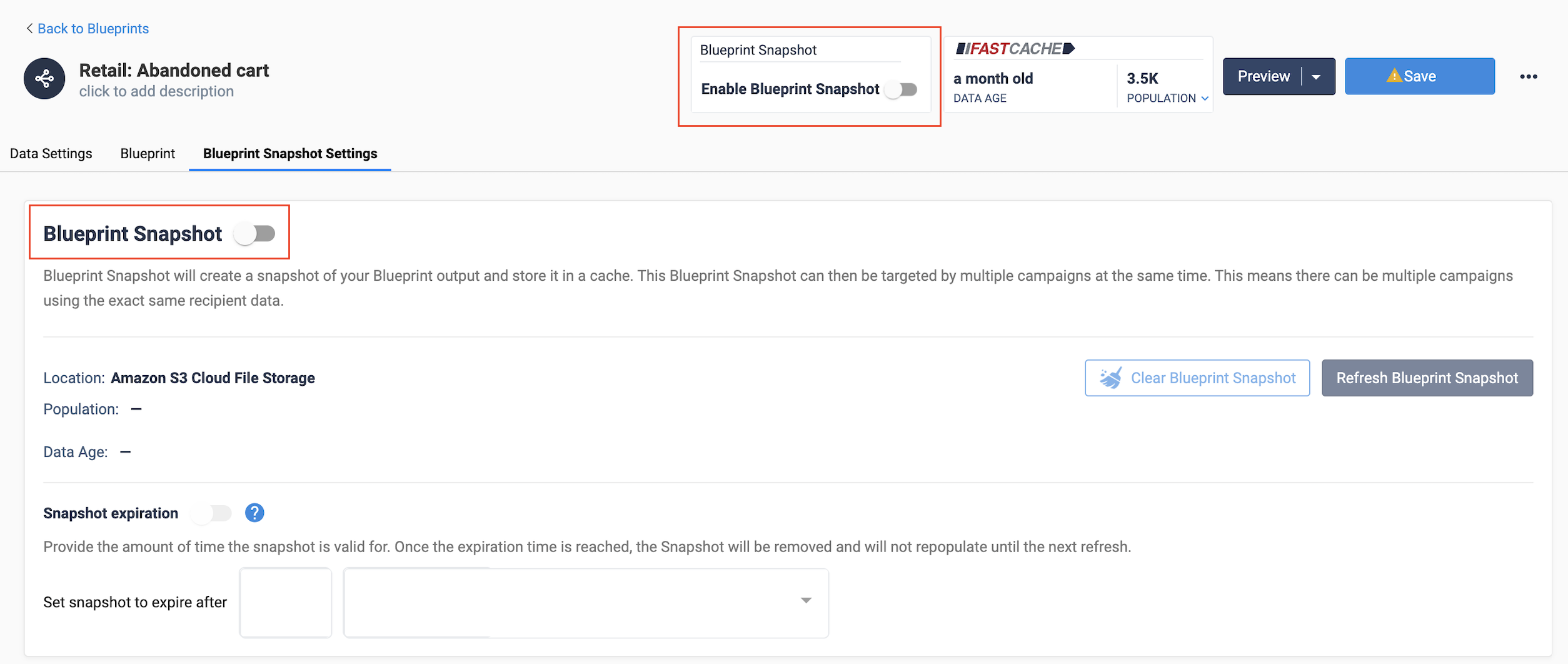
- Go to the “Blueprint Snapshot Settings” tab and toggle on, or turn on “Enable Blueprint Snapshot” in the Blueprint header
- Configure a refresh schedule and (optional) snapshot expiration timeframe.
- Click Save on the blueprint.
Once enabled, you can schedule the snapshot refresh for a future time, or the click the Refresh Blueprint Snapshot button to populate the snapshot cache immediately. The most recently saved version of the Blueprint will be used to build the cache.
A cached snapshot can be manually cleared via the “Clear Blueprint Snapshot” button. This will empty the cache and reset the cache status to “Unavailable”.
Snapshot details
The Snapshot details include:
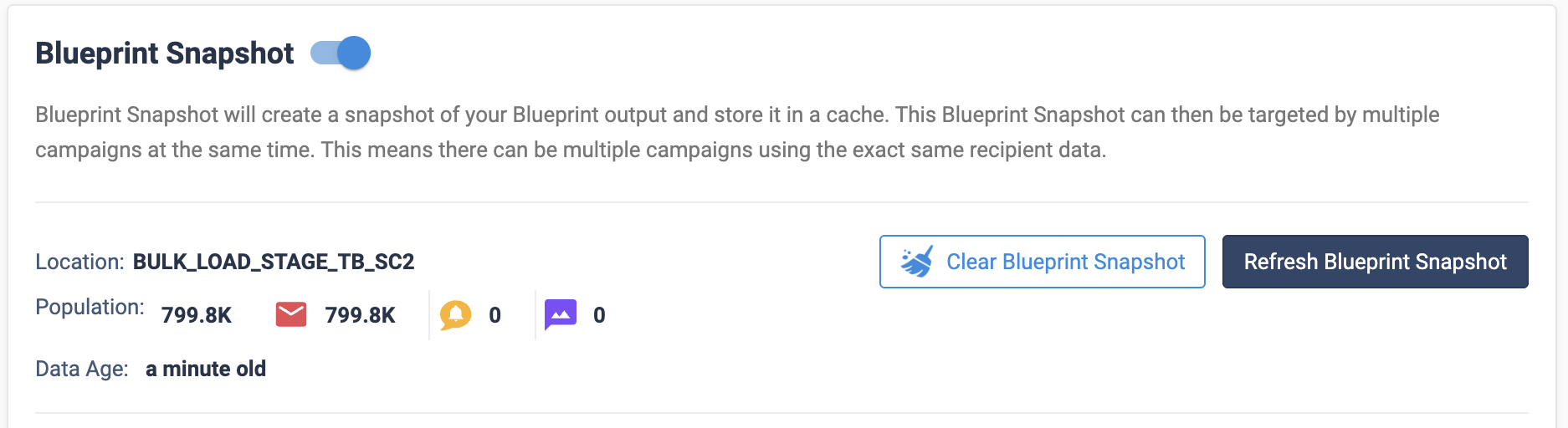
- Location: the name of the file storage location configured by your admin specific to blueprint snapshot files. On hover, you can view the exact file location and name. This location cannot be changed from this screen.
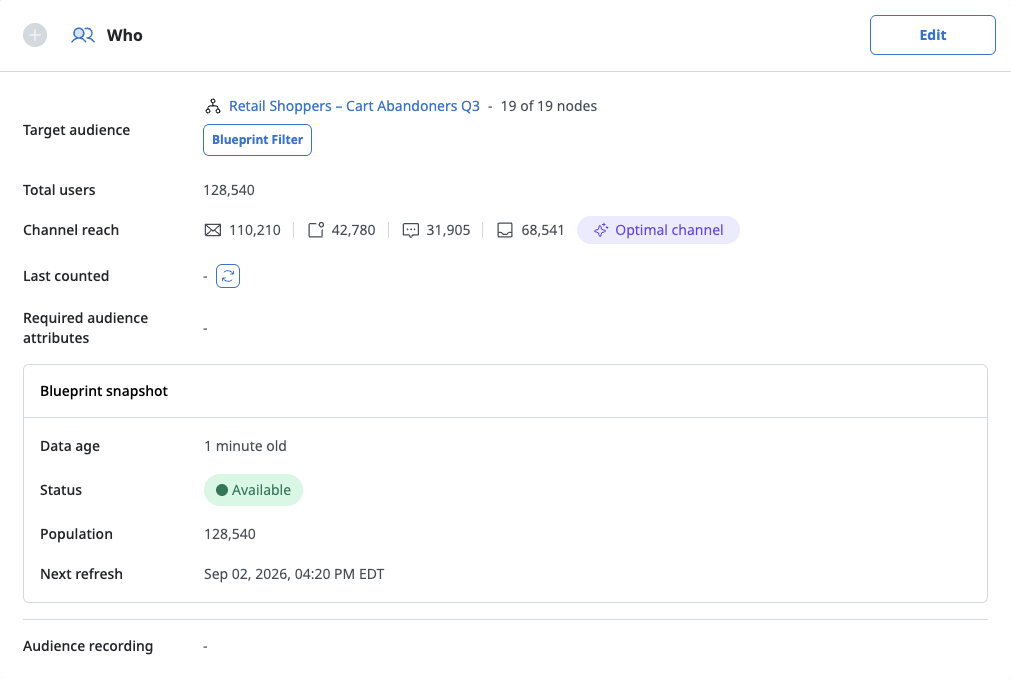
- Population: view the size and channel breakdown of the population in the Snapshot
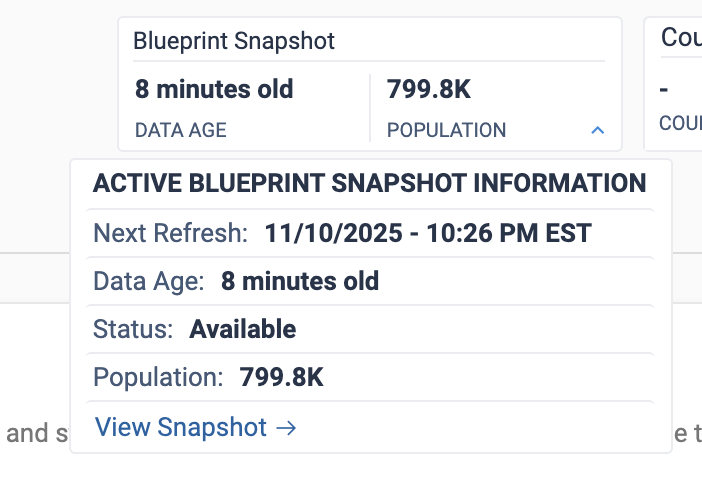
- Data age: the age of the data. This is calculated based on when the last refresh completed.
Snapshot expiration (optional)
Release 25.3.2
Snapshot expiration sets a time to live (TTL) to limit the lifespan of the cached snapshot data set. Some use cases may benefit from a scheduled clearing of the cache with this setting to ensure a campaign will not launch with recipient data older than a specified timeframe.
The time begins counting at the beginning of the blueprint extraction step - meaning that if you have a Snapshot that refreshes every day at 6am, and your Snapshot is set to expire after 10 hours, then it will expire at 2pm regardless of the time it took for the extraction. Once a snapshot expires, it’ll be deleted, and any campaigns attempting to use the snapshot before the next snapshot refresh to fail.

Configure refresh schedule
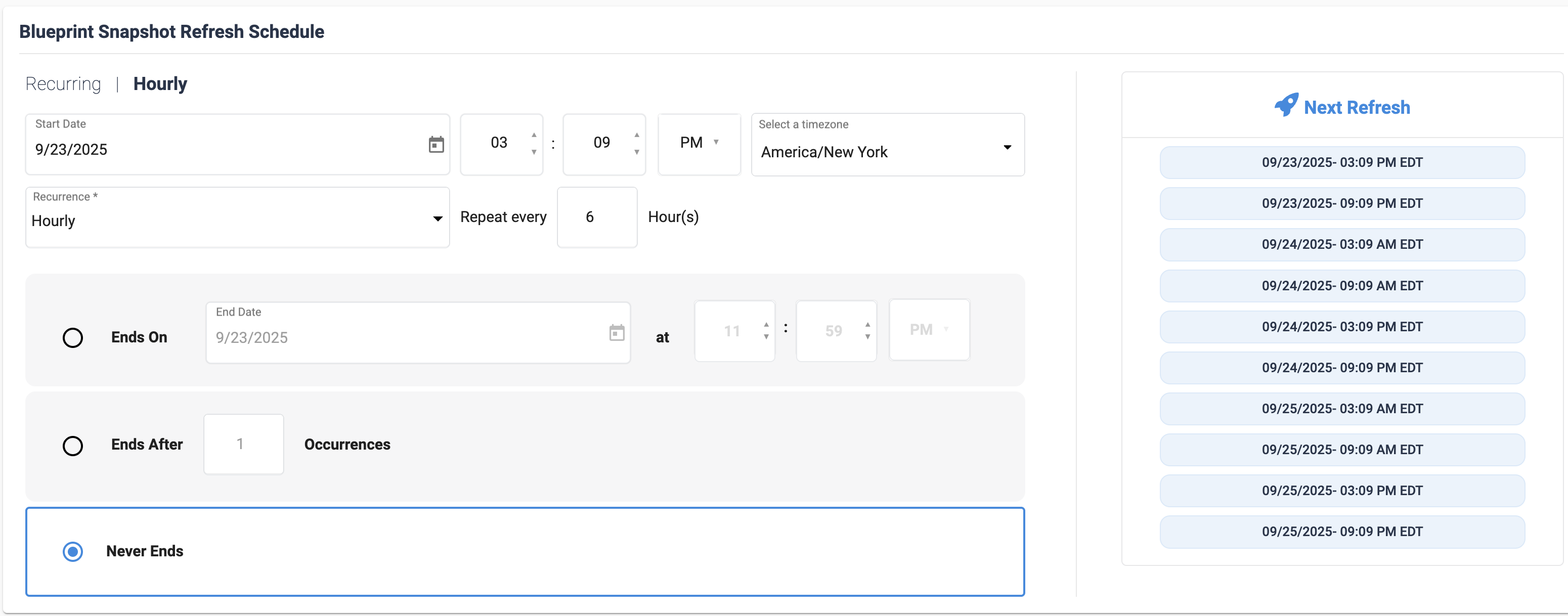
The scheduler allows the same robust scheduling options as campaigns, including starting and ending dates, recurrence frequency, and occurrence limits. Cron trigger expressions are supported for advanced schedules.
Snapshot Statuses
Snapshots have 3 possible statuses:
- Unavailable (default) - no data / files are available for launch. This is the default status until the first refresh occurs.
- Available - data is available and file exists in the snapshot storage location
- Failed - the last refresh failed
Viewing a Snapshot
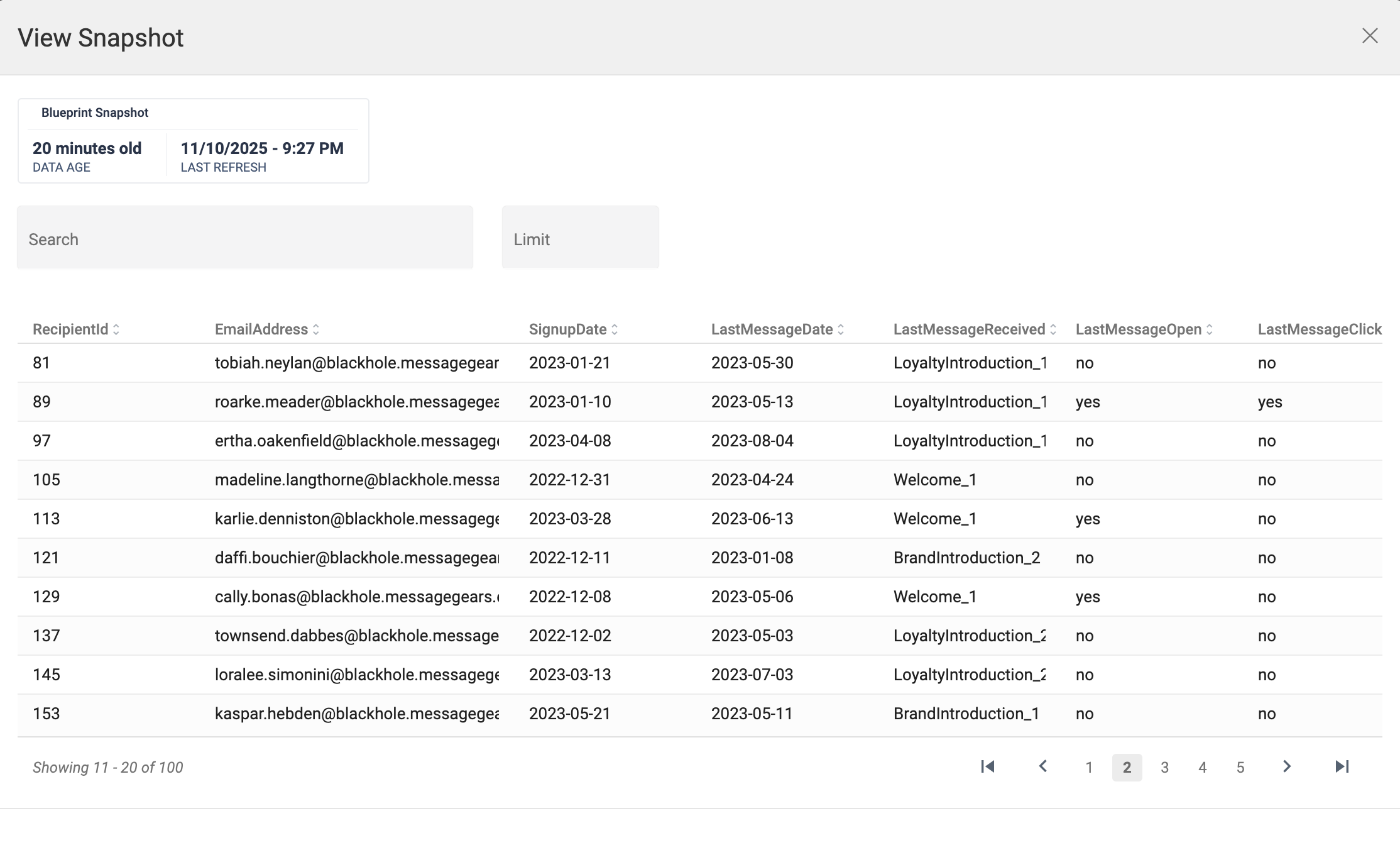
View Snapshot is a view of the data in the snapshot file - this is data that has already been evaluated and extracted to the snapshot storage file. This is different from the Preview Blueprint screen, which shows a live preview of the Blueprint in its current state.
Use a Blueprint Snapshot in a Campaign
- When you create a campaign that uses a Blueprint with Snapshots enabled, that campaign will automatically use Snapshots.
- The campaign admin can choose to opt out of Snapshots and use a live data extraction instead. Making this decision does not affect the snapshot itself.
- Snapshots can be used in Marketing, Experiment, and External Campaigns.
Campaign Launch Behavior
Release 25.3.2 and later - The campaign launch behavior is dependent on the status of the Blueprint Snapshot. Snapshots files are now deleted at the beginning of the next refresh. Meaning new campaign launches after the refresh begins will wait for the new Snapshot extraction to launch.
- Snapshot Data file is now deleted and made unavailable at the time of a new Snapshot refresh beginning
- If the Snapshot Data file is available: The campaign should launch using the shared data for that blueprint
- If the Snapshot Data file is expired and a refresh is happening: The campaign will wait for the new snapshot to finish it’s extraction before launching
- If Snapshot Data is unavailable or failed for the selected Blueprint and there is no refresh happening: The campaign should fail.
- If Snapshot Data is unavailable or failed for the selected Blueprint and the Snapshot is actively refreshing: The campaign should wait for the refresh to complete, then launch using the new shared data file. If that new refresh failed, then the campaign will fail.
Releases before 25.3.2 - The campaign launch behavior is dependent on the status of the Blueprint Snapshot.
- If the Snapshot Data file is available, regardless of a refresh occurring or not: The campaign should launch using the shared data for that blueprint
- If Snapshot Data is unavailable or failed for the selected Blueprint and there is no refresh happening: The campaign should fail.
- If Snapshot Data is unavailable or failed for the selected Blueprint but the Snapshot Data is actively refreshing: The campaign should wait for the refresh to complete, then launch using the new shared data fileIf that new refresh failed, then the campaign will fail.
Snapshots with chained Blueprints
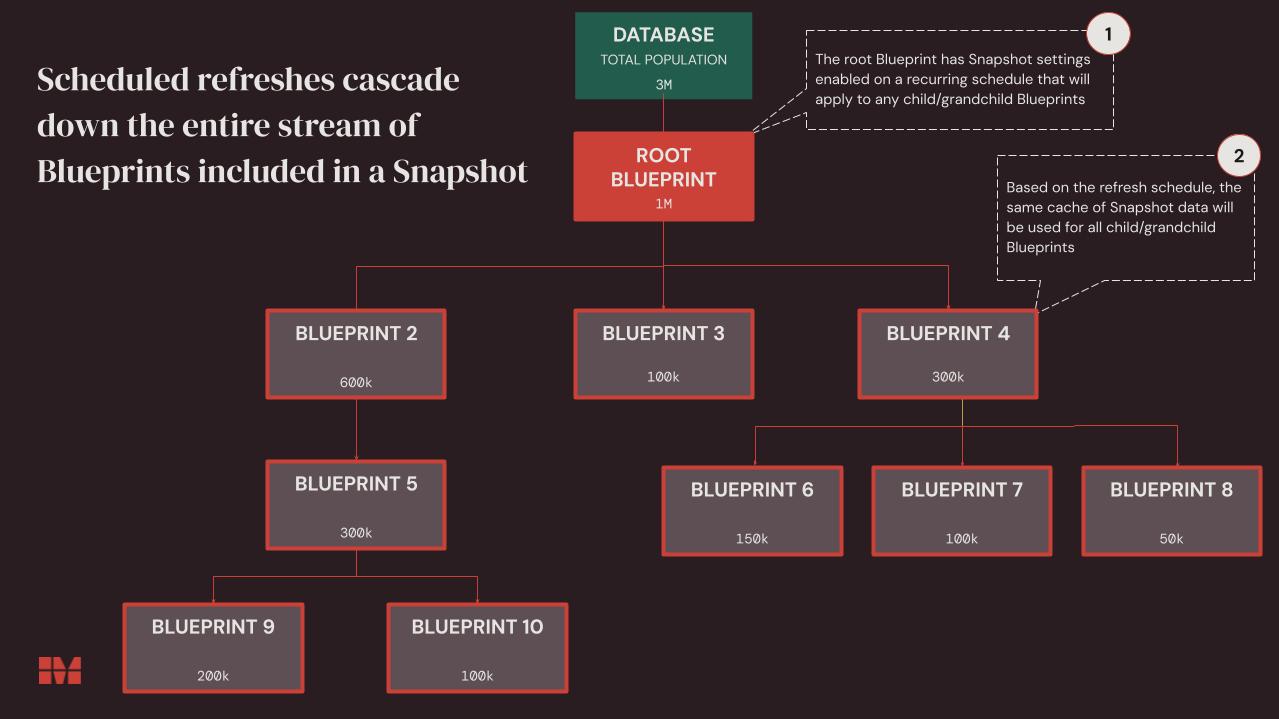
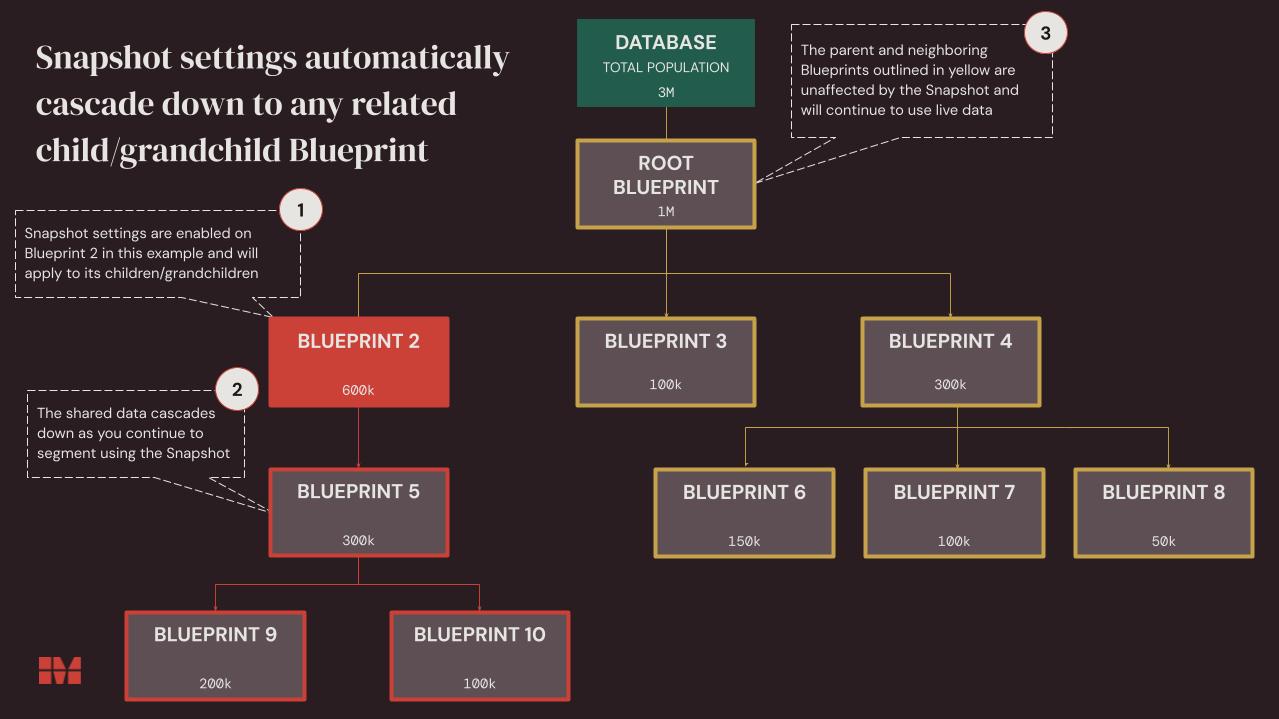
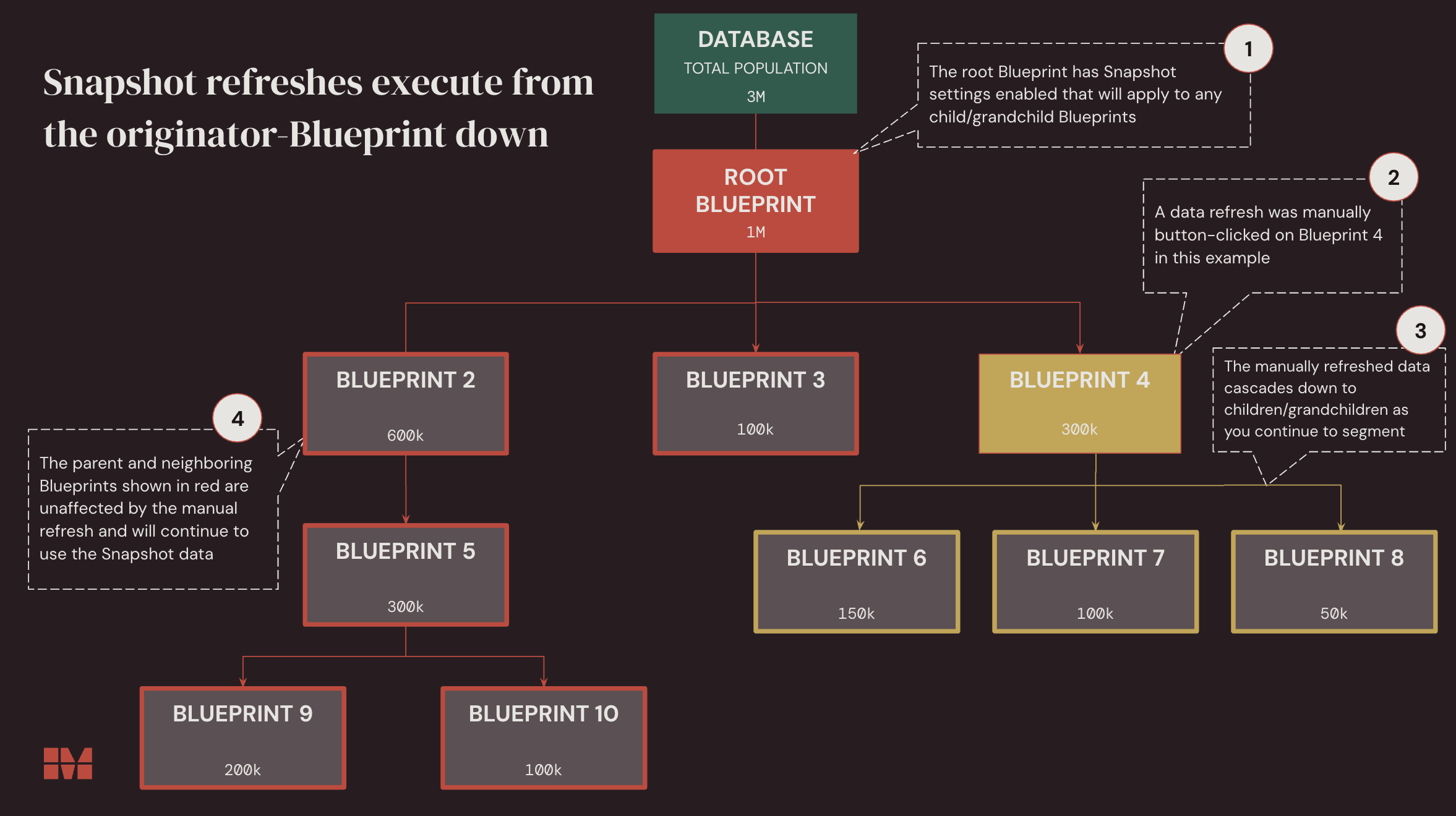
Snapshots can be enabled on any Blueprint in a chain, not just the root Blueprint. When Snapshots are enabled on a Blueprint, those snapshot settings automatically cascade down to any children/grandchildren Blueprints. Snapshot settings can only be managed at the top-most Blueprint in that chain where Snapshots were originally enabled.
Manual refresh on a specific child blueprint
Snapshot refreshes execute from the originator-Blueprint down. For manual button-click refreshes, this means the refresh will execute on the Blueprint the refresh was engaged on, and cascade down any children Blueprints.
Scheduled refresh
A scheduled refresh will cascade throughout the entire stream of child Blueprints which are included in the Snapshot.