Attribution settings
System and data admins can configure Attribution windows for Conversion reporting directly in Accelerator. These settings determine how long after a click event MessageGears will attribute a conversion (such as a purchase) back to a campaign.
You can access this page from: Admin → Data → Attribution settings
What are Attribution windows?
An Attribution window defines how long MessageGears waits after a user clicks a message before attributing a subsequent conversion to the campaign.
- Conversions inside the attribution window are attributed to the campaign.
- Conversions outside the window are considered organic.
Each messaging channel (email, SMS, push, in-app, and embedded) can have its own Attribution window.
Configuring Attribution windows
You can configure a separate attribution window for each channel.
Available ranges:
- Minimum: 1 hour
- Maximum: 30 days
- Default: 24 hours
Update the value for a channel and click Save to apply your changes.
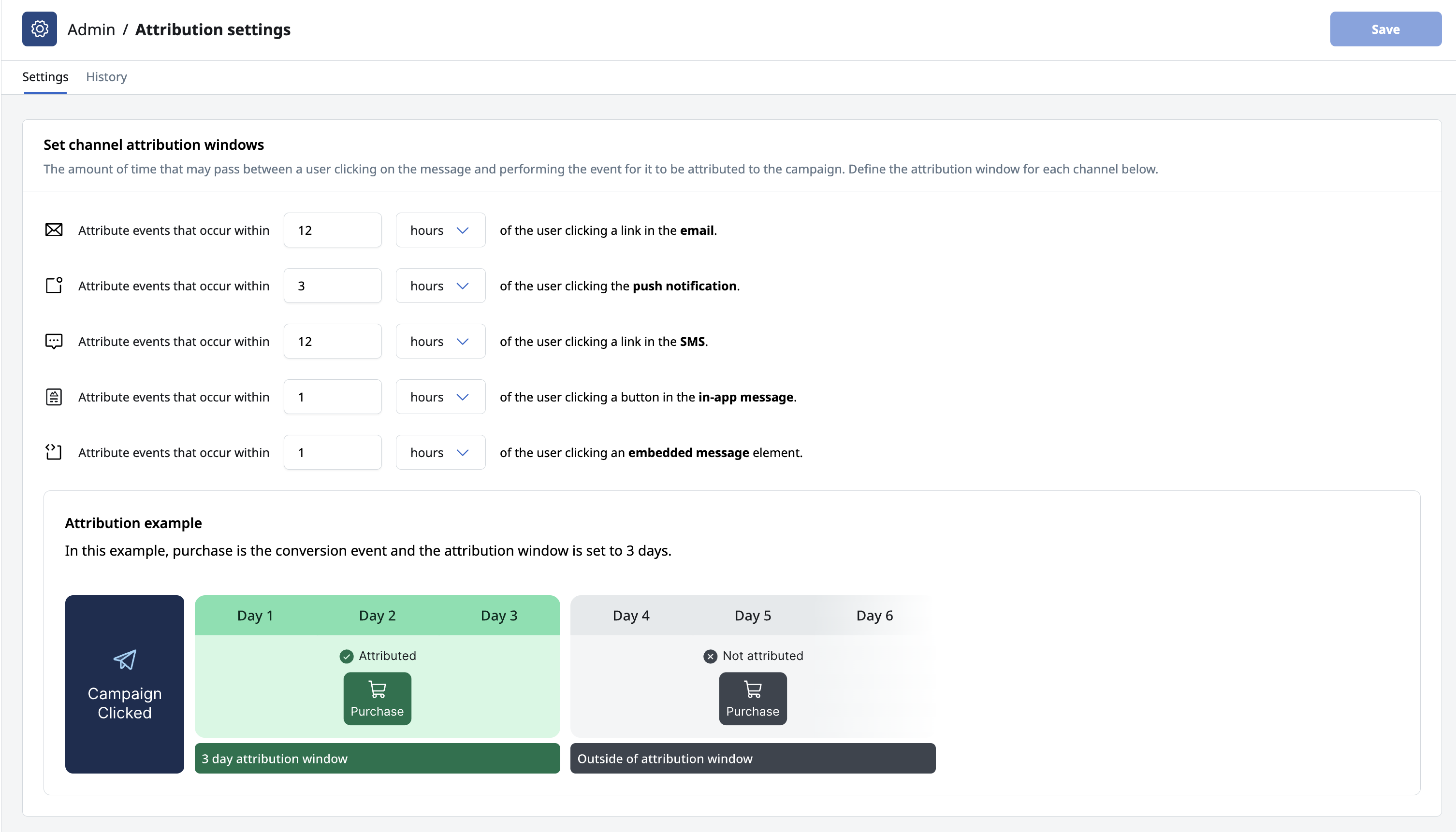
Attribution window changes are not retroactive.
Updates apply only to future conversions. For best results, configure your attribution windows before enabling Event Syncs or before sending events through the SDK.
Attribution history
The history log records all changes made to attribution windows over time.
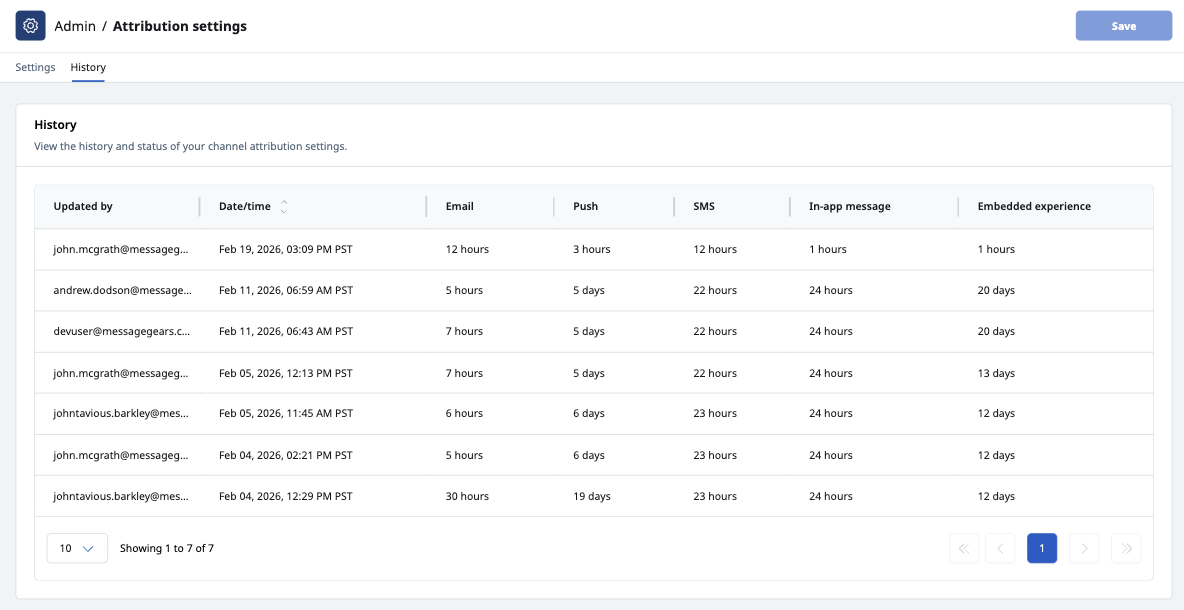
Each entry includes:
- The Attribution window values at the time of the update
- The timestamp of the change
- The user who made the update
This log provides transparency into how Attribution settings evolve and aids in understanding shifts in Conversion metrics.
If you see unexpected changes in Conversion performance, check the attribution history to confirm whether attribution windows were adjusted during that period.