Accelerator 25.3.2 release notes
Initiatives Released
Multi-destination External Campaigns
External campaigns now allow teams to configure multiple destinations within a single campaign, reducing the time required to send audiences to external vendors. Previously, external campaigns only supported a single destination per audience, forcing customers to duplicate the same campaign and update the destination settings for each one. Additionally, only a single extraction is required for all multiple destinations within the campaign, reducing the number of concurrent extractions run against customer databases while ensuring the same exact list of recipients is sent to each configured destination.
Goals
- Streamline the process of sending the same audience to multiple destinations
- Reduce the load on Accelerator and data warehouses by minimizing audience queries
Add Multiple Destinations
The Destination section within Settings now includes the option to +Add new destination. The fields for configuring the individual destinations have not changed, and customers can remove or modify individual destinations at any point. To help teams avoid duplicating exports, a unique destination can only be used once per campaign. Additionally, all existing destinations must be fully configured before adding a new one.
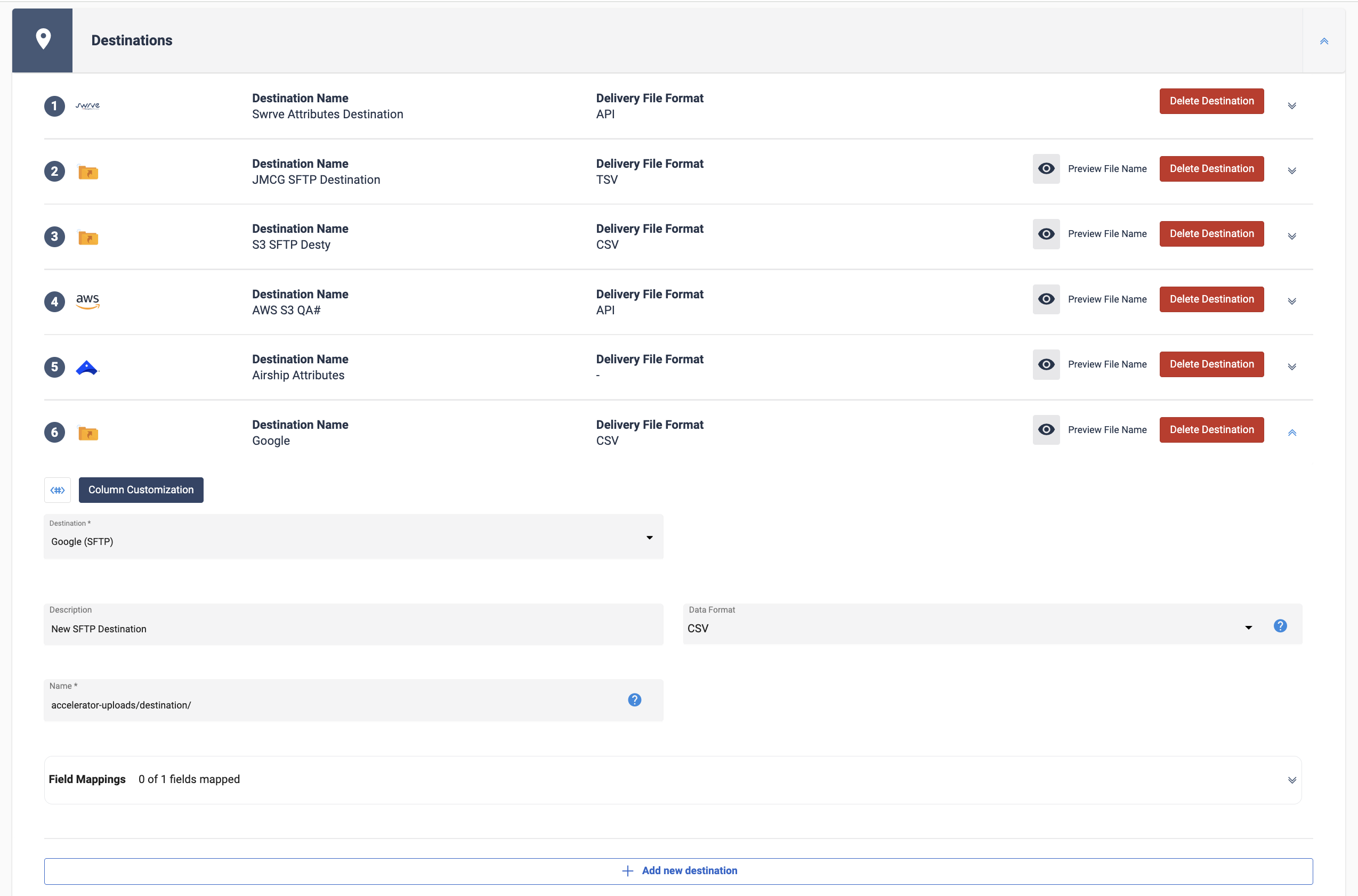 Add multiple destiantions
Column Customization
Teams can customize the audience attributes sent to each destination. As with single destination campaigns, all audience attributes are included by default. Individual destination columns can be previewed, expanded and collapsed to simplify setup.
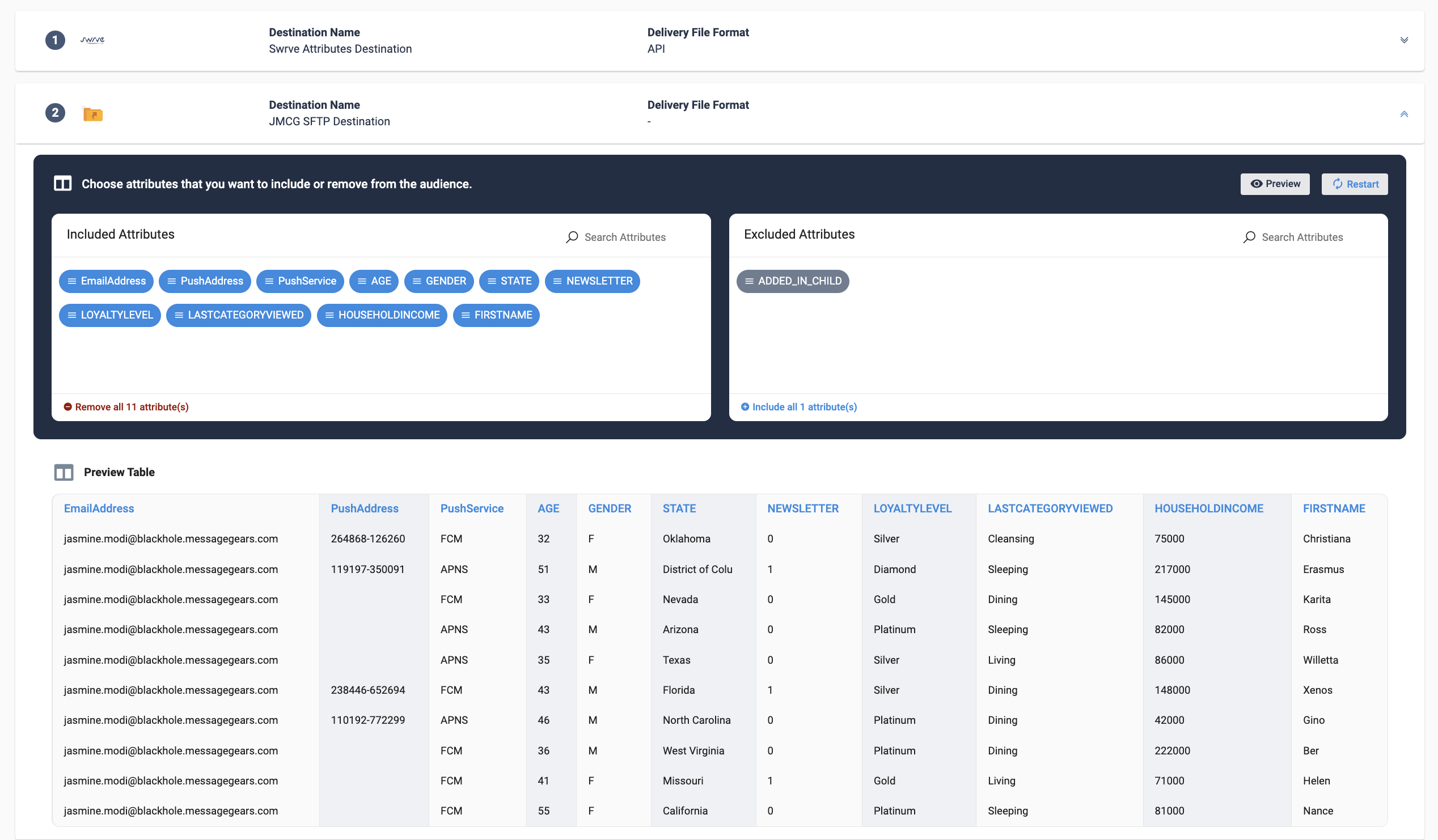 Define what attributes are sent to each destination
Analytics
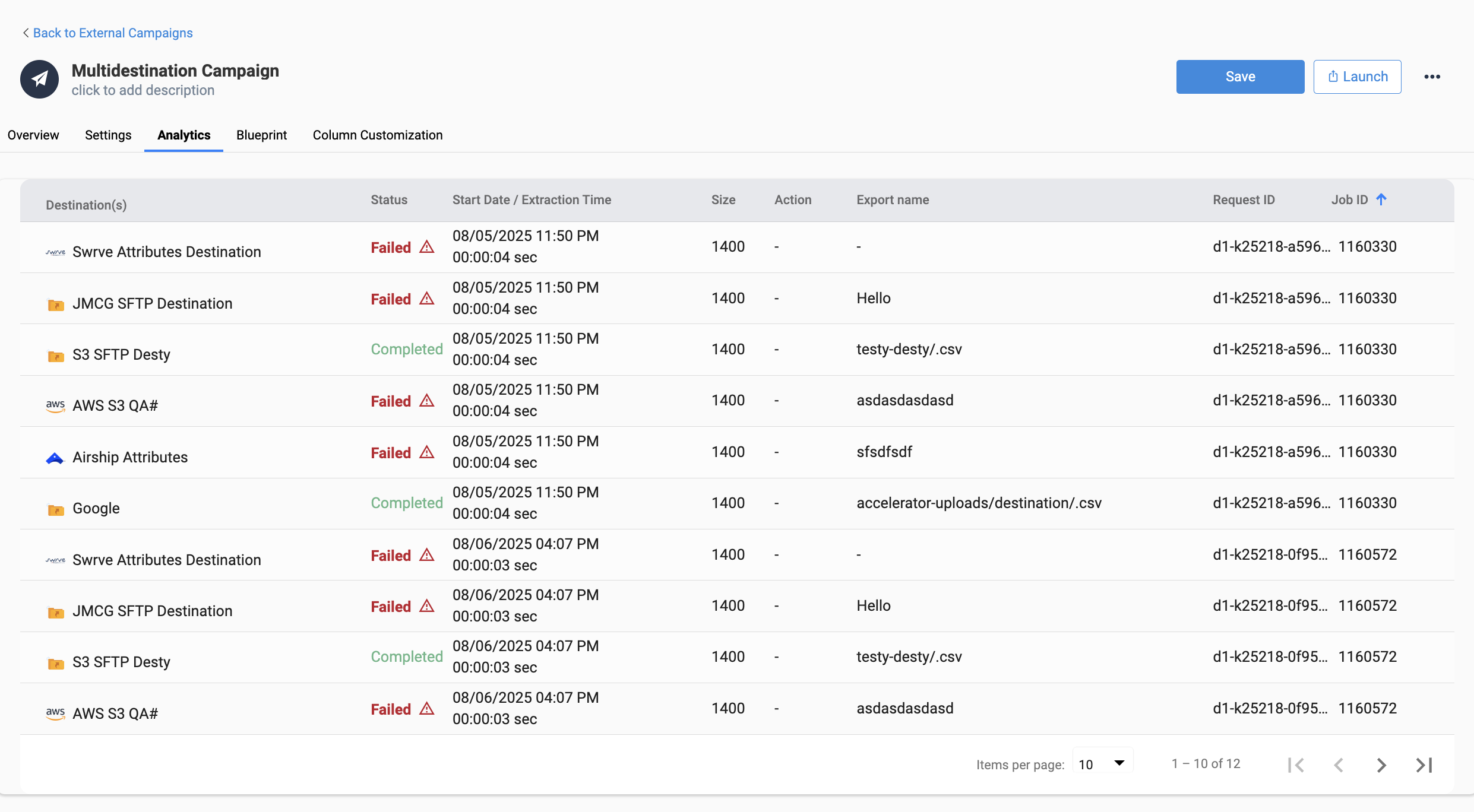
The Analytics tab shows each destination export as a unique row. Each row includes the export status and error message pertaining to any failures, allowing teams to easily identify destination or job specific issues. Note that the Job ID and Request ID are the same for each campaign launch
Overview, Blueprints, and List Views
All locations where external campaigns are currently shown will include a list of the destinations configured for the campaign. If the same vendor is used across multiple destinations (e.g. Google SFTP and Google API), the vendor icon is only displayed once.
External Campaign Overview & List Page
When multiple destinations are configured for the campaign, the campaign Overview page shows a list of the destination vendors and indicates how many destinations are configured for each.
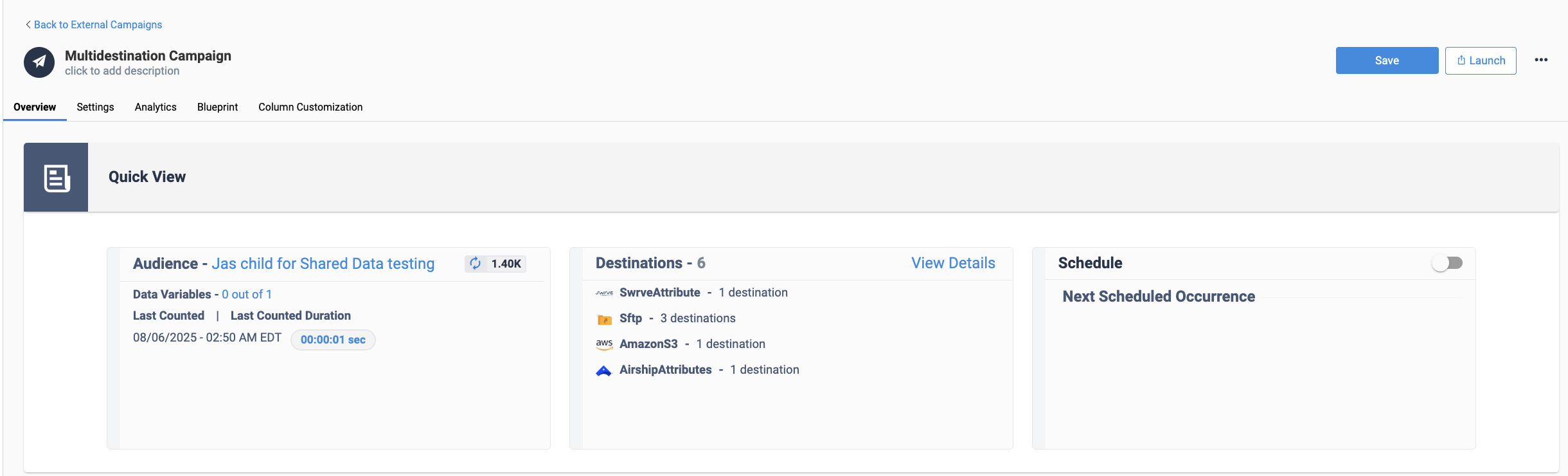 External campaign overview with multiple destinations
Blueprint Planning, Associated Campaigns, & Nodes
When a multi-destination External campaign uses a Blueprint as its audience, the Blueprint’s Associated Campaigns modal, Planning panel, and nodes display the list of destination vendors configured for a linked campaign. If a campaign contains more than 4 unique external destination vendors, the first 4 are displayed followed by the additional number of vendors.
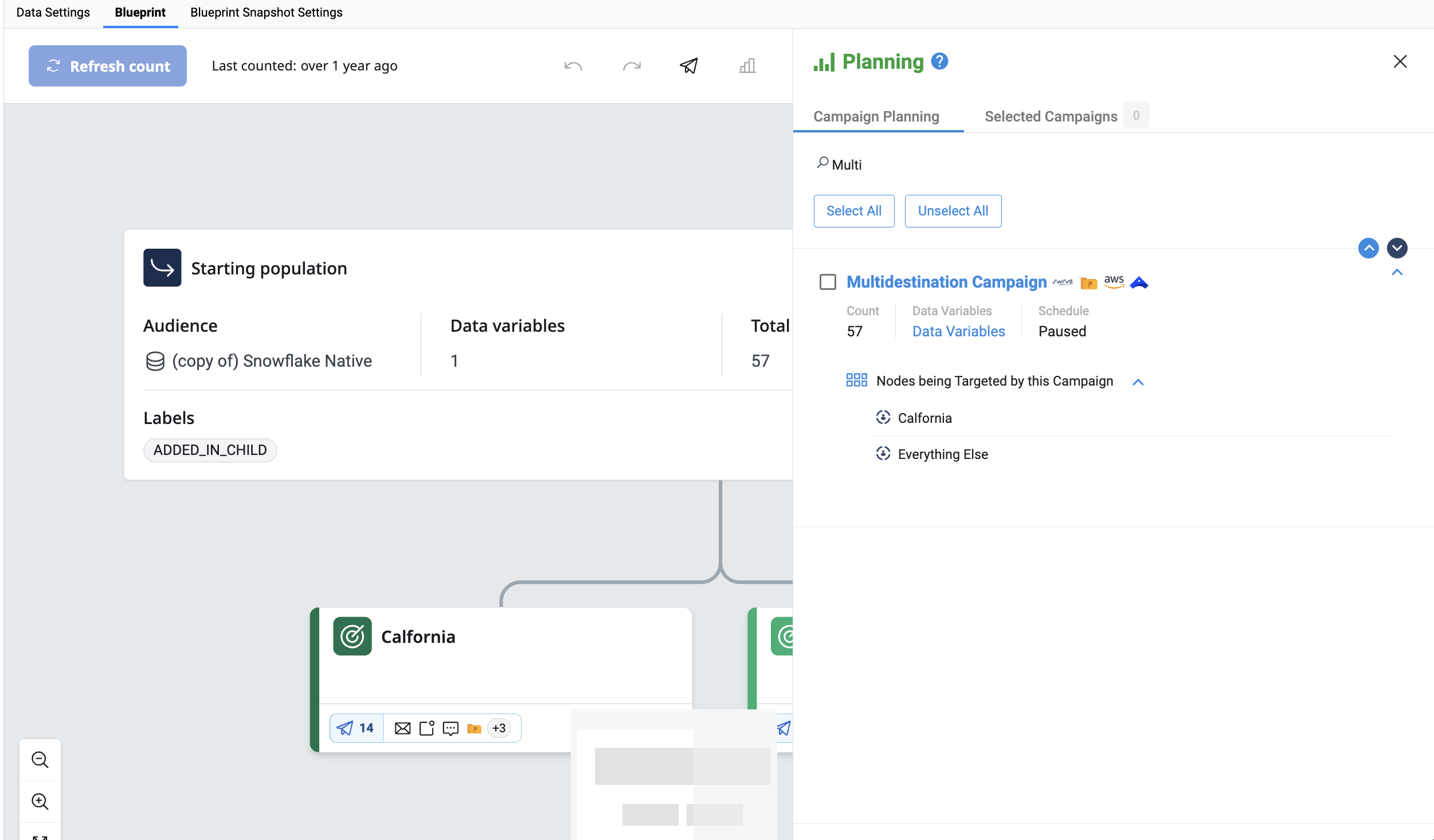 The Planning panel shows a unique icon for each External destination vendor
When filtering external campaigns based on destination, campaigns are returned if they include one or more matching destinations.
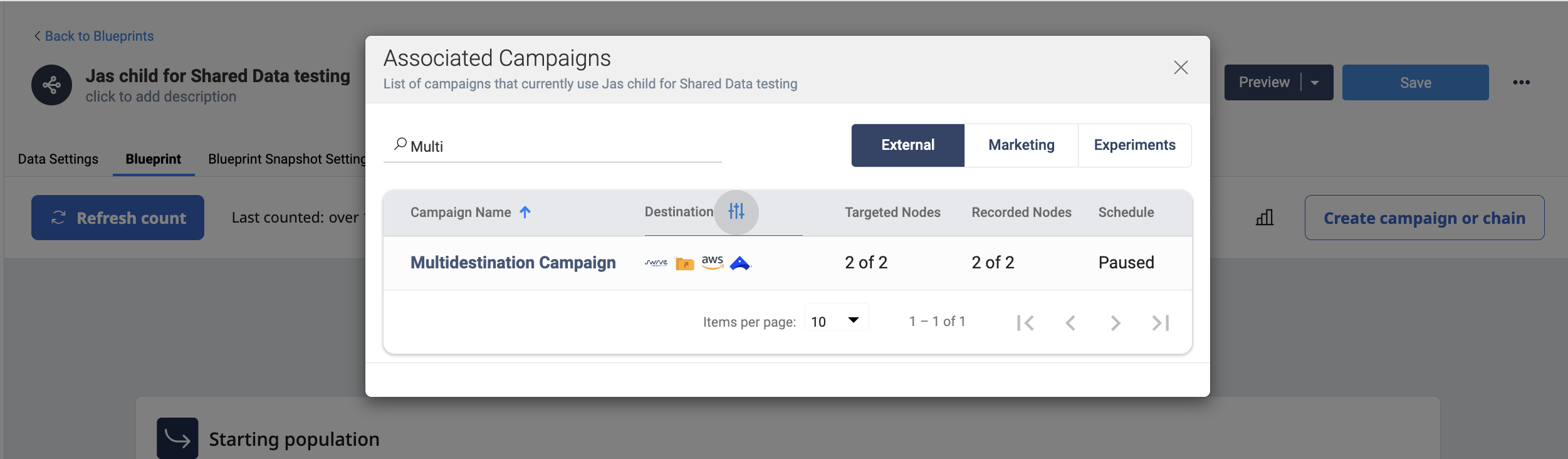 The Associated campaign modal shows a unique icon for each External destination vendor
General changes
- Blueprint Snapshots now support an expiration time feature (TTL)
- Campaigns attempting to use a Blueprint Snapshot during that Snapshot’s refresh will now wait for the Snapshot to complete instead of using the old Snapshot for campaign launch
- The Audience List page now supports Folder view
- On the Recent Jobs table on the Dashboard, downloading the CSV of the jobs table now supports all column customization and filter options
- Campaign schedules will now require user selection instead of defaulting
- Added new Job Option in System Settings to allow missed jobs to relaunch after system down time
- Added the ability for External Campaign Triggers to support data variables
- Added the ability for External Campaign filenames to support data variables
- Marketing Campaigns now inherit the Account from Sending Profile
- Added support for Datasource Properties for Snowflake Native database connections
- The Missed Campaign Launch Behavior setting now applies to Experiment type campaigns
- Removed case sensitivity when field matching for Audience Recording
- Snowflake JDBC database connections now support Private Key capabilities
- Fixed an issue where links to the campaign from the Associated Campaigns modal on a Blueprint were broken
- Fixed an issue where line breaks on the Subject Line would cause issues in Campaign Settings
- Fixed an issue where SFTP Destinations were ignoring base paths during Job launch
- Fixed an issue where the cursor wouldn’t display on Global Snippets depending on SQL editor theme
- Fixed an issue where Datasource Properties (JDBC Parameters) on Snowflake Native connections were not supported