Accelerator 25.2.3 release notes
Initiatives Released
Updated Blueprint Node settings
We have given our segmentation rules a big facelift! Unlocking the full power of your data set to create pinpoint accurate audiences for your campaigns has never been easier. With this latest release, you’ll find a fully new design for all of our Blueprint Node Settings menus - and some new additions! The new styling comes with a host of legibility and usability improvements which make finding and setting up your segments easier. You’ll also be able to search for attributes by name, as well as set maximum limitations for recipients in Target Nodes.
Goals
- Update the styling/design to modern Accelerator standards
- Add usability features like searchable attributes
- Implement new recipient limit feature for Target Nodes
New Settings design
Each of the four node types on the Blueprint Canvas now matches our new canvas styling. Updates to the styling and design make creating, updating, and reading your segmentation rules faster and easier. Many of the options have have been revisited to ensure the rules are easier to digest, options are more clearly defined, and searching for attributes is easier for Blueprints with large attribute amounts.
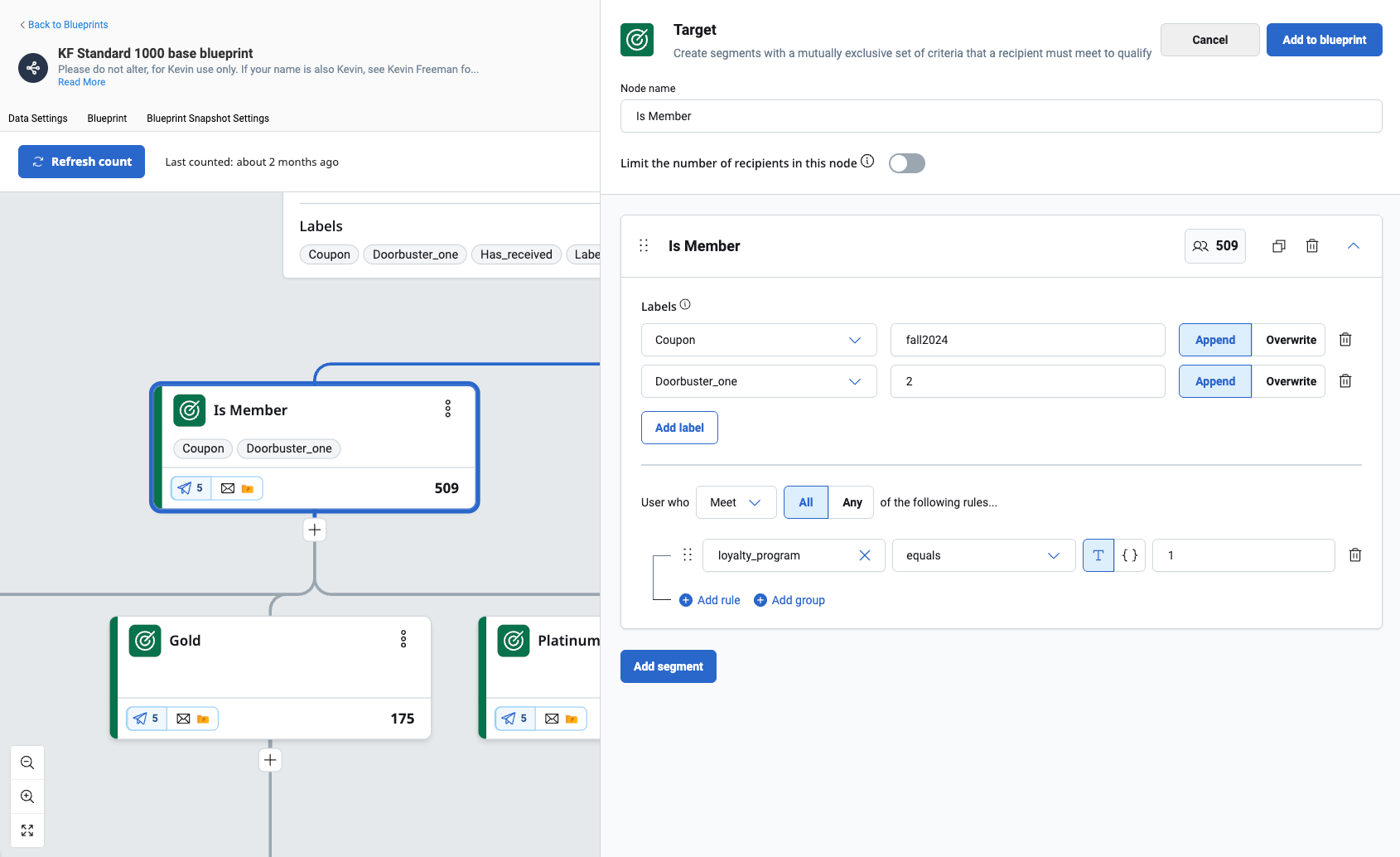
New Target node settings menu
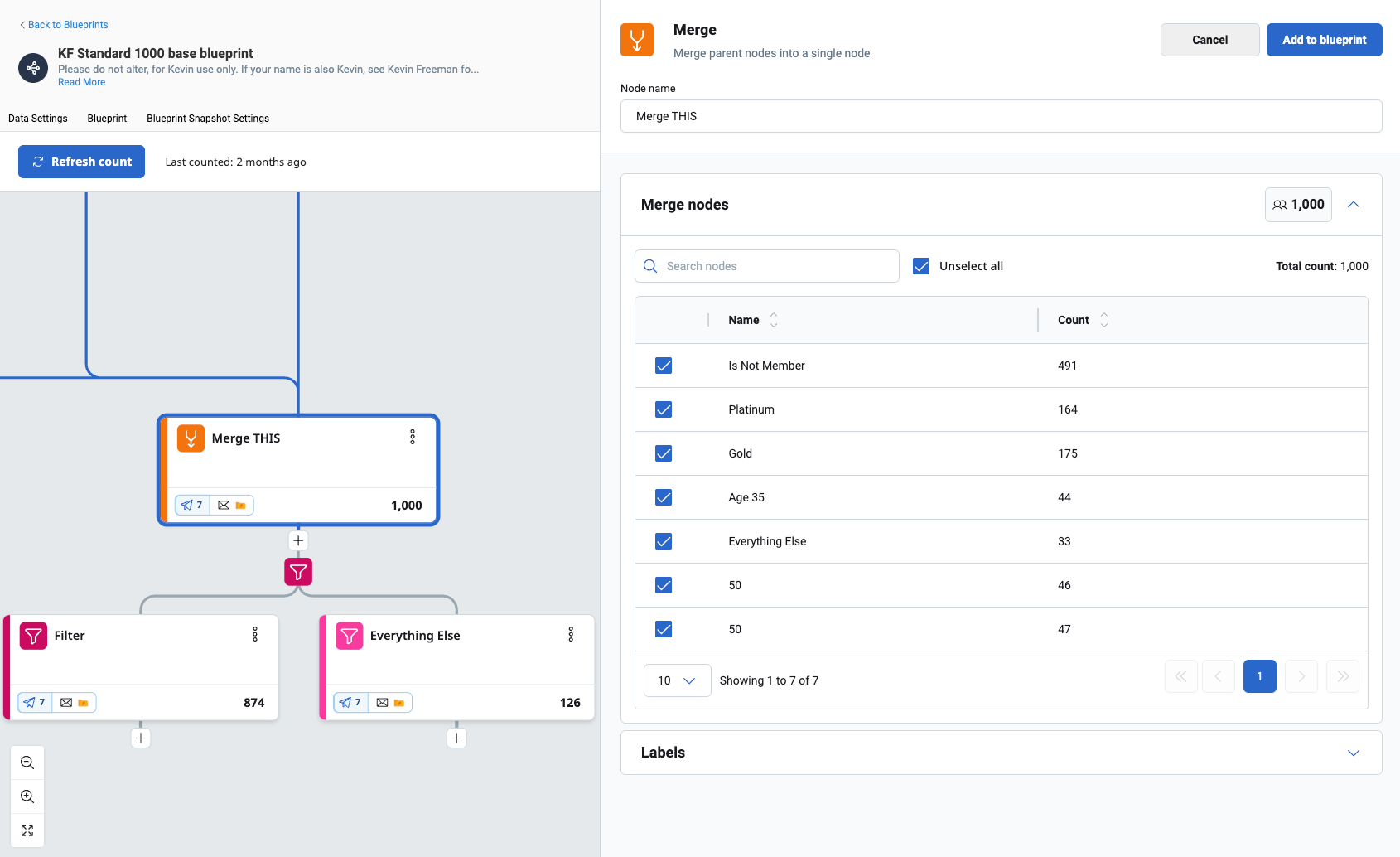
New Merge node settings menu
New Recipient limit setting
We’ve also added the ability to limit recipient Target Node segmentation to a max recipient count. This ability is available for every target node, and any additional recipients beyond that limit will flow into the next node.
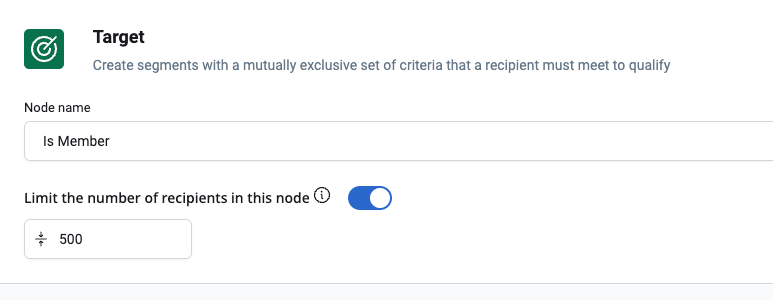
Recipient Limits are now available for all Target nodes
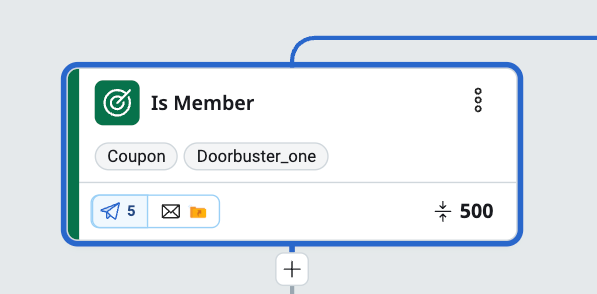
Target nodes with a Limit will now display an icon next to their count
Audience-synced Blueprints and simplified data settings
Blueprints are getting a brand new way to simplify starting populations and data settings. Audiences can now be directly synced to one or more Blueprints, making the management of your segmentations easier than ever. In doing this, Blueprints will now be open to Campaign Administrators to leverage the segmentation tool, while keeping core SQL and Drag and Drop Audiences for Data Administrators. This means you’ll be able to setup the sophisticated Audiences you want, while allowing the Blueprints to stay streamlined and focused on your segmentation needs.
Goals
- Give Campaign Admins access to Blueprint segmentation
- Allow users to directly use an Audience as a Blueprint starting population
- Allow users to see any Associated Blueprints being used on an Audience
- Provide additional information for changes to an Audience, and downstream affects
New Starting Population option
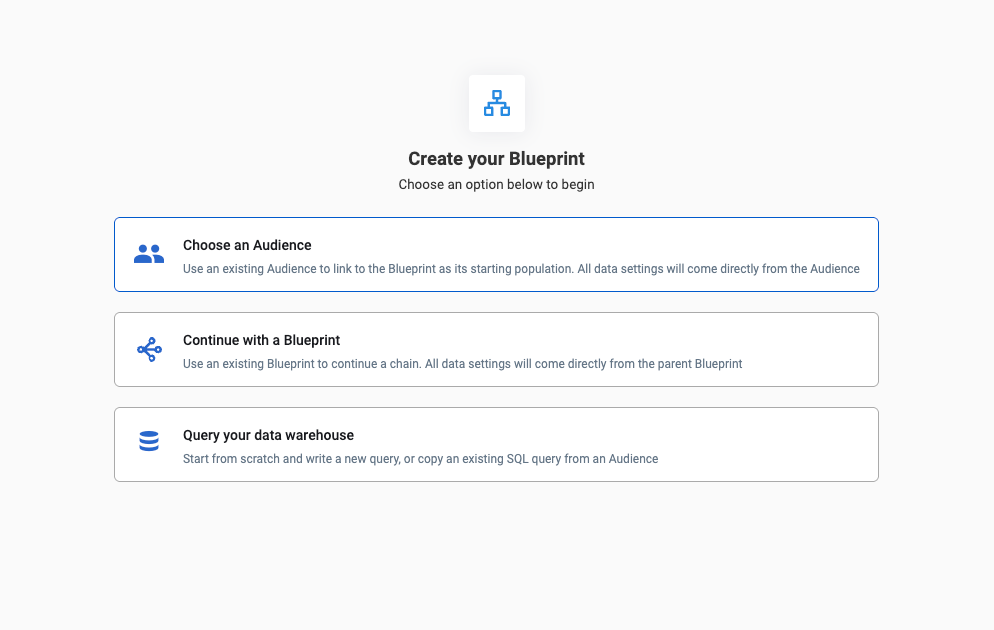
When creating a Blueprint, you’ll see a new option to Choose an Audience. This allows your new Blueprint to directly use the settings and SQL of an existing Audience as it’s starting population, which is displayed under the Data Settings tab.
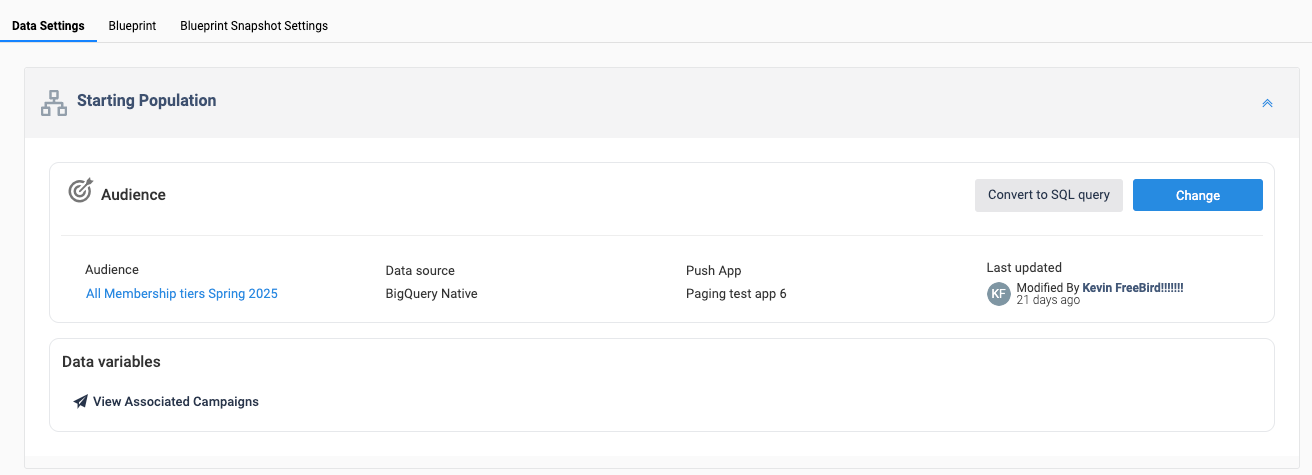
Blueprints using a synced Audience will see it under the Data Settings tab
For Audiences that have Blueprints as their starting populations, you’ll be able to see a list of those Blueprints under the new Associated Blueprints tab. This new tab will show a list of all Blueprints using that Audience as a starting population.
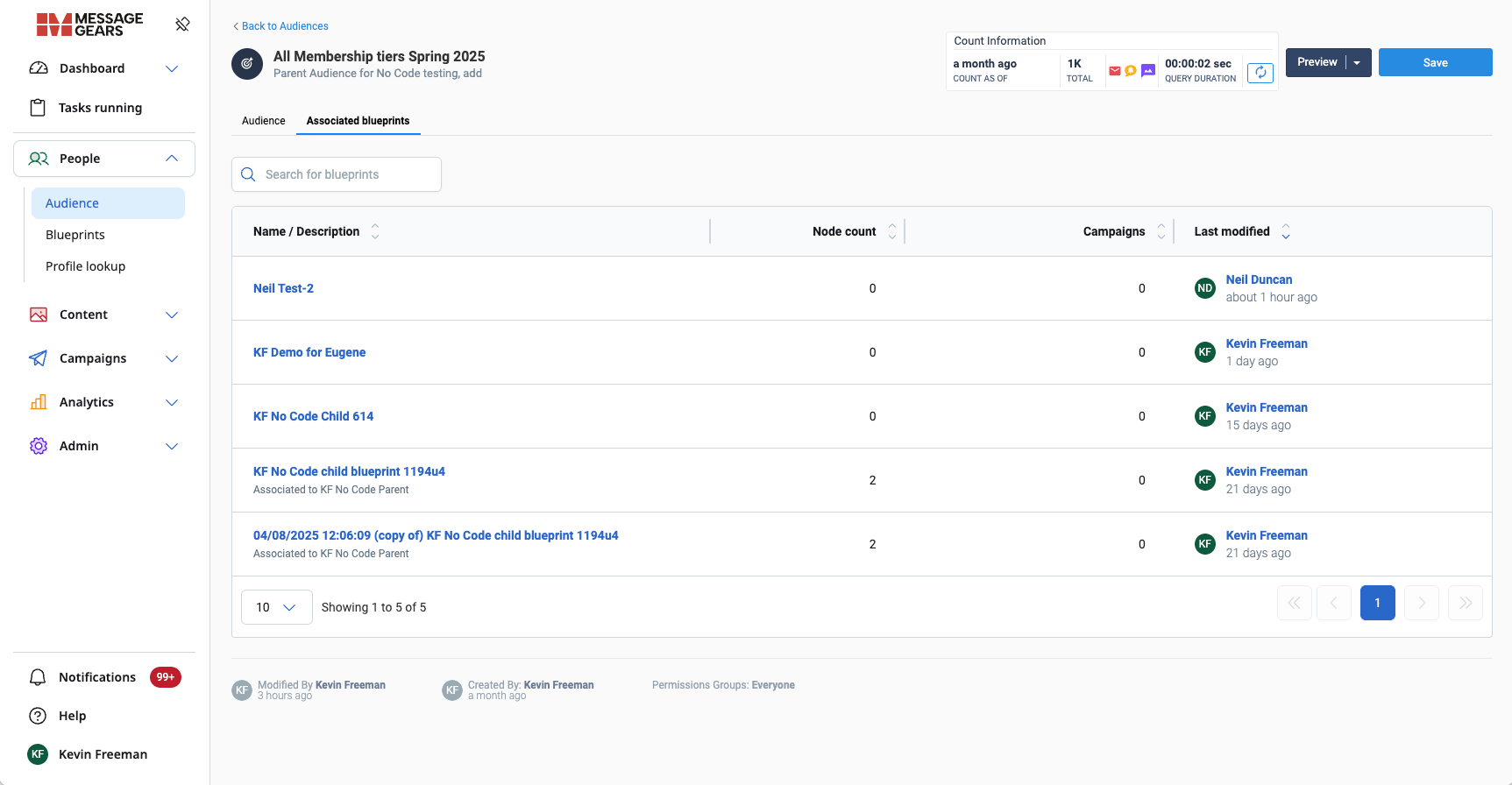
Audiences will show any Associated Blueprints in a new tab
Users with the Campaign Administrator user role will now have access to Blueprints. They’ll be subject to the same Group Permissions as any other user for what Blueprints they’ll have Read, Edit, Execute or Delete rights to. Campaign Administrators won’t have access to create Blueprints that directly query the warehouse with SQL, but will be able to edit the segments on existing SQL Blueprints.
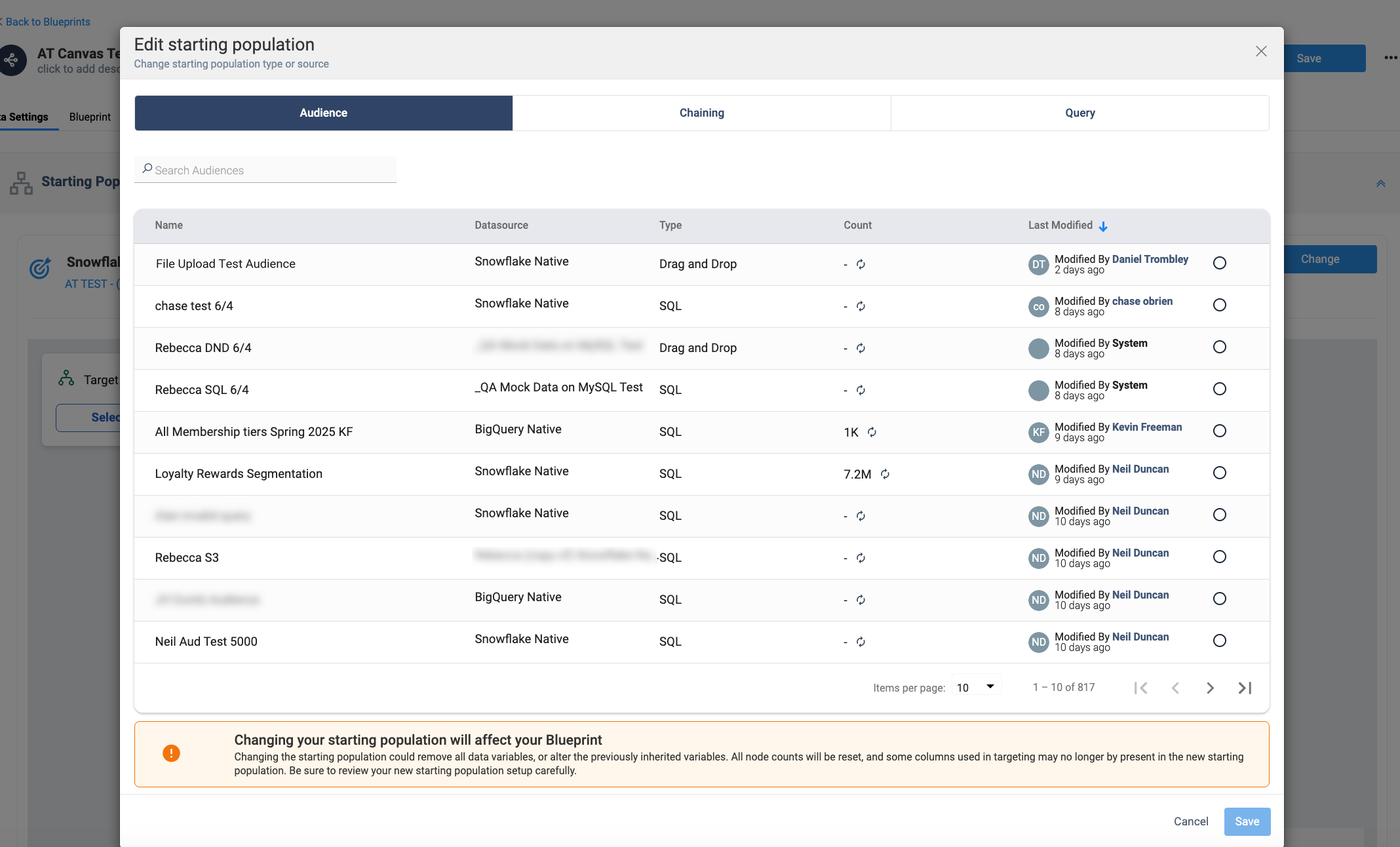
We’ve also improved the flow for editing existing Blueprints starting population. Use the new Change button under the Data Settings tab to alter the starting population. Note that Campaign Admins will not have access to the Query option, as stated above.
General changes
Campaign & Template Management
- Improved visibility and management of Templates, Snippets, and Campaigns, resolving issues related to asset display, deletion workflows, and translation duplication.
- Campaigns using Suppression Lists now reliably display the correct lists, providing clarity and preventing misconfiguration.
Platform Performance & Data Integrity
- Enhanced Blueprint Snapshots to fully utilize available processing power for faster performance.
- Corrected Hosted Data TTL settings to prevent defaulting to unintended values and updated Account URL handling to clearly inform users when character limits are reached.
Analytics Clarity Enhancement
- Refined transactional campaign analytics by removing unnecessary Unique metrics, making your reports simpler and more actionable.