Accelerator 23.4.1 release notes
Update to SQL Server JDBC Driver
This release contains an update to the SQLServer JDBC Driver. The driver was updated to version 12.4.1, which makes the connection encrypted by default. This encryption can be disabled with a JDBC property, but if it is not disabled, you will need to ensure your database is set up to handle SSL connections prior to upgrading. Please contact MessageGears Support if you have any questions about disabling encryption on the connection to your SQL Server database.
Initiatives Released
Blueprint Snapshots
Use Case
Blueprint Snapshot extractions will allow marketers access to reliable and consistent data across campaign launches. When users enable Blueprint Snapshots, they’ll be able to create a cache of the output of their Blueprint for a given period of time. Users will then be able to use these identical data sets across their Campaigns allowing for Campaign prioritization by leveraging the same data evaluations. Snapshots will reduce the burden on the user by providing them with a simple, intuitive experience for creating a reusable data set. Using Blueprint Snapshots will reduce data extraction latency because the database extraction has already occurred prior to the campaign launch - so the data is ready to go at launch time; it enhances data integrity by reducing the potential of human error with the current non-productized solution to campaign prioritization; and most importantly, Blueprint Snapshots will unlock the ability for all users to create secure and reliable static data sources than can be used across multiple campaigns - meaning multiple campaigns can leverage the same data set for different targeting and retargeting purposes. This will empower users to prioritize their campaign sends - the right person will always get the right campaign, and they won’t receive multiple campaigns throughout the day due to changing segments.
Goals
- Prioritize campaigns so that the right recipient is always receiving the right campaign
- Preserve random splits in my Blueprint so i can test multiple campaigns against the same split of recipients
Capabilities
Create and Manage Reusable Data Blueprint Snapshots are created and managed on Blueprints. If you want to create a snapshot of the output of your Blueprint, you can enable Blueprint Snapshots and set up a refresh schedule. The refresh schedule will automatically refresh the Snapshot at a given cadence, so you don’t have to manage the refreshes manually - set it and forget it.
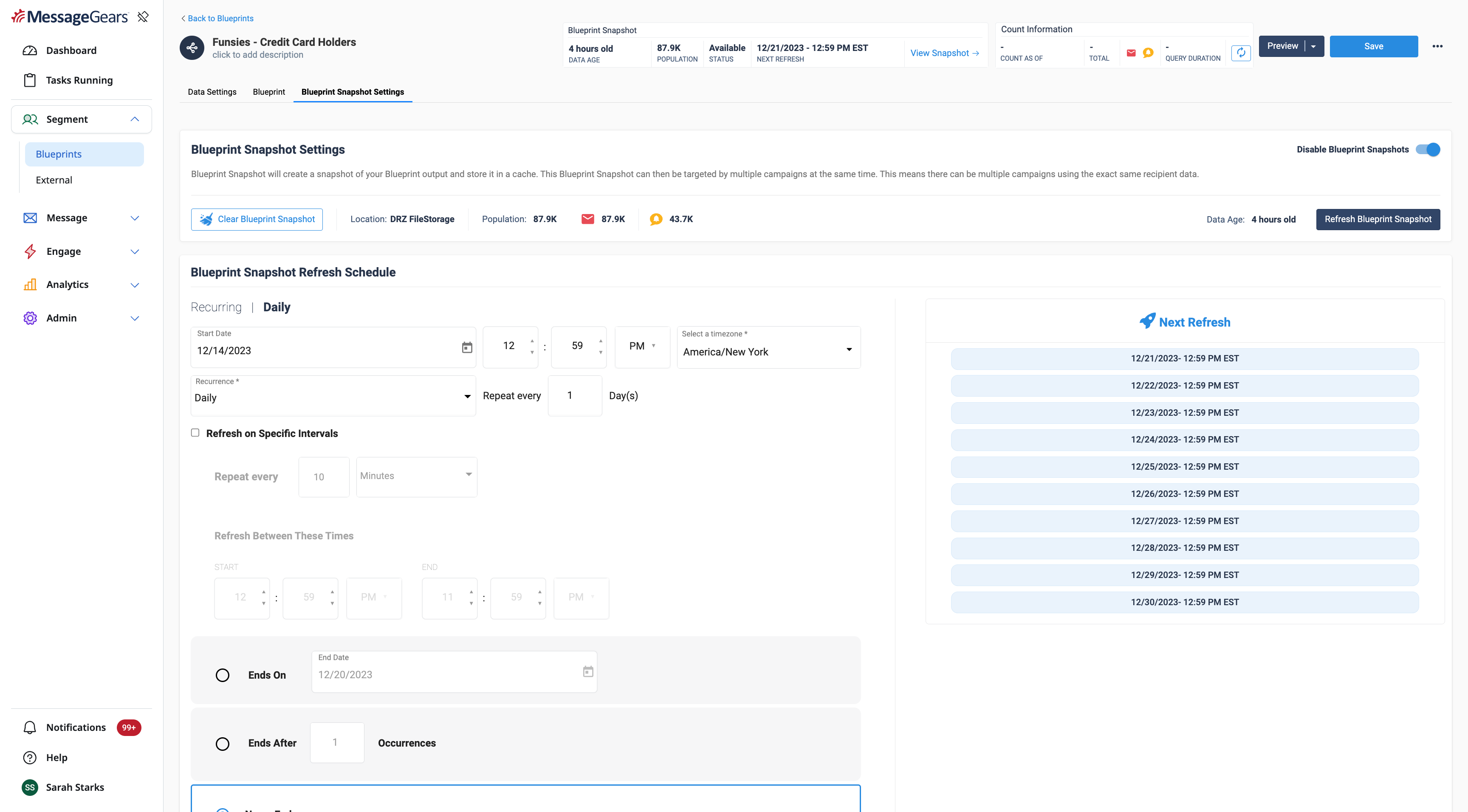
Blueprint Settings
Leverage Blueprint Snapshots in Campaigns Blueprint Snapshots can be enabled on Marketing, Multivariate, and External Campaigns. When you have multiple campaigns targeting the same Blueprint, using Blueprint Snapshots will allow you to prioritize which of those campaigns a segment should receive. When you enable Blueprint Snapshots, you’ll have a full view into its status, age, and refresh schedule that way you can be empowered to know your campaign will launch successfully and as you expect it to.
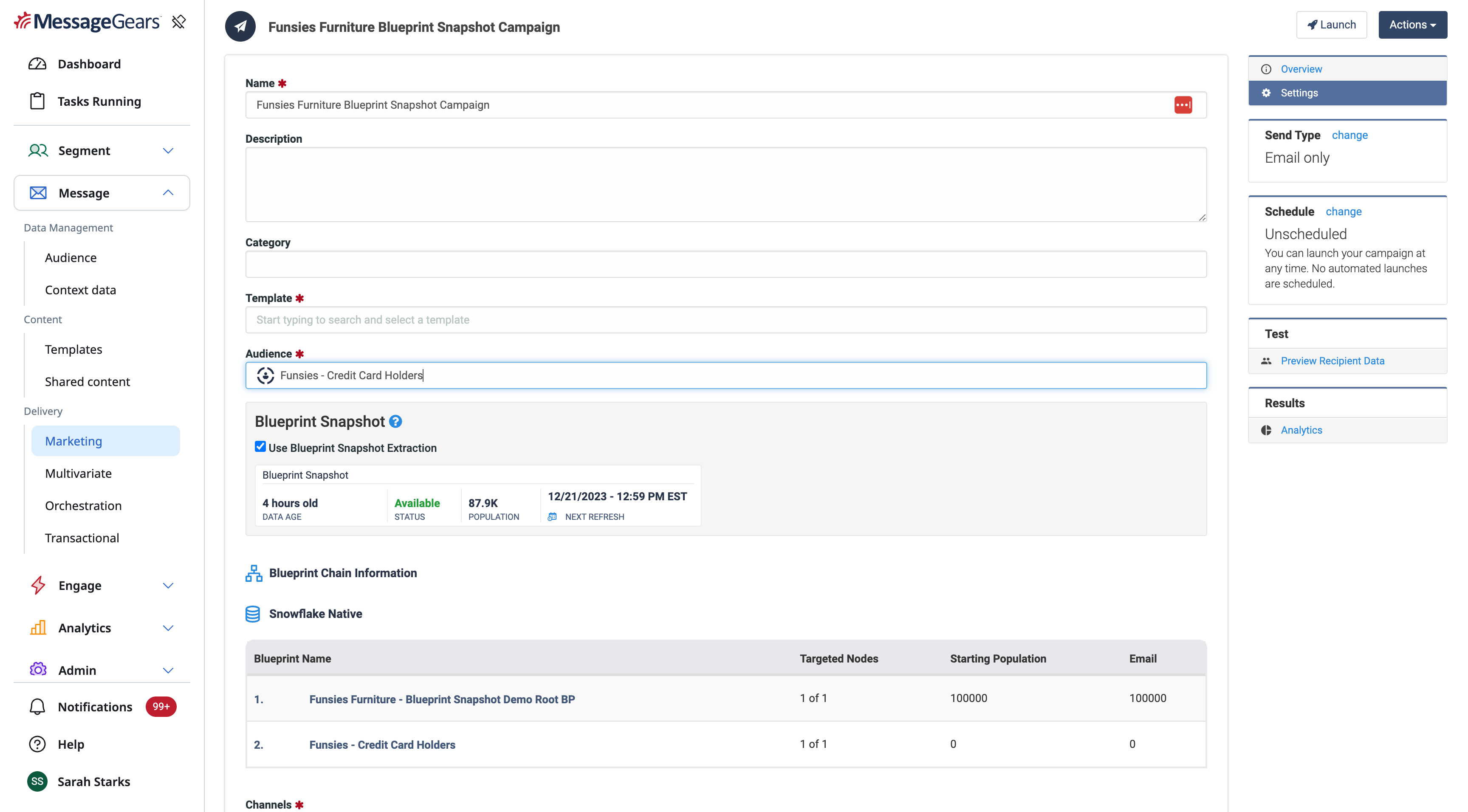
Marketing Campaign Settings
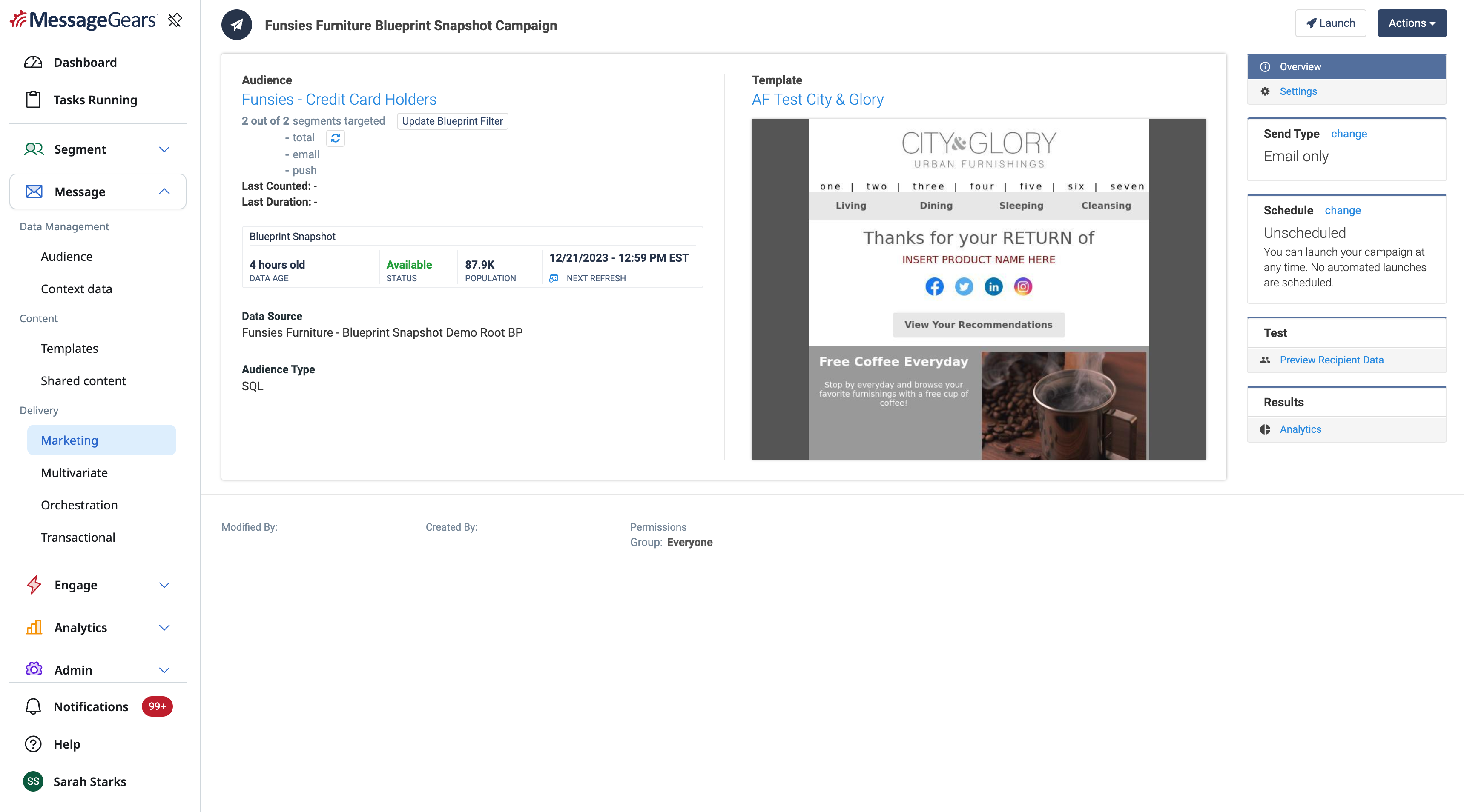
Marketing Campaign Overview
BEE Dynamic Content
Use Case
Agency marketers may have to make content for numerous brands that share similar messages such as for hotel or retail chains. This can be unruly to manage in most softwares causing a lot of duplicate work. Alternatively, content authors need to rely on technical resources to help make the content function dynamically. Dynamic Content seeks to enable marketers to create their templates in one base brand styling and have it automatically scale out to any number of other brands. This should decrease the time it takes a marketing team roll out new content and increase the confidence in the consistency in messaging without having to heavily rely on more technical resources to accomplish it.
Goals
- Easily allow non-technical marketers to create and manage multiple template variations at once
- Centralize dynamic styling guidelines
Capabilities
Set Default Styling Guidelines In order to create security around content creation, system admins can create default styles that will be used in the drag and drop content editor. Users can set styling defaults for each content block in the drag and drop editor - Button, Title, Menu, List, Paragraph, etc. Test Content Settings gives user access to preview based on the content defaults displayed so that they can triage and understand their changes to the editor. Once set, these will be the default options whenever a user drags a content block into the drag and drop email editor on their templates.
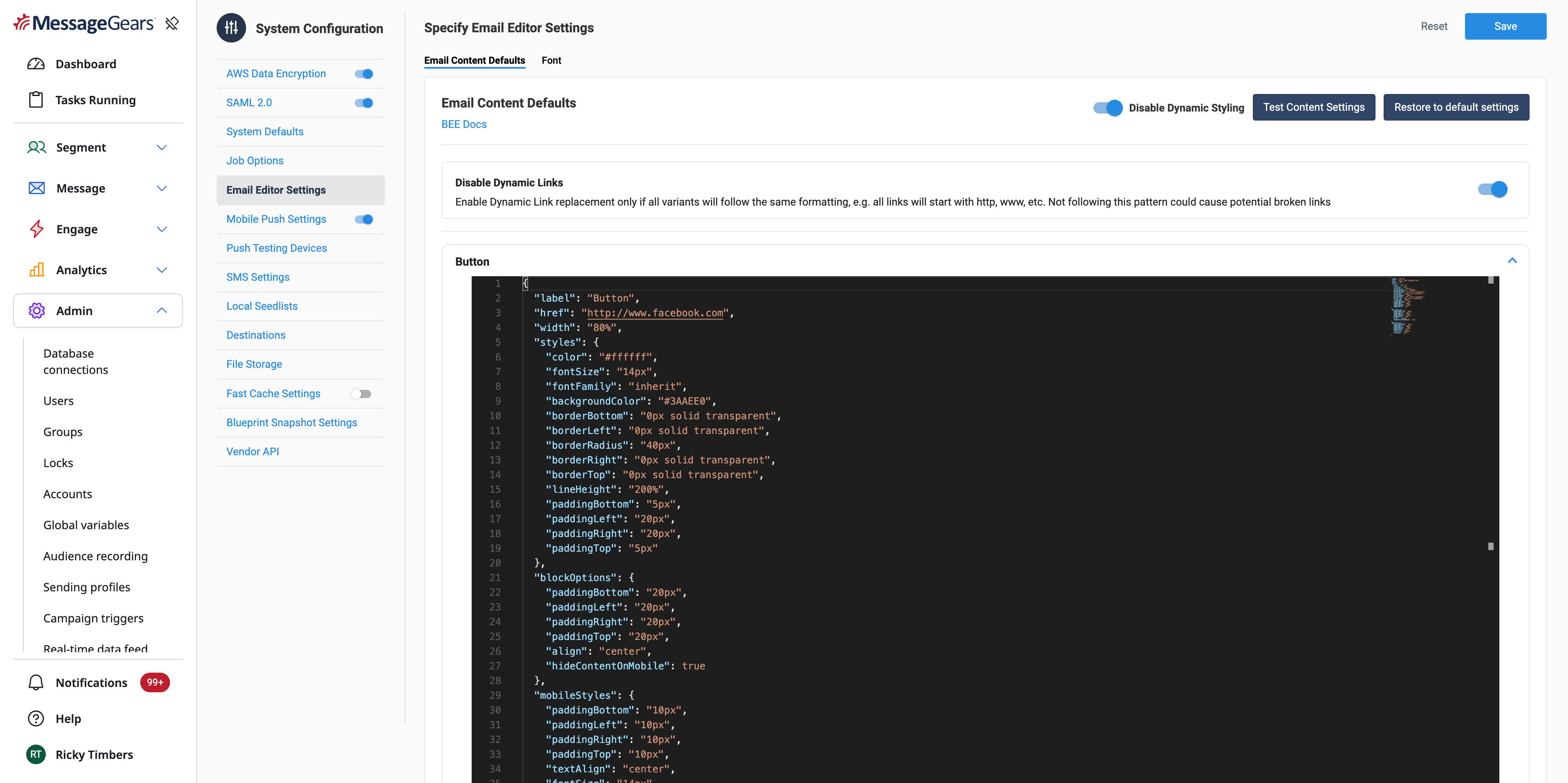
Email Content Defaults
Manage Style Variants Once dynamic styling is enabled, users will have access to a new piece of global shared content. This global shared content will be available to all templates to use to create specific style guides based on a Recipient attribute or Freemarker evaluation. The outcome is that one template can now be dynamically styled to suite the particular Recipient.
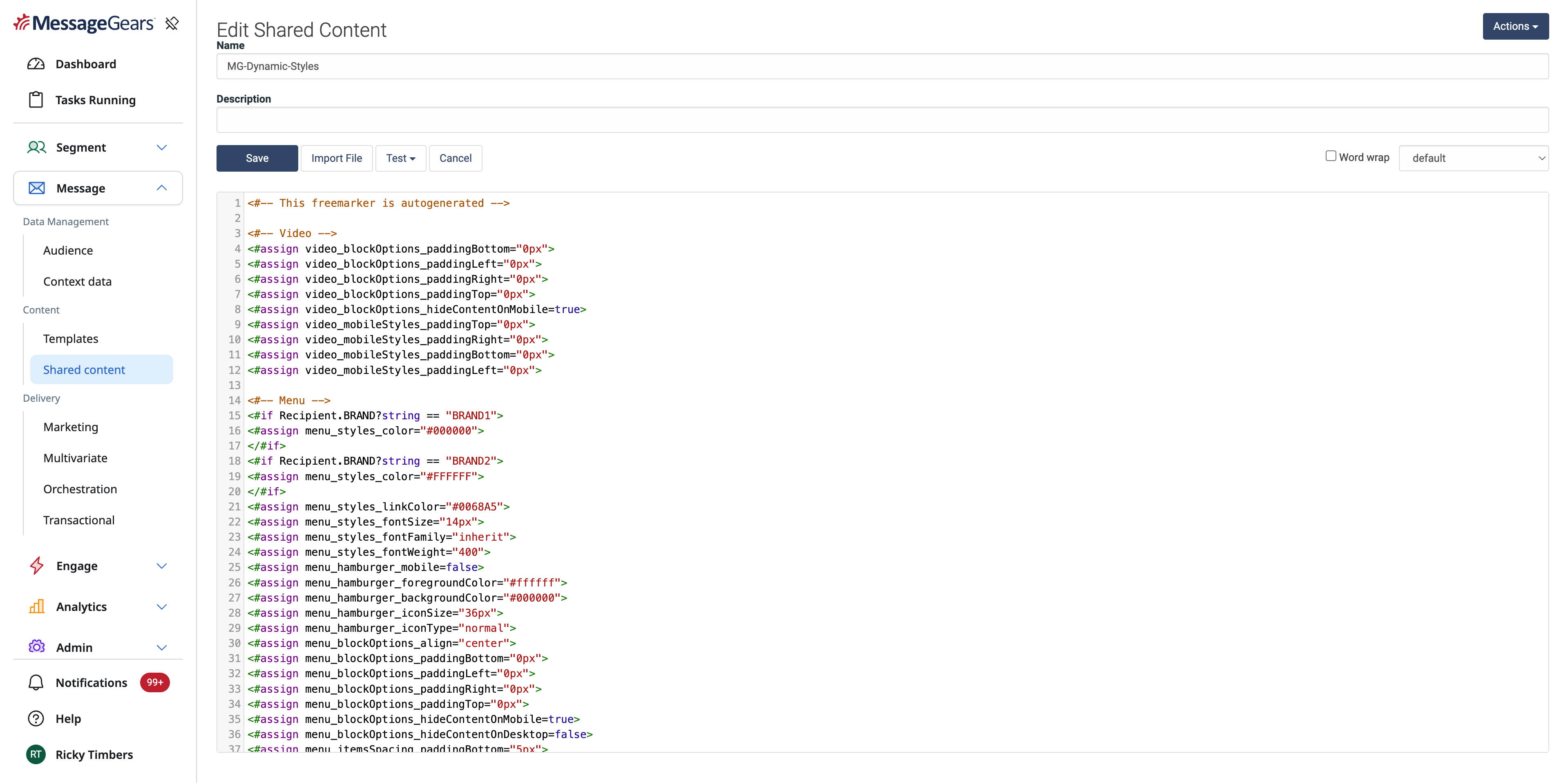
Shared Content
Dynamically style content based on style variants For Templates that are opted into dynamic styling, there is nothing for the template author to do! Content authors will simply create content in the base default styling. If the Recipient has the correct attribute it will automatically pull the styling for that recipient when rendering the content. To see it in action, simple preview the content to see how different recipient attributes can affect the styling.
General Changes
Improvements
- Up to a 100% performance improvement in Blueprint processing speeds for large Audiences
⠀Defects
- Resolved an issue where filtering selected Blueprint nodes from an External or Marketing campaign would show the 'Edit Labels' option in the root node