Accelerator 23.3.2 release notes
Special release call out
Accelerate 23.3.2 requires a special upgrade process due to unique changes within this version. Please review the special instructions or contact your CSM before proceeding with an update from previous versions.
Initiatives Released
Multivariate Launch Validation
Use Case
We want to instill confidence that campaigns will launch as expected. Today, you can test a campaign by testing that the content renders with the selected Audience and Context Data. However, multiple factors go into a campaign launch that can cause it to fail - Pre-Campaign Triggers and Audience Recording failures can also result in a failed campaign. The purpose of this feature is to provide a full breadth of testing - we’ll fully extract the recipient data and imitate the launch of campaign, without actually launching it. At the end, you get a summary email with a recap of how the test went and if anything failed.
Goals
- Provide a higher level of confidence that the settings for a Multivariate Campaign will work when it’s time to launch
Capabilities
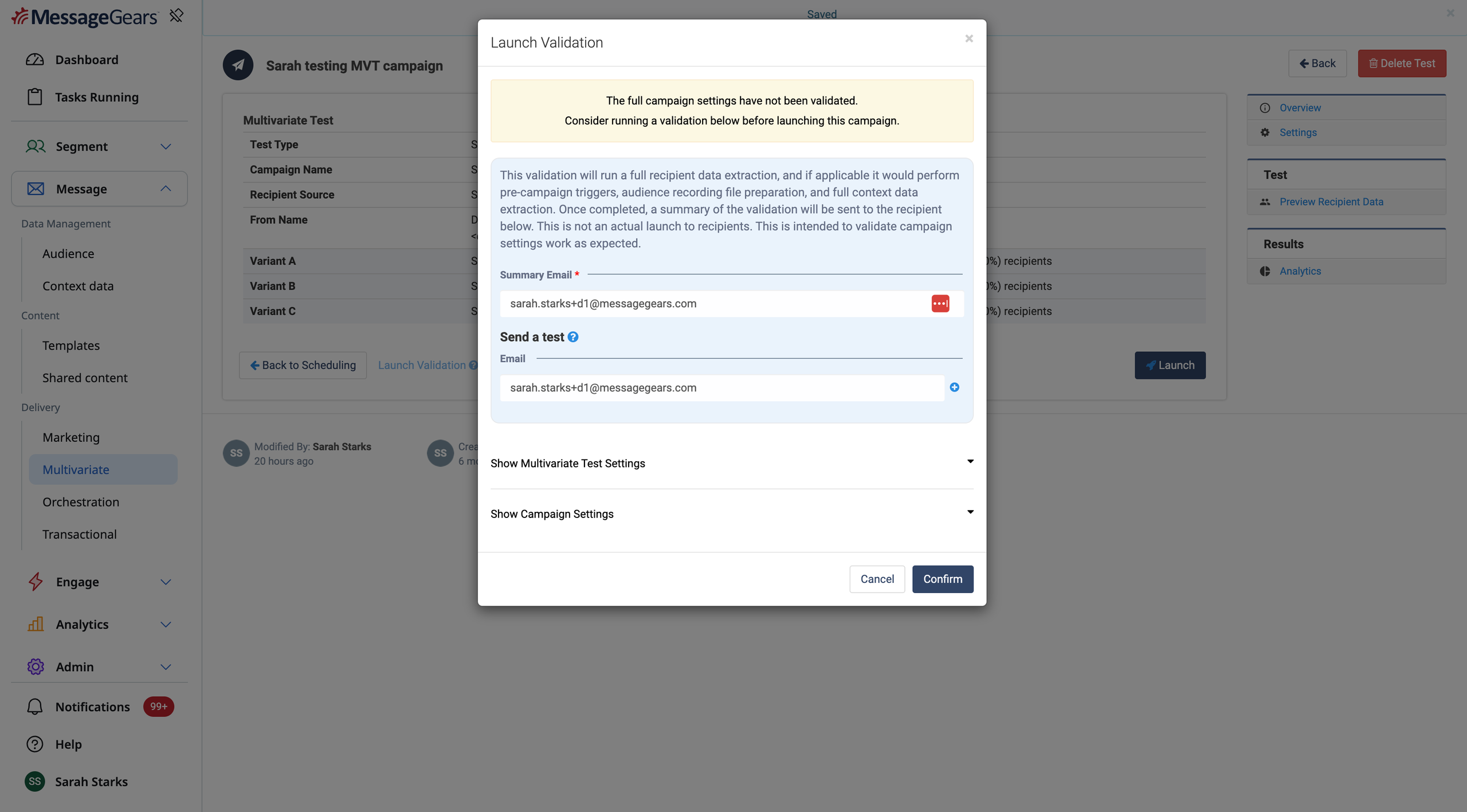
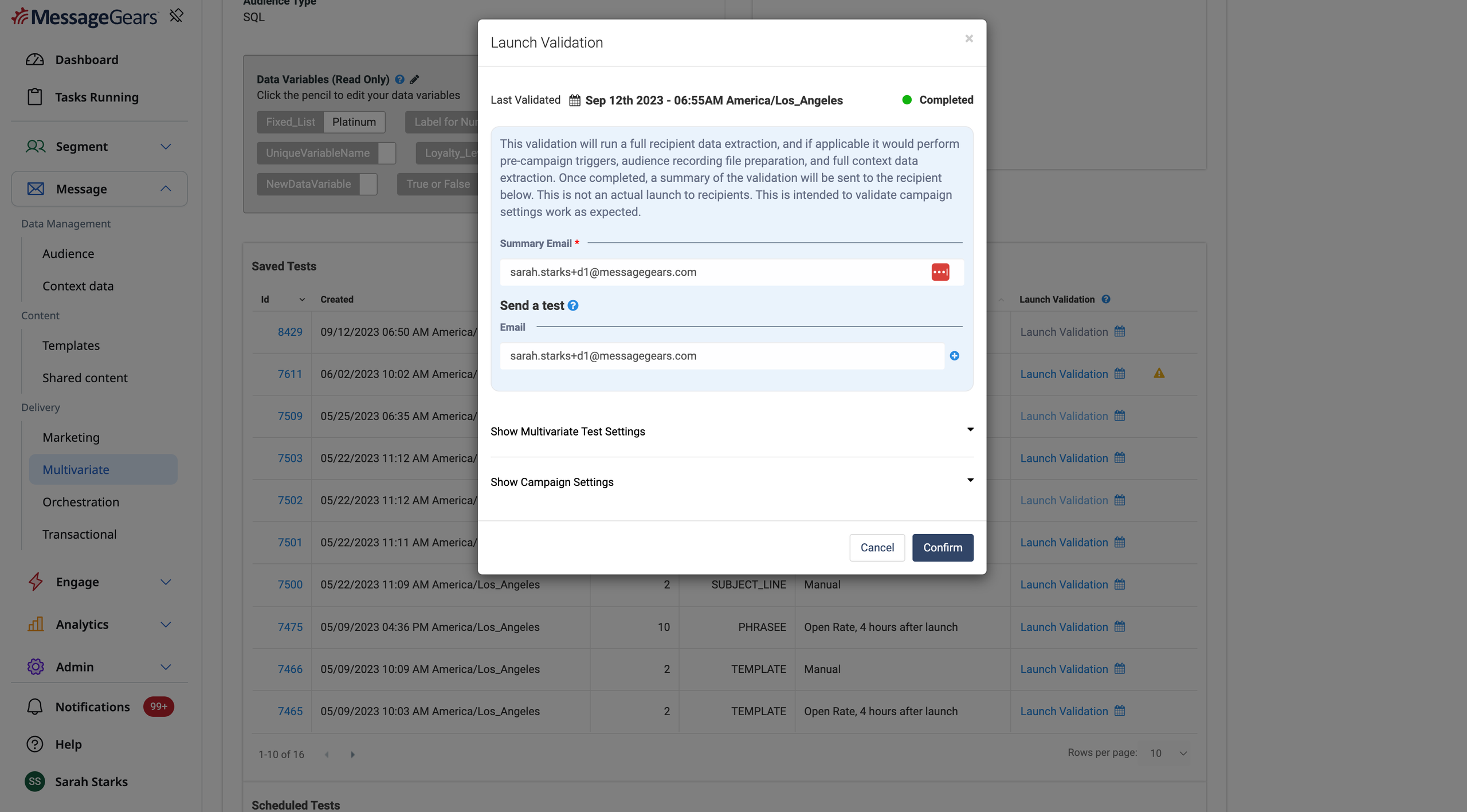
Launch a Validation Test A Validation Test can be launched from the Multivariate Test Launch page or from the Multivariate Campaign Overview page. Simply verify the email provided is the one you want to use to receive the Summary Email and optionally receive a send test. The status of the Validation Test will update here after each test is run.
Warning on the Multivariate Overview page that campaign settings have changed
Breakdown of specific settings that have changed
Receive a Summary Email
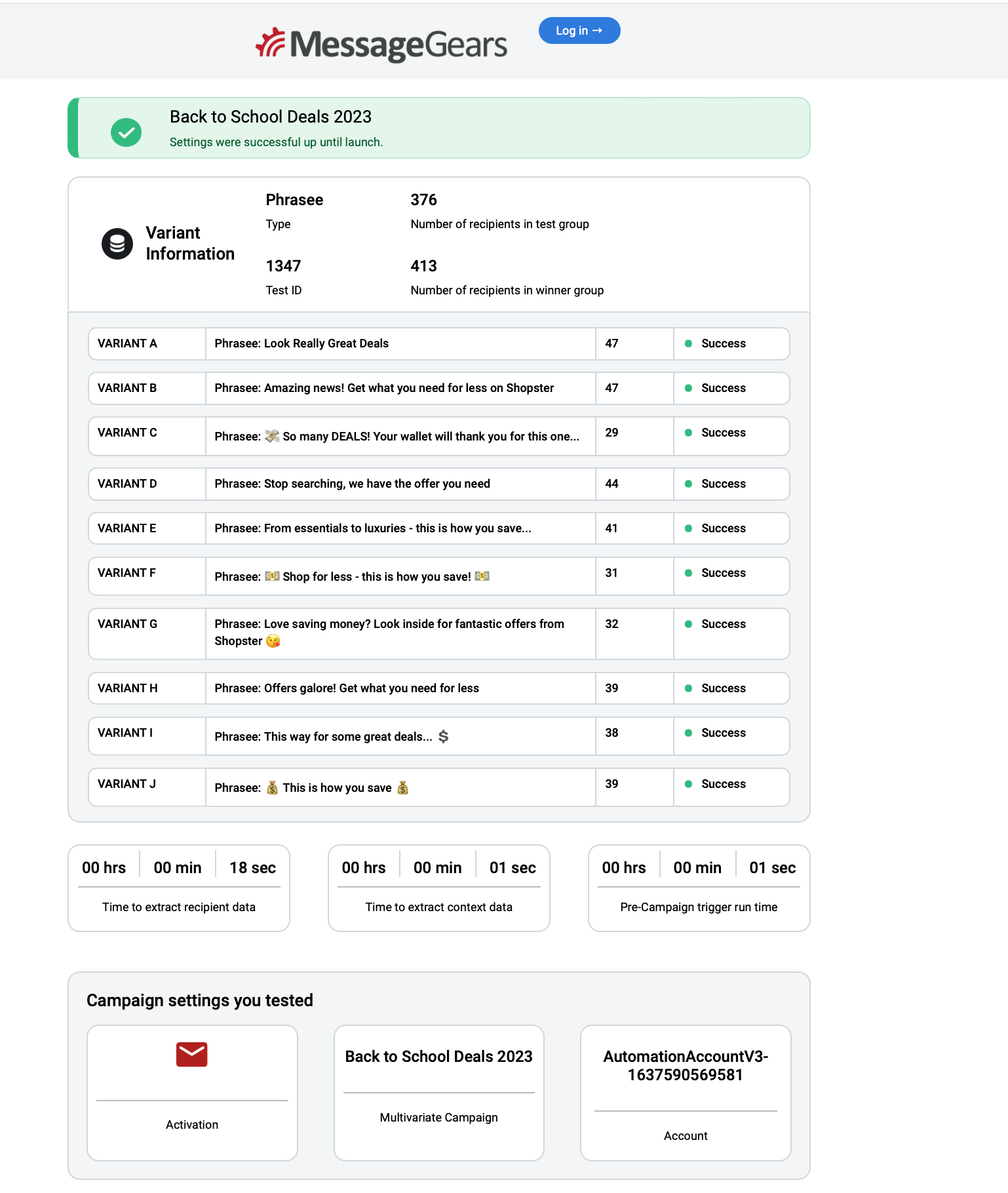
Once a Validation Test has been run, you’ll receive a Summary Email with a recap of the test. This email will tell you if the test was successful or a failure, and if it was a failure it will specify exactly what failed so you can correct it in your campaign settings.
Revalidate When Settings Change If you’ve run a Validation Test on a Multivariate Test, we’ll keep track of the campaign settings at the time that Validation Test was run. If any settings that impact the success of the campaign get modified, we’ll indicate that change so you can run a new Validation Test.
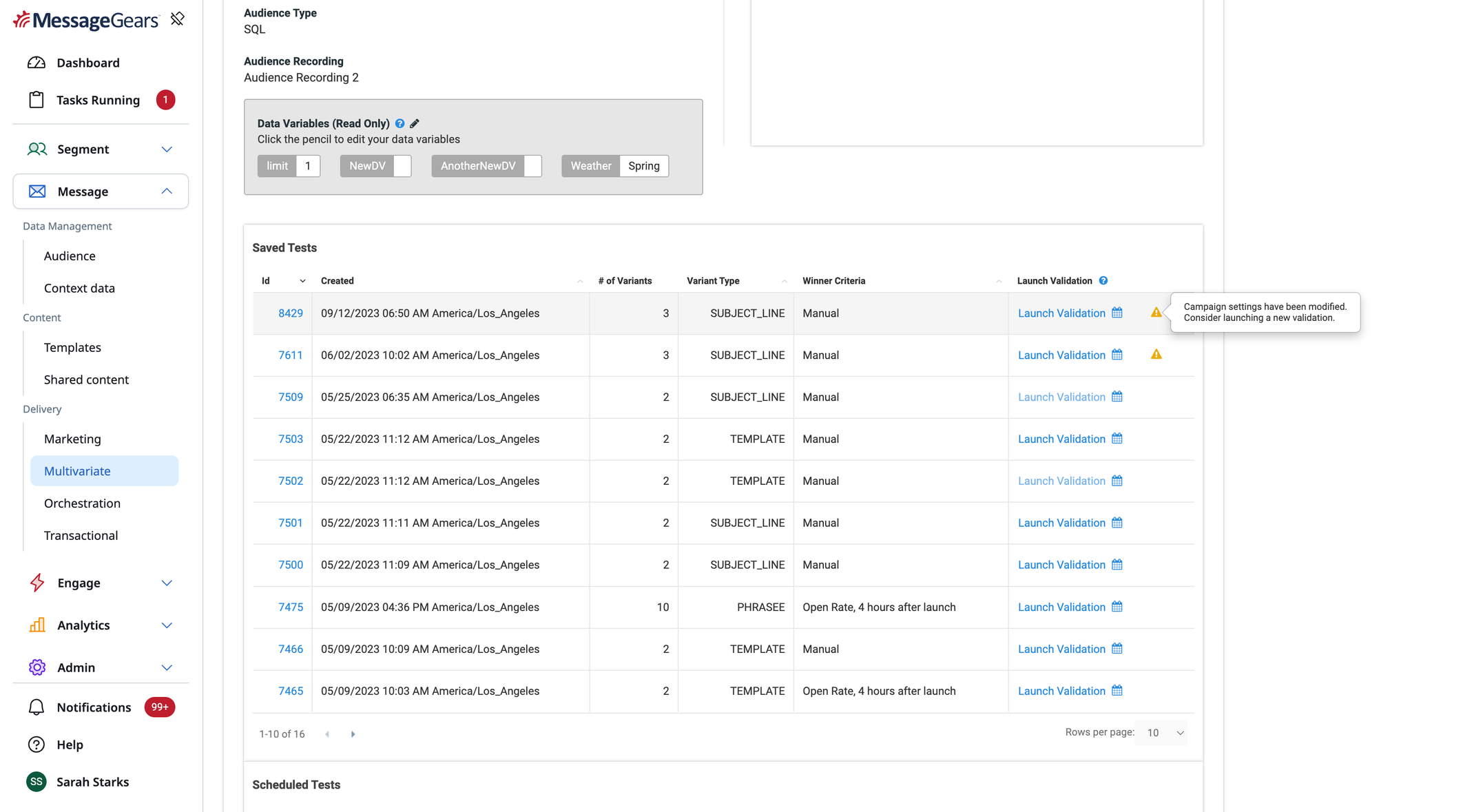
Warning on the Multivariate Overview page that campaign settings have changed
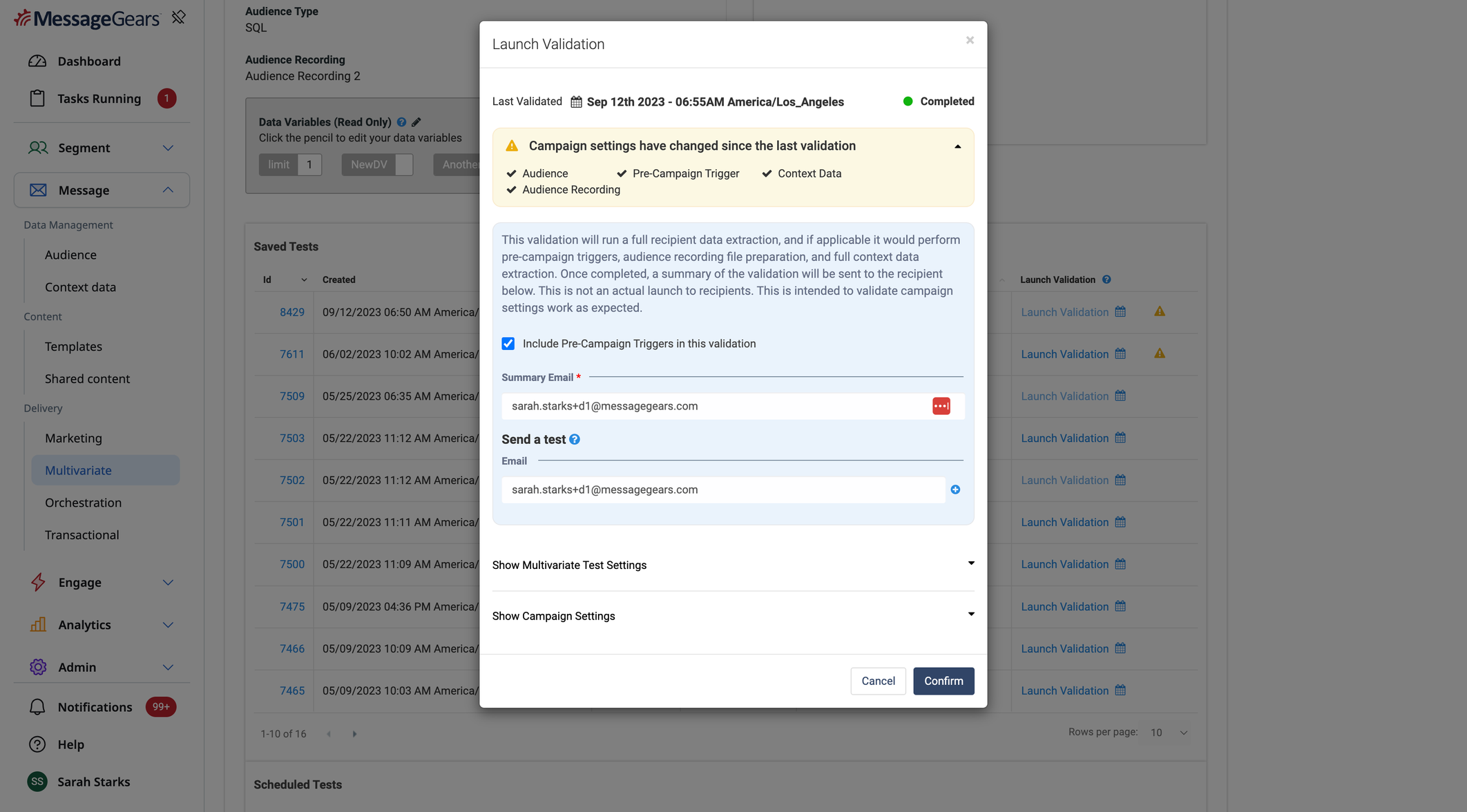
Breakdown of specific settings that have changed
Updated UI Styling - Left Hand Navigation Menu, Context API Edit page
Use Case
To add to the update to both External Campaign List page and Context API List page, this 23.3.2 release includes our new UI styling update to a key focus area in Accelerator - the Left Hand Navigation. The new menu styling consolidates the previous notification panel
Goals
- Bring an updated look & feel to Accelerator
- Improve UX by unifying components between pages for easier learned experiences, and condensing redundant patterns
- Reduce multiple app support on the back end
Capabilities
Among the new UI screens detailed below, functionality is left unaltered compared to the old UI. Customers used to the previous experience should find it an easy transition, with 1 notable exception. Within the next Context API screen, we introduce a friendlier personalization experience. Users can now engage with the new lightning bolt personalization icon within the value fields and select the audience attribute they want to insert; no more need to copy/paste that value from a different menu. Users will find the flow to insert that attribute slightly different, but the end result is still the raw freemarker insert just as it was before. In future releases, we’ll be building off this initial flow and introducing even more detail into the personalization insert experience for our content creation.
Left-Hand Navigation & Context API
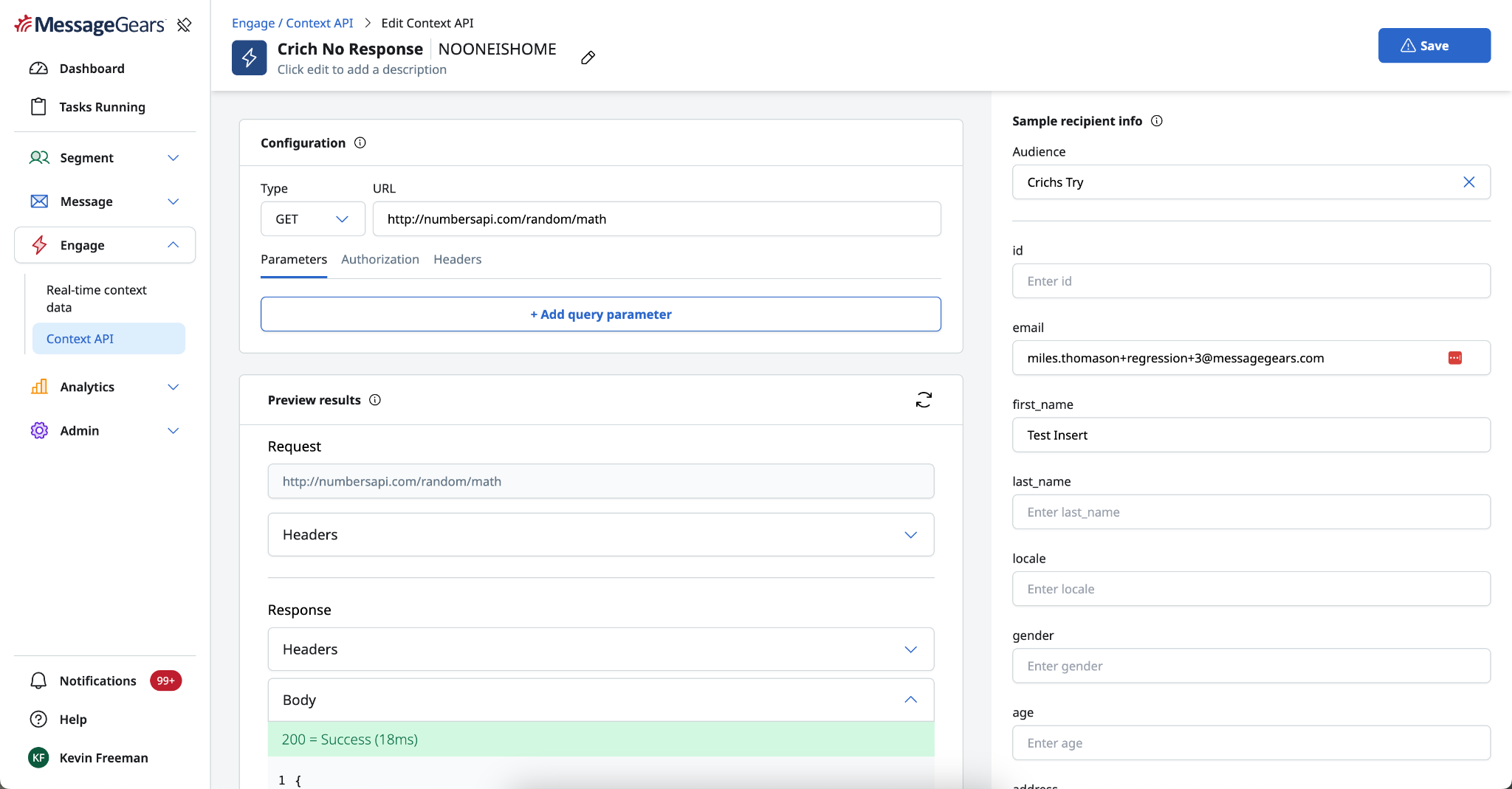
Context API edit page
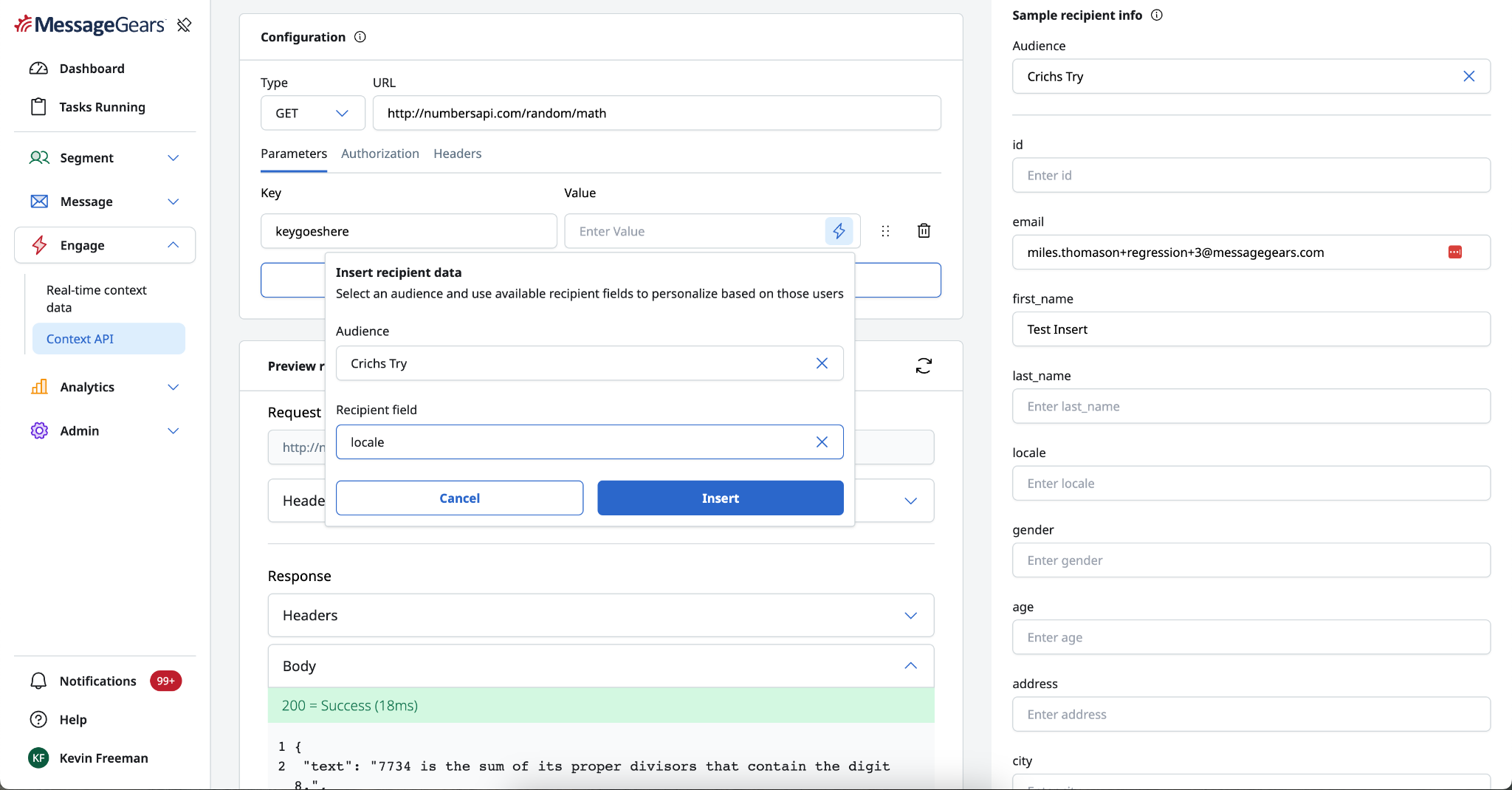
New personalization insert menu
General Changes
Defects
- Resolved an issue where the HTML Explorer tab was not displaying in the HTML View of Templates and email preview