Redshift sample event queries
This article describes some sample queries you can run on the raw event data imported from Swrve to Redshift.
Custom properties with JSON_EXTRACT_PATH_TEXT
Use the json_extract_path_text command to extract custom attributes and payload data.
SELECT
    json_extract_path_text(parameters, 'attributes', '')
FROM events
LIMIT 50;
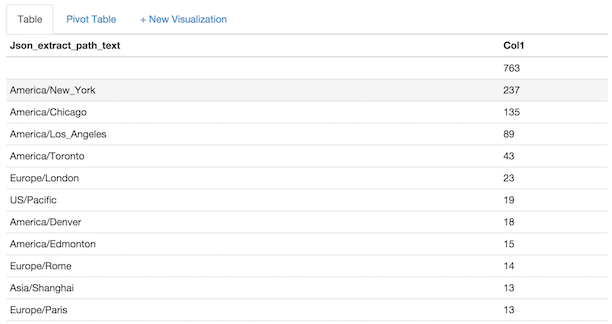
For example, to query information about your users' timezones:
SELECT
    json_extract_path_text(parameters, 'attributes', 'swrve.timezone_name'),
    COUNT(DISTINCT event_user)
FROM events
WHERE event_type = 'user'
    AND json_extract_path_text(parameters, 'attributes', 'swrve.timezone_name') IS NOT NULL
GROUP BY json_extract_path_text(parameters, 'attributes', 'swrve.timezone_name')
ORDER BY COUNT(DISTINCT event_user) DESC;
Example result
Custom views on fields containing JSON
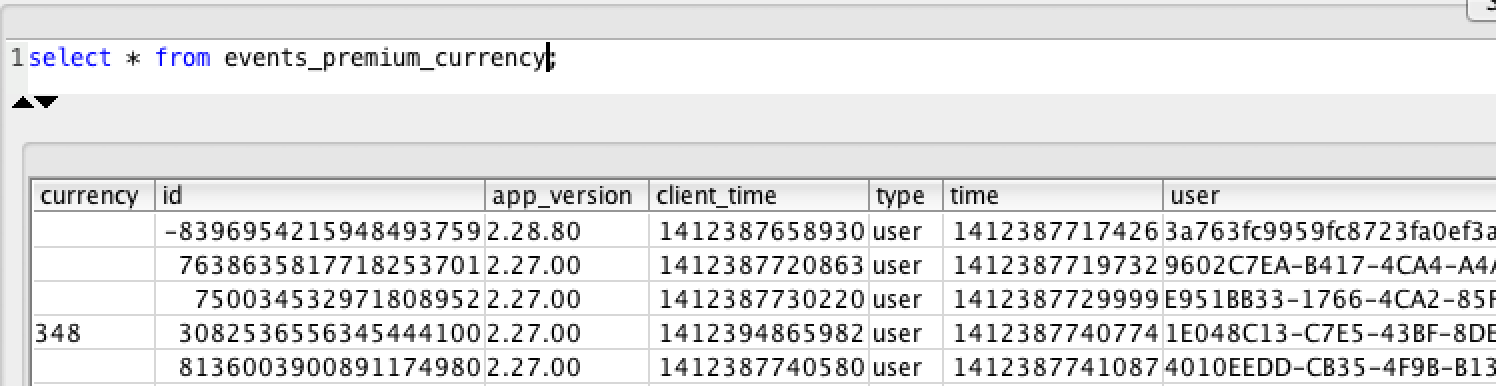
Create a custom view to simplify accessing tables with JSON.
CREATE VIEW events_premium_currency
AS
SELECT json_extract_path_text(parameters, 'attributes', 'premium_currency') AS currency, *
FROM events;
Join events and user state tables
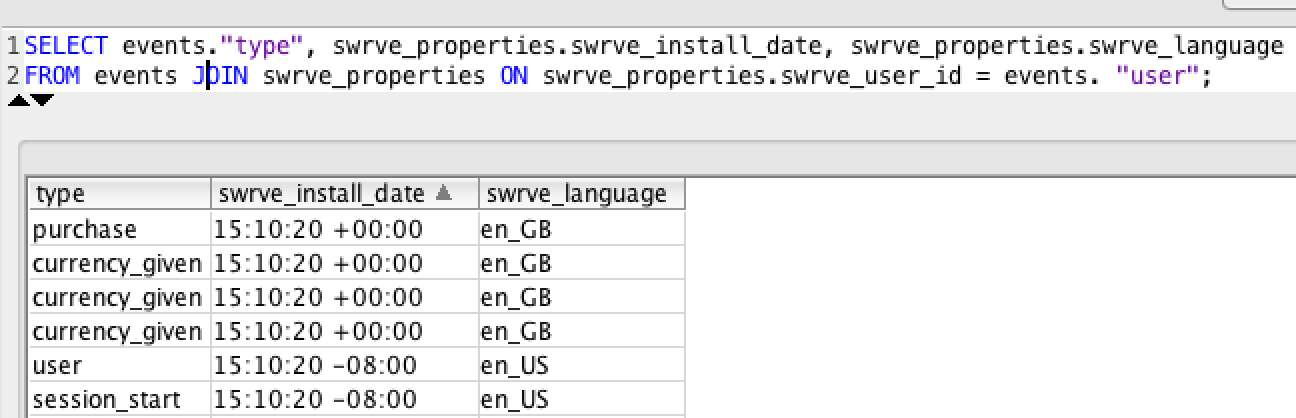
If you have imported user state data, use a JOIN command to quickly filter events based user state. The events table is joined to swrve_properties on swrve_properties.swrve_user_id = events.event_user. The other user property tables, like abtest_exposure, segment_membership, and so forth are joined on swrve_data_id.
SELECT
    events.event_type,
    swrve_properties.swrve_install_date,
    swrve_properties.swrve_language
FROM events
JOIN swrve_properties
    ON swrve_properties.swrve_user_id = events.event_user;
Need a hosted solution? Most Swrve customers can self-host this pipeline; all you have to do is follow the steps in these tutorials. However, if you prefer a turn-key hosted solution, we do offer one as a professional service. There is an additional fee associated with this service. For more information, contact your CSM at support@messagegears.com.
Need help with queries? Swrve support can help you with basic setup and configuration of the pipeline described above. If you need help with your queries, contact our Data Services team at support@messagegears.com. They will help you get the most out of your data with dedicated support, pre-built and custom reports, and dedicated data science hours.