How do I target my audience using event recency?
Swrve's audience filter tool enables you to define multiple filters and highly customize the targeting of your resource A/B tests, in-app messages, embedded, and push notification campaigns. You can use event recency filters and operators to target and track your audience based on the recency of custom events or purchases; for example, users who have or have not used a particular feature recently, or users who first used a feature just recently or some time ago.
This article includes several examples of how to use the audience filter tool and custom event recency filters to target or segment your users based on recent behavior. For more information about how to use the audience filter tool, see Segment and audience filters.
Lapsed payers
Use this example to target or track payers who haven't completed a purchase in a while.
| Data type | Filter type | Operator | Example values |
|---|---|---|---|
| Purchases | made their most recent purchase | more than | Any numerical value for the number of days since the user completed a purchase; for example, 30. |
Lapsed sharers
Use this example to target users who previously shared on social media (for example, Facebook) but haven't done so in a while.
| Data type | Filter type | Event | Operator | Example values |
|---|---|---|---|---|
| Events | last triggered event | custom sharing event, for example, facebook.share | more than | Any numerical value for the number of days since the user shared on social media; for example, 30. |
Use this example to target users who have previously shared a playlist but haven't recently. This involves creating multiple filters.
| Data type | Filter type | Event | Operator | Example values |
|---|---|---|---|---|
| Events | last triggered event | custom play or listen event, for example, song.playlist.listen | in the last | Any numerical value for the number of days within which the user listened to a playlist; for example, 7. |
| Events | last triggered event | custom sharing event, for example, song.playlist.share | more than | Any numerical value for the number of days since the user last shared a playlist; for example, 30. |
Promote additional products or features
Use this example to target users who have completed a purchase (for example, buying a flight), but have yet to take advantage of other features (for example, searched for a hotel but haven't yet purchased one). This involves creating multiple filters.
| Data type | Filter type | Event | Operator | Example values |
|---|---|---|---|---|
| Events | last triggered event | custom purchase event, for example, flights.buy | in the last | Any numerical value for the number of days within which the user completed the purchase; for example, 7. |
| Events | last triggered event | custom search event, for example, hotels.search | in the last | Any numerical value for the number of days within which the user searched for a hotel; for example, 7. |
| Events | last triggered event | custom purchase event, for example, hotels.buy | more than | Any numerical value for the number of days since the first purchase; for example, 7. |
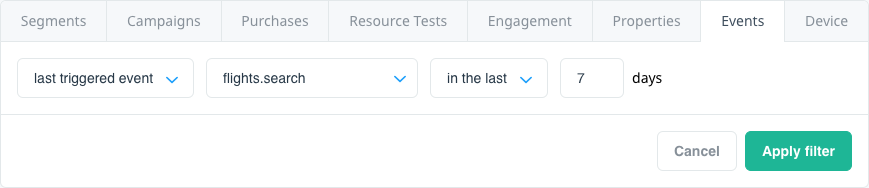
Use this example to target users who regularly use one feature of your app (for example, searching for flights), and have not used other features (for example, searching for a hotel). This involves creating multiple filters.
| Data type | Filter type | Event | Operator | Example values |
|---|---|---|---|---|
| Events | triggered event | custom search event representing main feature, for example, flights.search | at least | Any numerical value for the minimum number of times the user has completed a search; for example, 6. |
| Events | first triggered event | custom search event, for example, flights.search | more than | Any numerical value for the number of days since the user first started using the initial feature; for example, 120. |
| Events | last triggered event | custom search event, for example, flights.search | more than | Any numerical value for the number of days since the user last used the initial feature; for example, 30. |
| Events | triggered event | custom search event, representing promoted feature, for example, hotels.search | exactly | Any numerical value representing the number of times the user has used the promoted feature; in this instance, 0. |