BigQuery native connection setup
Highlights
- In order to successfully use the native driver will require permission changes to Accelerator for a particular data set
- Users can still use the existing JDBC BigQuery Connections
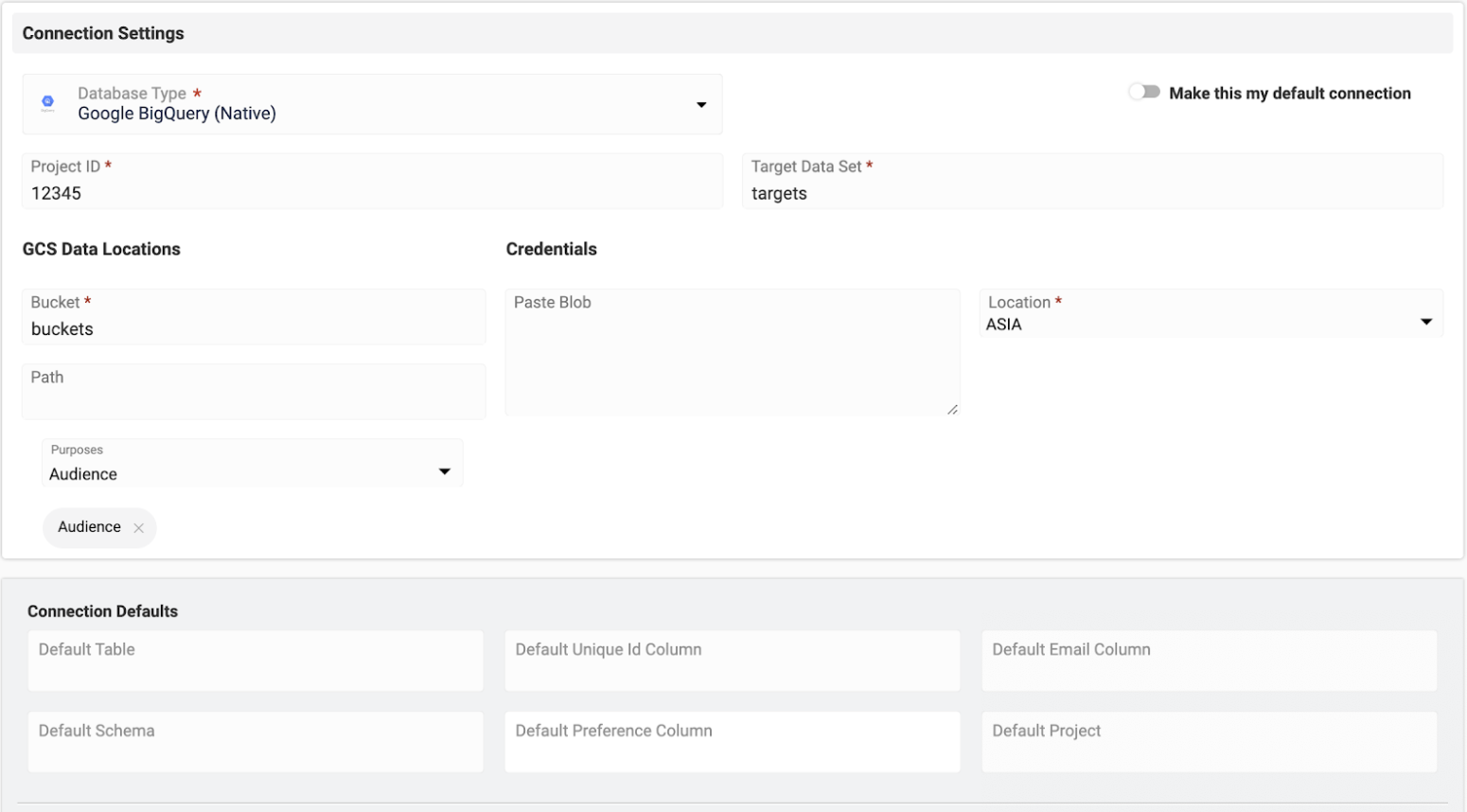
Field Definitions
- Project ID: Billable Project where Accelerator will process the Query
- Target Data Set: Where Accelerator should create and destroy tables to store query results. Accelerator will elevated permissions to access this
- Bucket/Path: Location where to store exported results. This is where the temp table will be exported to be used in extraction processing
- Credentials: JSON blob for authentication to Project and GCS Location, if empty Accelerator will use the environment credentials
- Location: Server location of the GCS bucket
Permissions and Roles in Google Cloud
Customers using Accelerator with BigQuery would need to ensure that the service account that Accelerator uses has the following permissions to the target dataset where Accelerator will store query results:
| Attribute | Details |
|---|---|
bigquery.datasets.get | Get metadata about a dataset. |
bigquery.tables.create | Create new tables. |
bigquery.tables.delete | Delete tables. |
bigquery.tables.export | Export table data out of BigQuery. |
The role roles/bigquery.dataEditor configures all of these permissions.
Accelerator would need these permissions to the source dataset where the customer's data is stored:
| Attribute | Details |
|---|---|
bigquery.tables.get | Get table metadata. To get table data, you need bigquery.tables.getData. |
bigquery.tables.getData | Get table data. This permission is required for querying table data. To get table metadata, you need bigquery.tables.get. |
The role roles/bigquery.dataViewer is the best match for the needed permissions.
Accelerator would need these permissions to the target GCS bucket where it will export the query results:
| Attribute | Details |
|---|---|
storage.objects.create | Add new objects to the bucket. |
storage.objects.delete | Delete objects. |
storage.objects.get | Read object data and metadata, excluding ACLs. |
storage.objects.list | List objects in the bucket. Also read object metadata, excluding ACLs, when listing. |
The role roles/storage.objectAdmin is the closest match to these permissions.
Event feed tables
If you are using the real-time event feed to stream engagement data (deliveries, opens, clicks, bounces, and more) back into BigQuery, create the destination tables using the Event Data DDL reference.